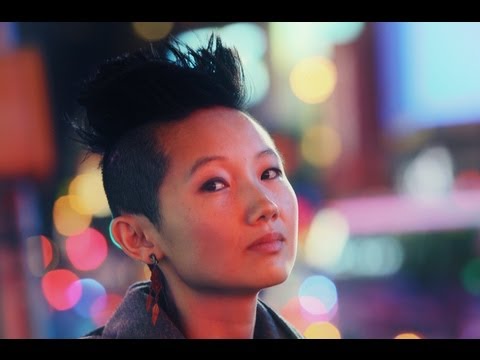
Clients started asking me for that “blurry background look” so often that I made a cheat sheet and taped it to the wall above my monitor. Most photographers understand bokeh conceptually, but when they try to replicate it, something goes flat. The background blurs a little but not enough. The circles of light look muddy. The subject doesn’t pop. The problem is almost never the camera. It’s the relationship between three variables that most tutorials explain in isolation rather than together: aperture, subject distance, and subject-to-background distance.
In this The Slanted Lens tutorial on bokeh, Jay P. Morgan takes his crew to Times Square at night, which is a genuinely smart choice. The billboard grid acts as a live bokeh test pattern, something you can actually watch change as he adjusts settings. But before the location footage, he runs a controlled studio test against a white wall strung with Christmas lights. That studio section is where the real learning happens, and it’s what I want to walk through here in detail.
The word “bokeh” comes from a Japanese term meaning blur or haze. Beautiful bokeh isn’t just a soft background. It’s a background that resolves into smooth, even circles of light, what photographers call the circle of confusion, that feel intentional rather than accidental. Getting there consistently requires understanding how each variable pushes that circle larger or smaller.
Step 1: Start with a Controlled Background You Can Actually See
 White wall with Christmas lights as bokeh test background
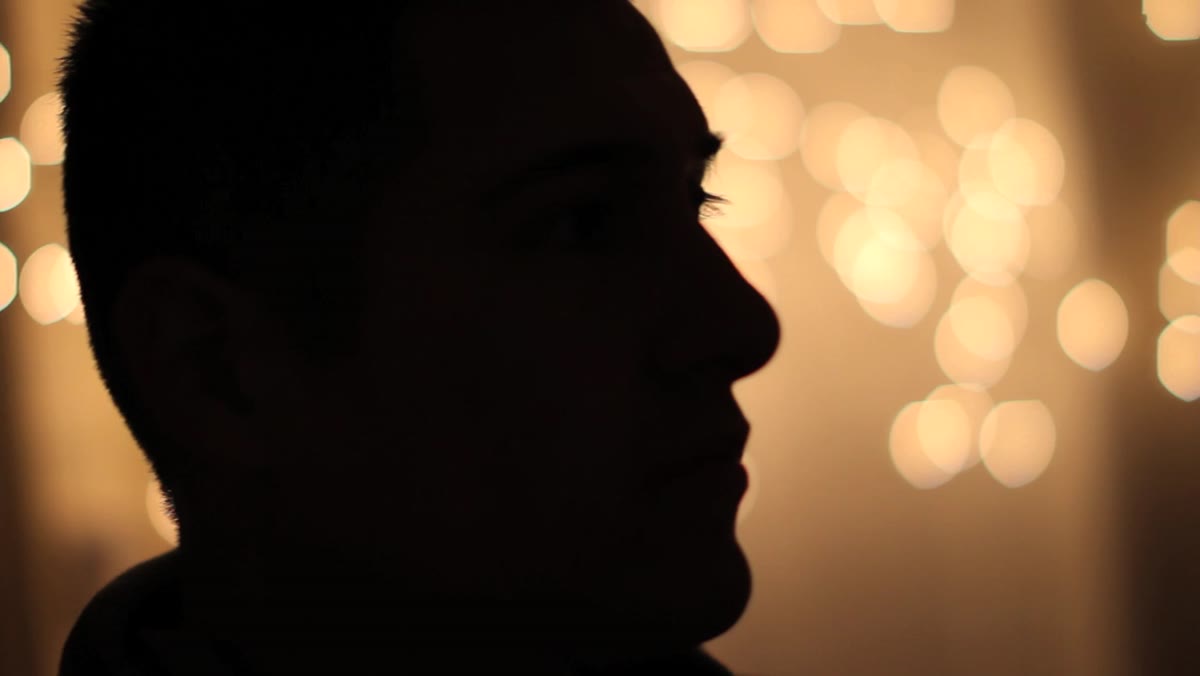
Before you shoot anywhere, you need a reference background that shows you what your blur actually looks like. The tutorial uses white Christmas lights strung against a white wall, and it’s a great idea I’ve borrowed for my own studio tests. The individual points of light become your circles of confusion. They make it immediately obvious whether your background is rendering as clean orbs or as vague smears.
White wall with Christmas lights as bokeh test background
Before you shoot anywhere, you need a reference background that shows you what your blur actually looks like. The tutorial uses white Christmas lights strung against a white wall, and it’s a great idea I’ve borrowed for my own studio tests. The individual points of light become your circles of confusion. They make it immediately obvious whether your background is rendering as clean orbs or as vague smears.
Set this up about 10 to 13 feet behind where your subject will stand. The exact distance matters less than having enough room to work with, which we’ll get into next. The key is that your test background needs to have discrete light sources so you can actually see the shape and size of the blur, not just the general softness.
Step 2: Use Aperture as Your First Control, But Know Its Limits
 50mm lens at f/2.8 vs f/1.2 side-by-side comparison
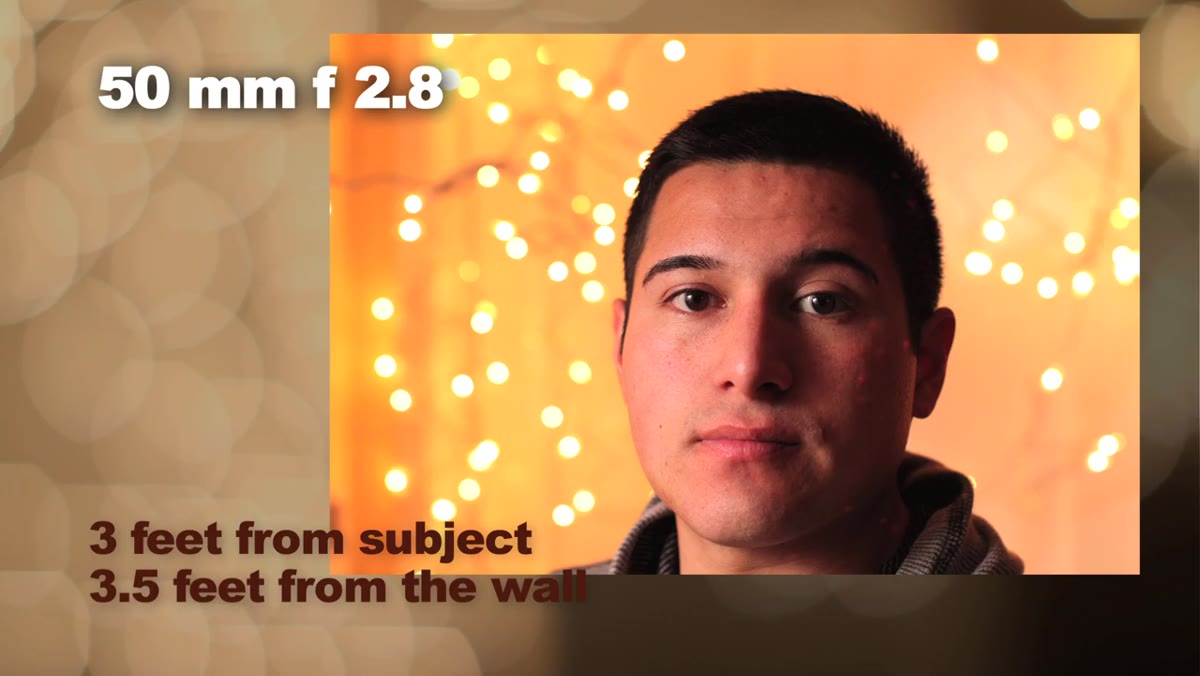
The tutorial compares a 50mm lens at f/2.8 against the same lens at f/1.2, with the subject positioned 3 feet from the camera and 3.5 feet from the background. At f/2.8, the lights blur modestly. At f/1.2, the difference is dramatic. That two-stop jump nearly doubles the visual softness of the background.
50mm lens at f/2.8 vs f/1.2 side-by-side comparison
The tutorial compares a 50mm lens at f/2.8 against the same lens at f/1.2, with the subject positioned 3 feet from the camera and 3.5 feet from the background. At f/2.8, the lights blur modestly. At f/1.2, the difference is dramatic. That two-stop jump nearly doubles the visual softness of the background.
The lesson here is that aperture alone will get you somewhere, but it runs out of room quickly, especially at shorter focal lengths. If you’re shooting a 50mm at f/2.8 with the subject close to the background, you will be disappointed. Aperture is the dial you reach for first, but the other two variables determine how far that dial can actually take you.
Step 3: Push Your Subject Away from the Background
 Subject moved to 7 feet from background, 50mm at f/2.8
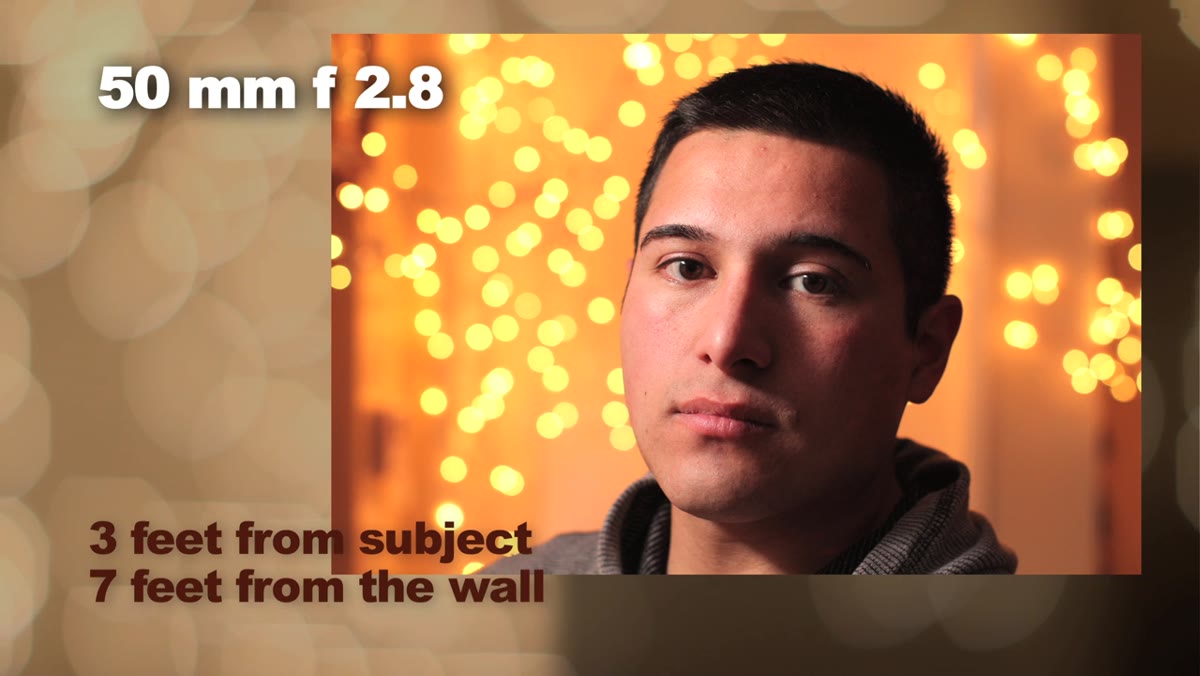
This is the variable most photographers underestimate. The tutorial shows the same 50mm lens at the same f/2.8 aperture, but now the subject is 7 feet from the background instead of 3.5 feet. The bokeh improvement is significant, roughly comparable to the jump from f/2.8 to f/1.2 at the closer distance.
Subject moved to 7 feet from background, 50mm at f/2.8
This is the variable most photographers underestimate. The tutorial shows the same 50mm lens at the same f/2.8 aperture, but now the subject is 7 feet from the background instead of 3.5 feet. The bokeh improvement is significant, roughly comparable to the jump from f/2.8 to f/1.2 at the closer distance.
In practice, this means pushing your subject as far off the background as your space allows. In my studio I work with a 30-foot depth, and I try to never place a subject less than 8 feet from the paper or wall behind them when I want clean bokeh. Even on smaller sets, pulling the subject 4 to 5 feet forward from the background will give you noticeably rounder, more isolated light circles behind them.
Step 4: Move Closer to Your Subject to Compress Depth of Field
 Camera moved 6 inches closer to subject, bokeh comparison
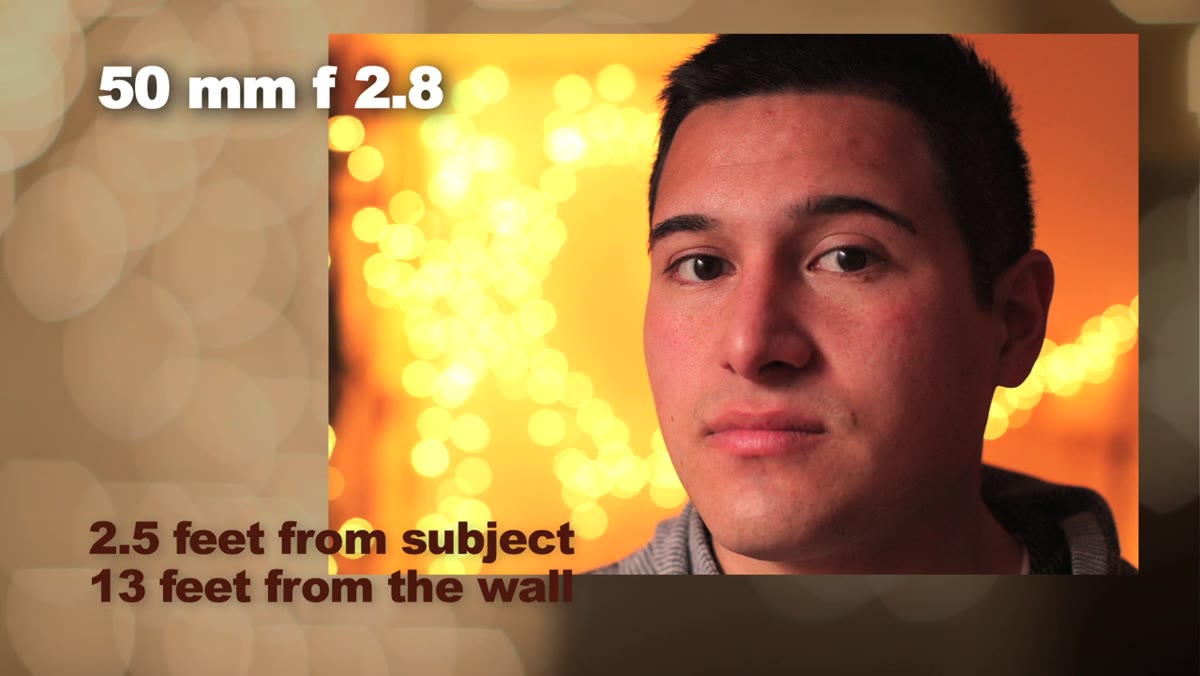
Here is a detail that doesn’t get enough attention. The tutorial demonstrates that moving the camera just 6 inches closer to the subject, while keeping everything else constant, produces a bokeh result at f/2.8 that nearly matches what you’d get at f/1.2 from the original distance. Getting physically closer decreases depth of field and increases the blur ratio on whatever is behind the focal plane.
Camera moved 6 inches closer to subject, bokeh comparison
Here is a detail that doesn’t get enough attention. The tutorial demonstrates that moving the camera just 6 inches closer to the subject, while keeping everything else constant, produces a bokeh result at f/2.8 that nearly matches what you’d get at f/1.2 from the original distance. Getting physically closer decreases depth of field and increases the blur ratio on whatever is behind the focal plane.
This is why macro photographers get such extreme blur even at modest apertures. The closer the camera is to the subject, the shallower the depth of field, full stop. On a portrait shoot, a small step toward your subject can save you from having to push your aperture to a point where focus becomes unpredictable.
Step 5: Switch to a Longer Focal Length to Multiply the Effect
 200mm lens at f/2.8, 8 feet from subject, 13 feet from background
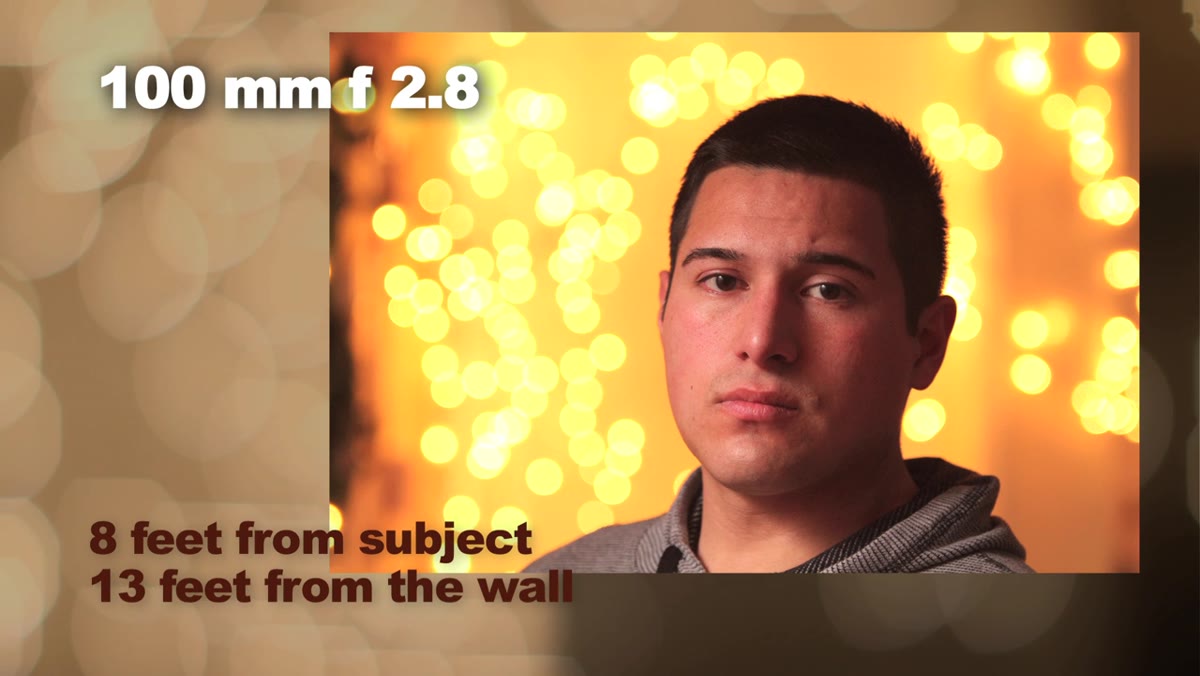
The tutorial compares a 100mm and a 200mm lens against the earlier 50mm tests, both at f/2.8 with the subject 8 feet from the camera and 13 feet from the background. At 200mm, the bokeh is noticeably more pronounced, with larger, smoother circles and a stronger separation between subject and background.
200mm lens at f/2.8, 8 feet from subject, 13 feet from background
The tutorial compares a 100mm and a 200mm lens against the earlier 50mm tests, both at f/2.8 with the subject 8 feet from the camera and 13 feet from the background. At 200mm, the bokeh is noticeably more pronounced, with larger, smoother circles and a stronger separation between subject and background.
Longer lenses compress the apparent depth of a scene, which makes the background appear closer to the subject visually, while simultaneously blurring it more aggressively. For portrait work, this is why the 85mm to 135mm range is so popular. It sits in a sweet spot between flattering compression and manageable working distance. At 200mm, the bokeh is stunning but you’re working from across the room, which changes how you interact with a subject.
Step 6: Apply the Same Principles on Location
 Times Square ambient light only, dark on subject’s face
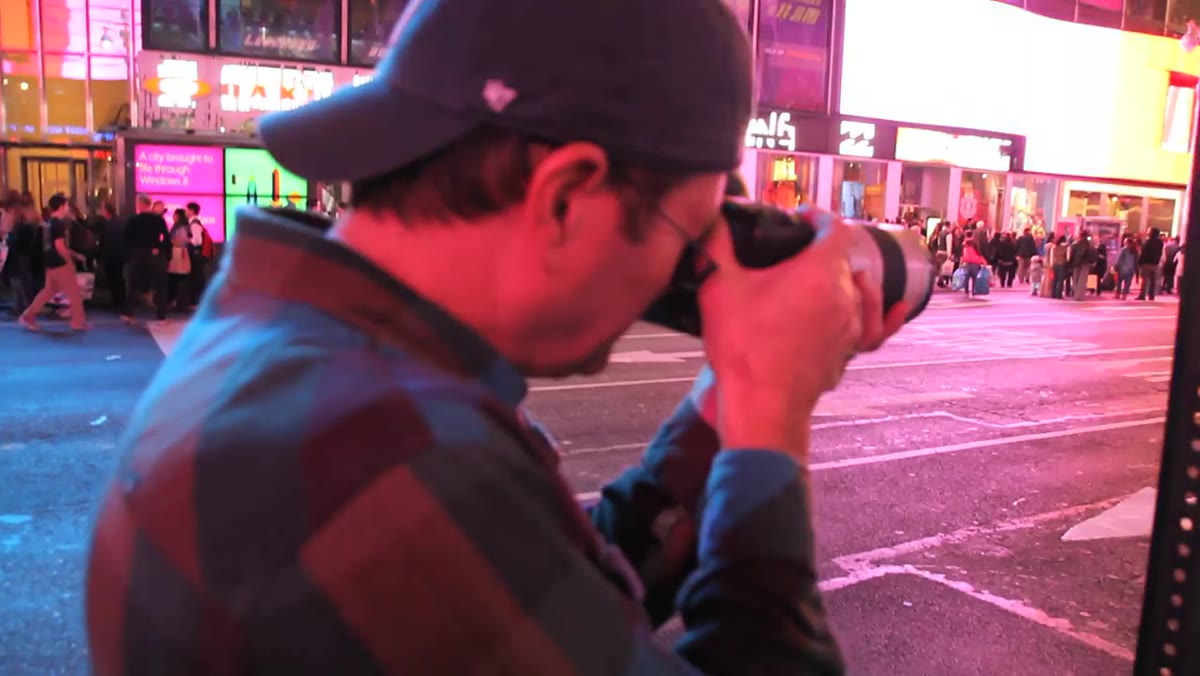
The tutorial moves to Times Square and sets up a portable strobe with an octodome modifier to light the subject against the billboard backdrop. The ambient exposure is set at f/4.5, 1/60th of a second, ISO 320, shooting at 150 to 200mm on a zoom lens. At that focal length and distance, f/4.5 is enough to render the Times Square lights as soft orbs even at a narrower aperture.
Times Square ambient light only, dark on subject’s face
The tutorial moves to Times Square and sets up a portable strobe with an octodome modifier to light the subject against the billboard backdrop. The ambient exposure is set at f/4.5, 1/60th of a second, ISO 320, shooting at 150 to 200mm on a zoom lens. At that focal length and distance, f/4.5 is enough to render the Times Square lights as soft orbs even at a narrower aperture.
The location application is a good reminder that focal length does a lot of the heavy lifting. When you’re at 200mm and the background lights are 50 or 100 feet away, you don’t need f/1.2 to get clean bokeh. Your aperture only needs to be wide enough to let in sufficient ambient light while your strobe handles the subject exposure. Balancing those two exposures independently is the working professional’s actual skill here.
What I’d Add from My Own Experience
The tutorial doesn’t address modifier quality and how it affects bokeh rendering, which is worth a note. When I light a subject with a strobe and a large octodome outdoors, the modifier wraps light around the subject’s edges. That edge transition, from lit subject to dark background, directly affects how cleanly the subject separates from the bokeh. A harder light source creates a harder edge, which makes the subject look pasted onto the blurred background. A large, soft source like an octodome creates a gradual falloff that integrates the subject into the bokeh more naturally.
I keep notes on this in my lighting journal because it took me several location shoots to realize why some images felt “right” and others felt composited even though the bokeh itself was technically correct. The modifier isn’t just about flattering the subject. It’s about how the subject lives inside the frame.
The single most actionable takeaway from this tutorial is the three-variable formula: get close to your subject, push your subject far from the background, then open your aperture as wide as the scene allows. Any one of those variables helps. All three together produce the kind of bokeh that makes clients ask you to repeat it on every shoot.
Watch the full tutorial on YouTube to see the live comparisons between lenses and the full Times Square setup in action.
Comments
Leave a Comment