I have a piece of masking tape on the worst light in my studio that just says “handle with care.” It’s not fragile. It’s a flat LED panel, and that label is a warning to myself. For years I reached for those panels as quick fill sources and walked away with portraits that looked like someone lit a subject with a laptop screen. Harsh, flat, unflattering. The problem was never the light itself. It was that I was pointing it directly at the subject and calling it a day.
Watch the full tutorial on YouTube
In this The Slanted Lens tutorial, JP Morgan walks through a surprisingly complete system for making flat LED panels genuinely useful on set. What struck me watching it was how closely it mirrors the troubleshooting path I eventually stumbled onto myself, just laid out with far more clarity than my own trial-and-error process ever produced. If you shoot with these panels and you’re frustrated by how clinical they look, this tutorial is worth your full attention. Below I’ve broken down each technique so you can follow along without pausing and rewinding.
Step 1: Understand Why Direct LED Light Fails
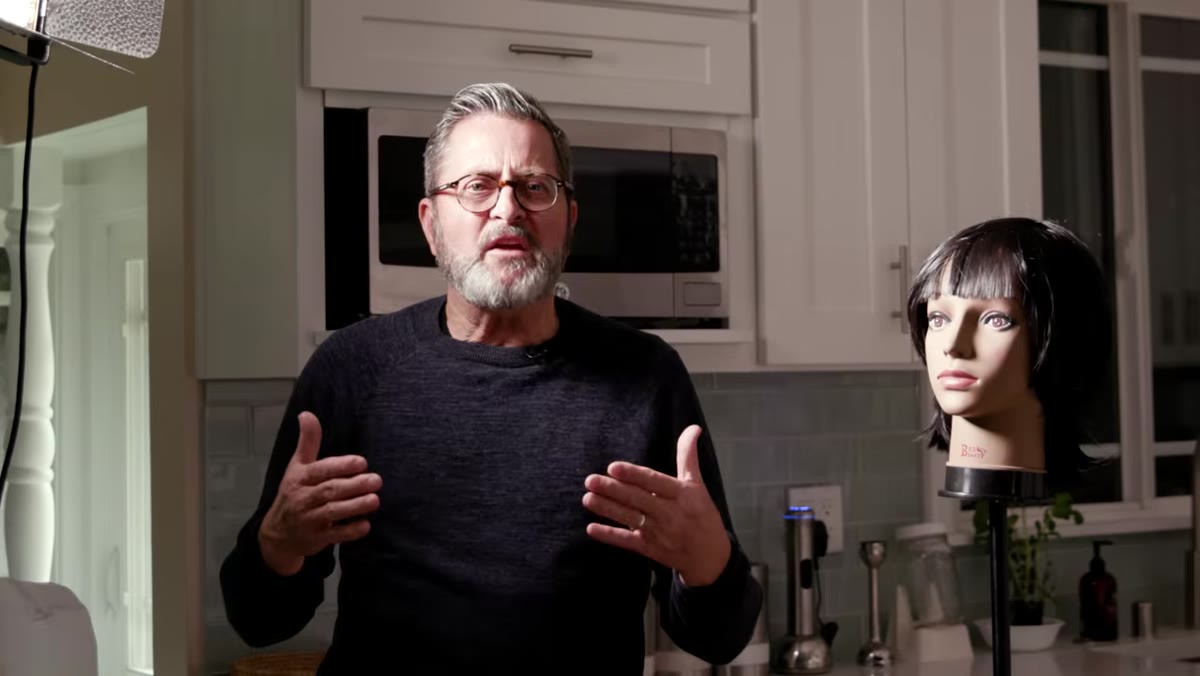 Direct LED panel aimed straight at subject’s face
Flat LED panels are built with dozens of individual diodes arranged in a grid. Aimed directly at a subject, each one of those point sources contributes its own tiny shadow and specular highlight. The result is a light that reads as harsh and unflattering, with a strange multi-shadow effect that no amount of post-processing fixes cleanly. JP makes this clear early and it’s worth sitting with before you reach for a modifier. The panel isn’t broken. It’s just behaving like what it is: a wall of tiny bare bulbs. Your job is to change that behavior.
Direct LED panel aimed straight at subject’s face
Flat LED panels are built with dozens of individual diodes arranged in a grid. Aimed directly at a subject, each one of those point sources contributes its own tiny shadow and specular highlight. The result is a light that reads as harsh and unflattering, with a strange multi-shadow effect that no amount of post-processing fixes cleanly. JP makes this clear early and it’s worth sitting with before you reach for a modifier. The panel isn’t broken. It’s just behaving like what it is: a wall of tiny bare bulbs. Your job is to change that behavior.
Step 2: Add Diffusion Material to the Barn Doors
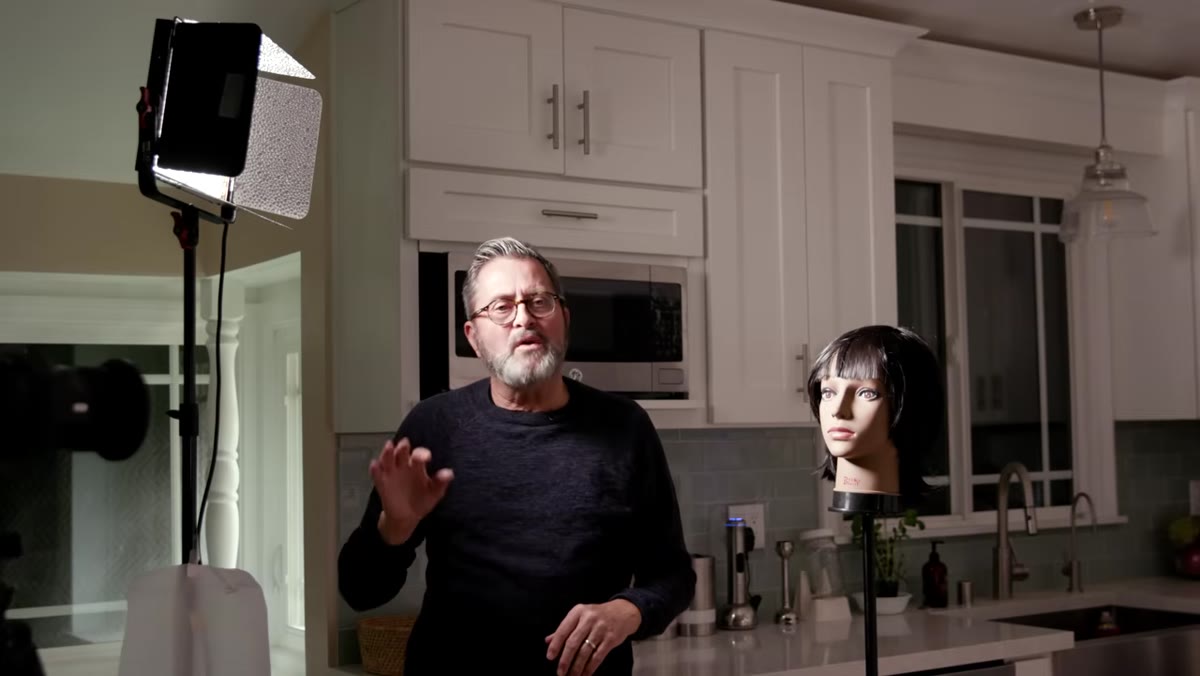 Diffusion paper being attached to barn doors on LED panel
The first and most accessible fix is to attach diffusion material directly to the barn doors in front of the panel. JP uses a dedicated diffusion sheet, but he also points out that parchment paper, the kind sitting in most kitchens, performs comparably to professional Rosco diffusion material. The key is to fix it to the outer edges of the barn doors rather than tight against the face of the panel itself. You want the diffusion to protrude outward, increasing the apparent size of the light source. A larger effective source produces softer light. That’s not a style preference. It’s physics.
Diffusion paper being attached to barn doors on LED panel
The first and most accessible fix is to attach diffusion material directly to the barn doors in front of the panel. JP uses a dedicated diffusion sheet, but he also points out that parchment paper, the kind sitting in most kitchens, performs comparably to professional Rosco diffusion material. The key is to fix it to the outer edges of the barn doors rather than tight against the face of the panel itself. You want the diffusion to protrude outward, increasing the apparent size of the light source. A larger effective source produces softer light. That’s not a style preference. It’s physics.
Step 3: Pre-Compensate Your Exposure Before You Diffuse
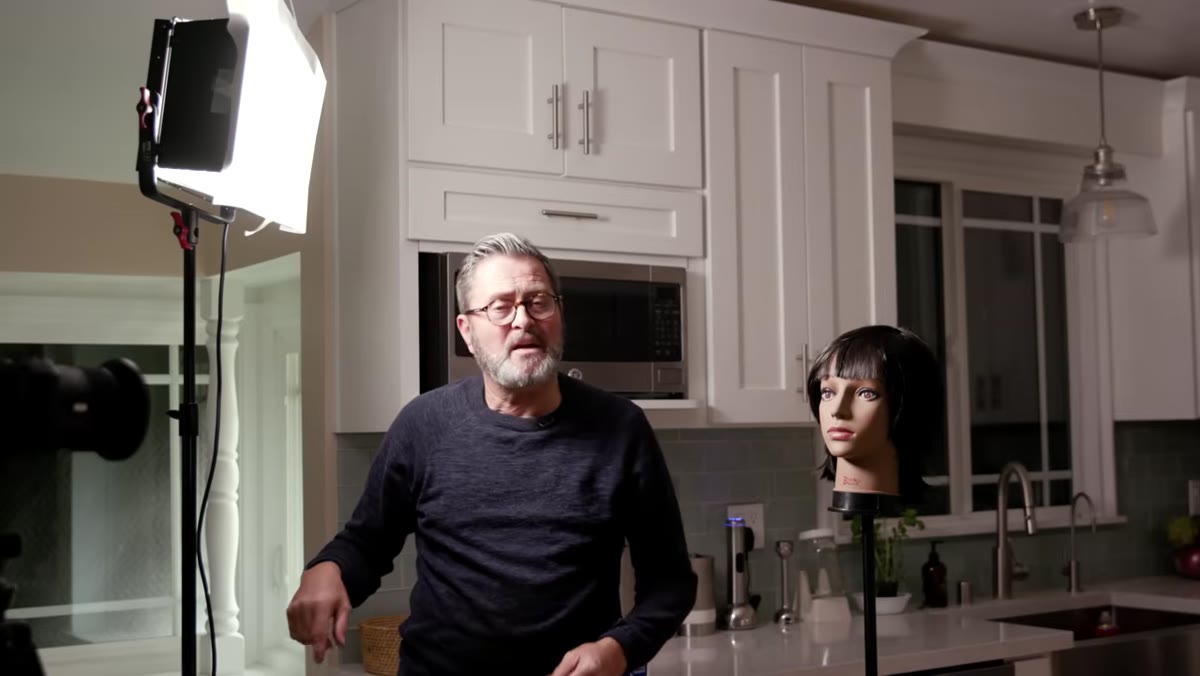 LED panel set to 50 percent power before diffusion is added
Before attaching any diffusion, JP sets the panel to 50% power. This is the move I wish someone had told me earlier. Diffusion material eats roughly a stop of light, sometimes more depending on density. If you start at full power and then add diffusion, you’ll be at full power with nowhere to go if you need more output. Starting at half power gives you headroom to bring the light up after the diffusion is in place. Once the material is attached, he raises the output until the exposure on the subject’s face reads correctly. This sequence matters. Set low, then dial up.
LED panel set to 50 percent power before diffusion is added
Before attaching any diffusion, JP sets the panel to 50% power. This is the move I wish someone had told me earlier. Diffusion material eats roughly a stop of light, sometimes more depending on density. If you start at full power and then add diffusion, you’ll be at full power with nowhere to go if you need more output. Starting at half power gives you headroom to bring the light up after the diffusion is in place. Once the material is attached, he raises the output until the exposure on the subject’s face reads correctly. This sequence matters. Set low, then dial up.
Step 4: Use Panel Position to Control Light Character
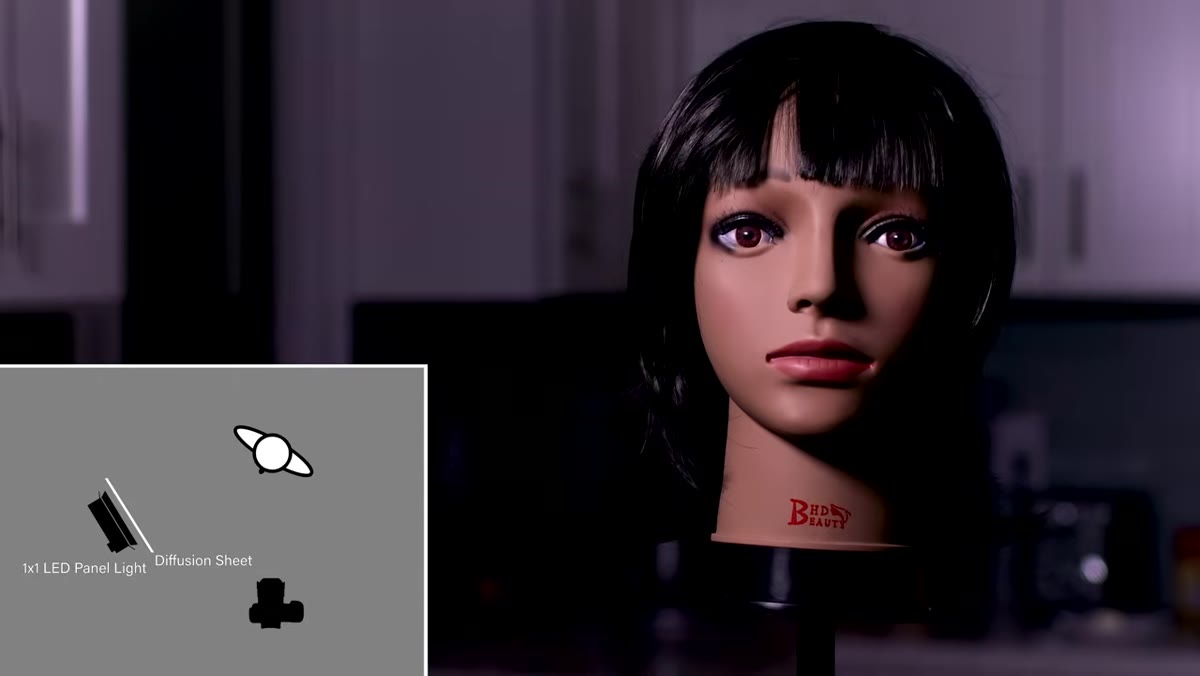 LED panel moved to the side of the subject’s face for edge light
With diffusion in place, the panel becomes a genuinely flexible tool. JP demonstrates this by repositioning the same light and watching how the quality of illumination on the subject’s face changes. Bringing the panel around toward the front adds fill and opens up the shadows. Pulling it further to the side creates a rimming or edge light effect that separates the hair from the background. Neither position requires any additional gear. The modifier stays the same. You’re just using position and angle to shape the scene, which is how every light source should be approached.
LED panel moved to the side of the subject’s face for edge light
With diffusion in place, the panel becomes a genuinely flexible tool. JP demonstrates this by repositioning the same light and watching how the quality of illumination on the subject’s face changes. Bringing the panel around toward the front adds fill and opens up the shadows. Pulling it further to the side creates a rimming or edge light effect that separates the hair from the background. Neither position requires any additional gear. The modifier stays the same. You’re just using position and angle to shape the scene, which is how every light source should be approached.
Step 5: Bounce the Panel Off the Ceiling for Ambient Fill
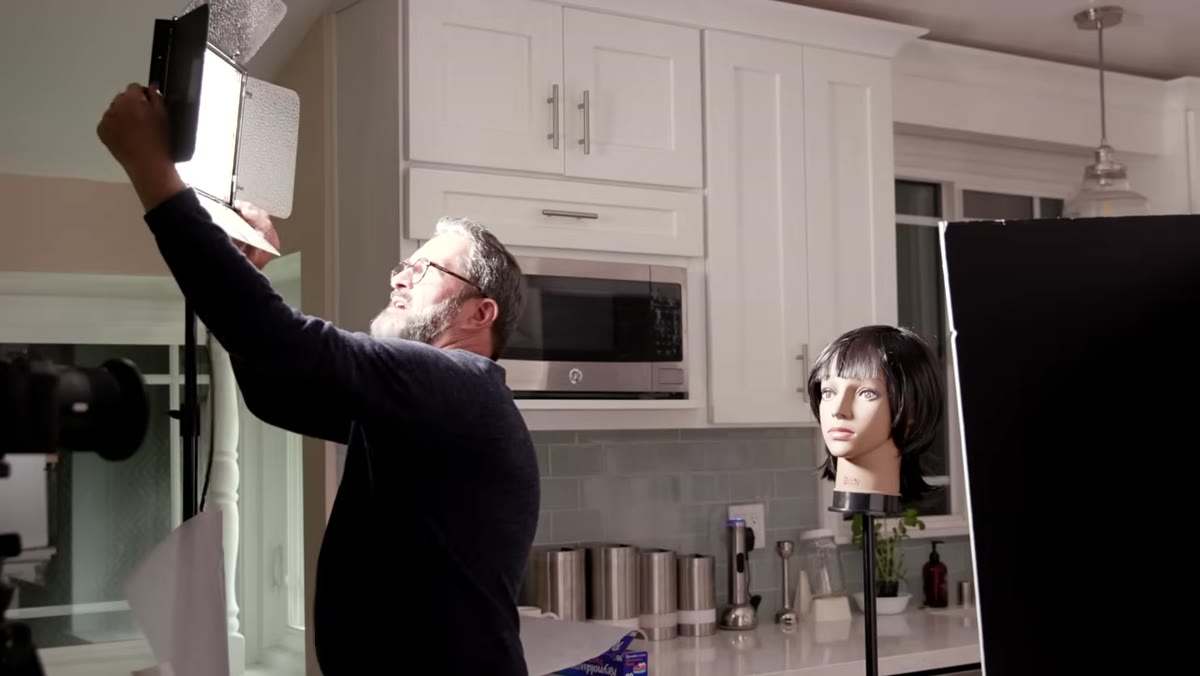 LED panel aimed upward toward ceiling at full power
The second major technique in the tutorial is bounce lighting. JP opens the barn doors completely, cranks the panel to full power, and aims it straight at the ceiling. The ceiling becomes the actual light source. What hits the subject is a wide, soft wash that reads as natural because we’re biologically conditioned to interpret light falling from above as normal. The trade-off is significant output loss. JP compensates by opening his aperture by one stop. If you’re working with a light meter, expect to lose between one and two stops depending on ceiling height and color. White or near-white ceilings return the most light. Darker or colored ceilings shift the color temperature of the bounce, which is worth checking with a gray card before you commit to an exposure.
LED panel aimed upward toward ceiling at full power
The second major technique in the tutorial is bounce lighting. JP opens the barn doors completely, cranks the panel to full power, and aims it straight at the ceiling. The ceiling becomes the actual light source. What hits the subject is a wide, soft wash that reads as natural because we’re biologically conditioned to interpret light falling from above as normal. The trade-off is significant output loss. JP compensates by opening his aperture by one stop. If you’re working with a light meter, expect to lose between one and two stops depending on ceiling height and color. White or near-white ceilings return the most light. Darker or colored ceilings shift the color temperature of the bounce, which is worth checking with a gray card before you commit to an exposure.
Step 6: Steer the Bounce to Shape the Light
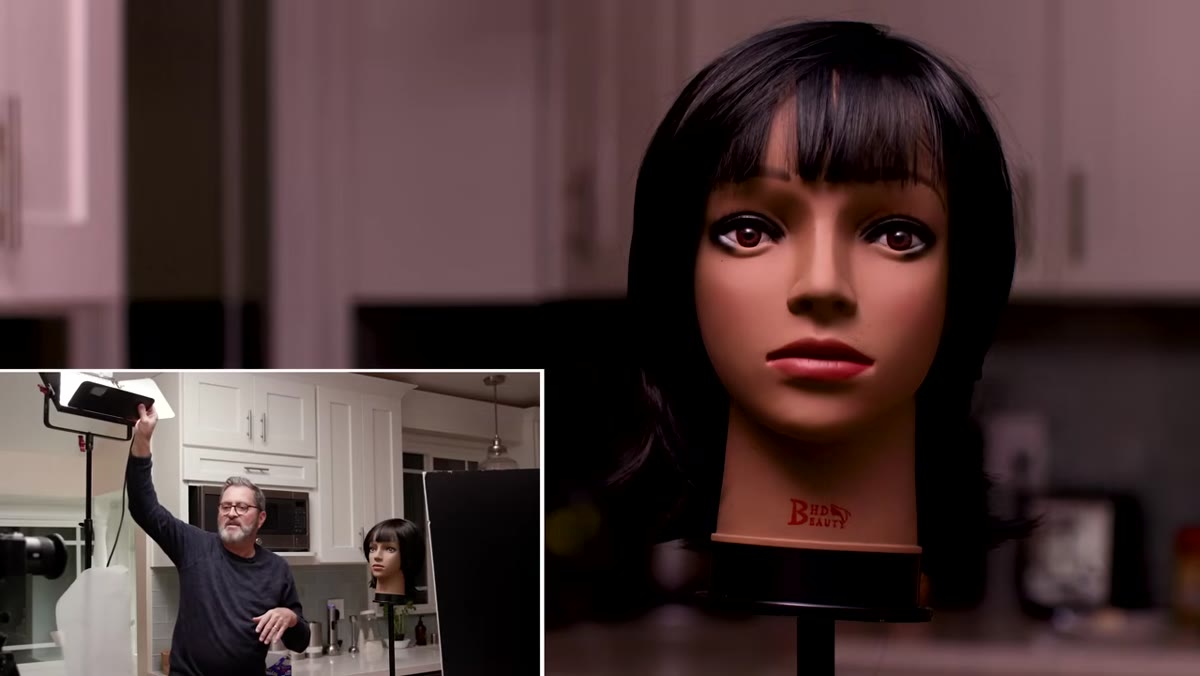 Panel angled toward wall and ceiling to create side light on subject
Once the panel is bouncing off the ceiling, JP shows that where you aim it within that ceiling plane changes what the subject receives. Pointing it directly overhead and forward produces something close to butterfly lighting, with the shadow falling cleanly under the nose and chin. Angling it toward a side wall and up produces more of a broad, side-lit quality with visible shadow on one side of the face. A small flag or card positioned between the light and the background prevents the bounce from spilling onto the background when you want separation rather than fill. This level of control from a single panel surprised me the first time I tried it.
Panel angled toward wall and ceiling to create side light on subject
Once the panel is bouncing off the ceiling, JP shows that where you aim it within that ceiling plane changes what the subject receives. Pointing it directly overhead and forward produces something close to butterfly lighting, with the shadow falling cleanly under the nose and chin. Angling it toward a side wall and up produces more of a broad, side-lit quality with visible shadow on one side of the face. A small flag or card positioned between the light and the background prevents the bounce from spilling onto the background when you want separation rather than fill. This level of control from a single panel surprised me the first time I tried it.
Step 7: Add a Second Panel to Separate Subject from Background
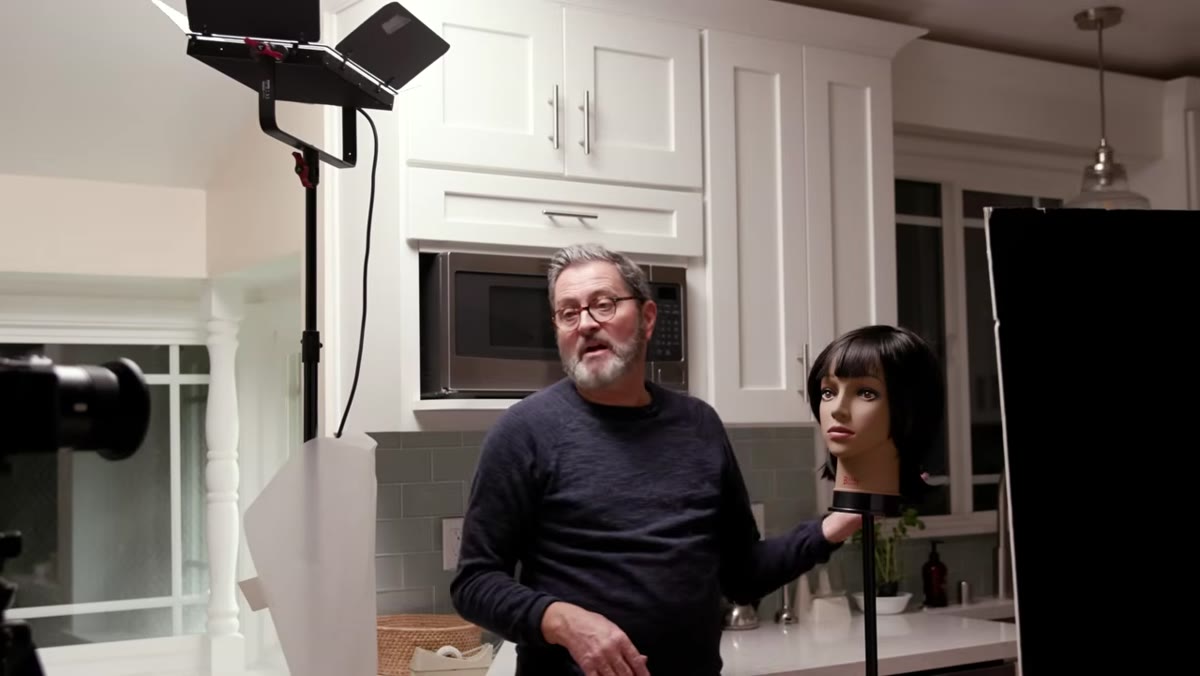 Second LED panel aimed at ceiling behind the subject
The final move in the tutorial adds a second LED panel positioned behind the subject, also bounced off the ceiling. This lifts the background exposure slightly, creating tonal separation between subject and environment without adding a dedicated background light on a separate stand. It gives the image depth without complexity. On commercial jobs where I’m working fast, this two-panel bounce setup has become a reliable starting point when I don’t have time to build a full multi-light setup from scratch.
Second LED panel aimed at ceiling behind the subject
The final move in the tutorial adds a second LED panel positioned behind the subject, also bounced off the ceiling. This lifts the background exposure slightly, creating tonal separation between subject and environment without adding a dedicated background light on a separate stand. It gives the image depth without complexity. On commercial jobs where I’m working fast, this two-panel bounce setup has become a reliable starting point when I don’t have time to build a full multi-light setup from scratch.
One Thing I’d Add From My Own Experience
The bounce technique works beautifully, but ceiling color is a variable JP doesn’t dig into here. I learned this the hard way on an early editorial job where the studio had warm-toned plaster ceilings. Every bounce shot came back with a yellow cast that looked fine on the back-of-camera preview and terrible in post. Now I carry a gray card specifically to check bounce color temperature before I lock in settings. If your ceiling isn’t a neutral white, either correct in-camera with a custom white balance or plan to correct in RAW. Don’t assume the ceiling is neutral just because it looks white to your eye.
LED panels are not the enemy. They’re just a tool that punishes lazy positioning more than most. The combination of diffusion and bounce that JP demonstrates in this tutorial turns a flat, unflattering source into something capable of producing genuinely beautiful light, and most of it costs nothing extra if you already own the panel. The single most important idea to take away: diffuse to soften, bounce to naturalize, and always pre-compensate your exposure before you add your modifier.
Watch the full tutorial on YouTube
Comments
Leave a Comment