
Every location shoot I’ve done at golden hour has the same problem baked in: the sun doesn’t care about your shot list. It moves, it dims, and if you’ve built your entire exposure around it, you’re scrambling to keep up while your subject stands there wondering why they agreed to do this. The traditional answer is to shoot fast and accept the chaos. The better answer is to treat the sunset as one controllable variable in a multi-light equation and adjust only what needs adjusting.
That’s exactly what JP Morgan of The Slanted Lens demonstrates in a recent tutorial where he photographs author Robert Harding for a book cover at a vintage airport in California. The setup sounds complicated on paper: strobes, a setting sun, a biplane, and a smoke machine. In practice, the logic is elegant. Watch the full tutorial on YouTube and then come back here for a step-by-step breakdown of the technique.
What makes this tutorial click for me is the underlying principle: your strobes are constant, so treat your shutter speed like a dedicated background control knob. Once that clicked, I went back and rethought half the location work in my lighting journal from the past two years.
Step 1: Establish Your Anchor Settings Before the Sun Changes
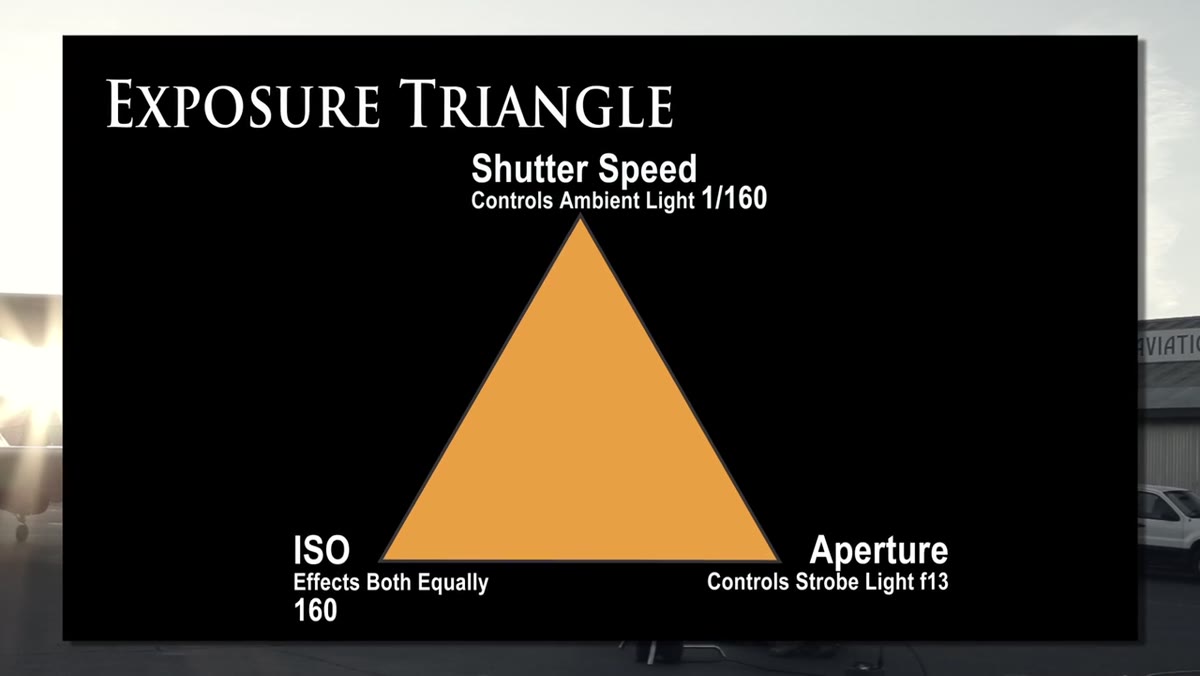 Camera settings listed on screen for the evening shoot
Before anything is lit, before any strobe fires, lock in the settings that won’t change. In this shoot, that means a low ISO for clean shadow detail and an aperture chosen for a specific depth of field goal: wide enough to render the background airplane clearly, but not so wide that the subject goes soft. The aperture here is fixed because it also determines how the strobes will behave. Once you pick your f-stop, your flash output has to match it. Changing aperture later means recalibrating every single head on location.
Camera settings listed on screen for the evening shoot
Before anything is lit, before any strobe fires, lock in the settings that won’t change. In this shoot, that means a low ISO for clean shadow detail and an aperture chosen for a specific depth of field goal: wide enough to render the background airplane clearly, but not so wide that the subject goes soft. The aperture here is fixed because it also determines how the strobes will behave. Once you pick your f-stop, your flash output has to match it. Changing aperture later means recalibrating every single head on location.
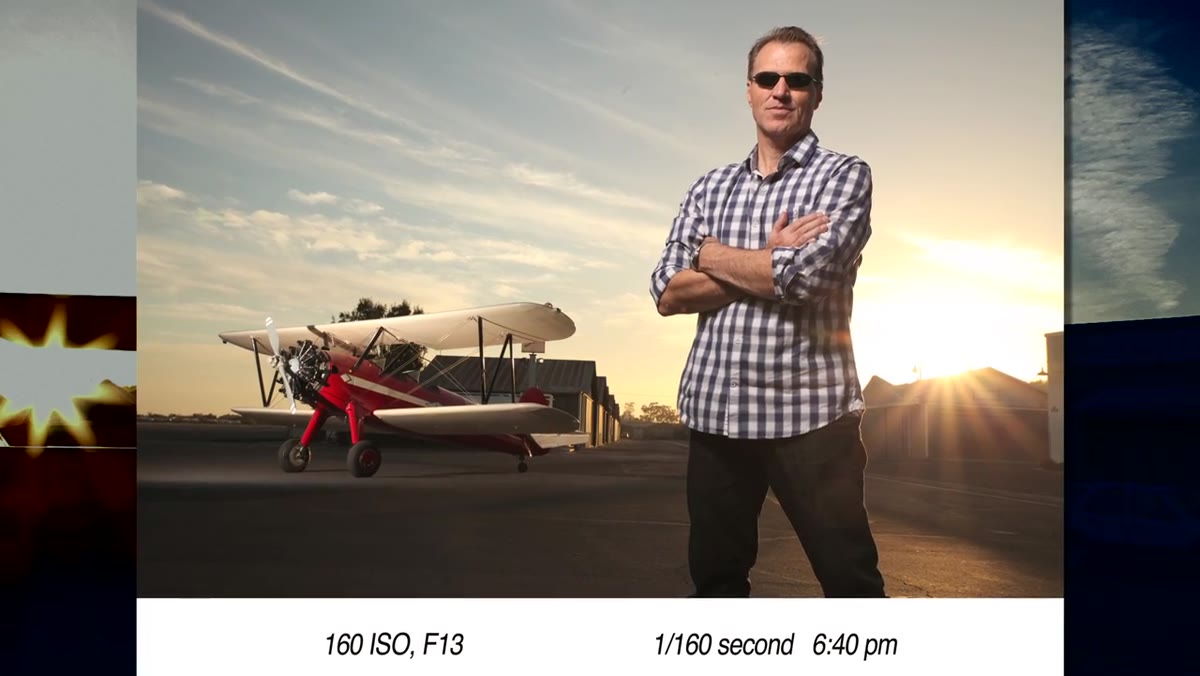
The shoot uses ISO 160 and f/13. That might feel like an unusual combination, but f/13 gives enough depth of field to keep a distant biplane sharp while still letting the strobes work at reasonable power. Set these before you take a single test frame. Everything else adjusts around them.
Step 2: Meter the Sky and Let That Reading Set Your Shutter Speed
 In-camera meter reading taken against the open sky
Use your in-camera meter pointed at the sky, not at the subject, to find your starting shutter speed. This is your background exposure, and it has nothing to do with your subject yet. At the beginning of this shoot, that reading lands at 1/160th of a second. Write it down or remember it, because this is the only number that will change as the light fades.
In-camera meter reading taken against the open sky
Use your in-camera meter pointed at the sky, not at the subject, to find your starting shutter speed. This is your background exposure, and it has nothing to do with your subject yet. At the beginning of this shoot, that reading lands at 1/160th of a second. Write it down or remember it, because this is the only number that will change as the light fades.
This step separates the background problem from the subject problem. Many photographers try to solve everything at once and end up overexposing the sky or underexposing the face and toggling back and forth all evening. Keep them separate from the start. Your shutter speed controls the ambient sky. Your strobes control the subject. Those are two distinct dials.
Step 3: Set the Key Light to Match Your Fixed Aperture
 Small octodome positioned as key light on subject
The key light here is a small octodome on a travel-friendly monolight, dialed to match f/13. Position it where you’d expect: camera-left or camera-right at roughly 45 degrees, close enough to wrap around the face. The modifier choice matters. A small octodome gives directional, slightly specular light that holds up outdoors against an ambient background. A large softbox at this distance would spill everywhere and lose punch against a bright sky.
Small octodome positioned as key light on subject
The key light here is a small octodome on a travel-friendly monolight, dialed to match f/13. Position it where you’d expect: camera-left or camera-right at roughly 45 degrees, close enough to wrap around the face. The modifier choice matters. A small octodome gives directional, slightly specular light that holds up outdoors against an ambient background. A large softbox at this distance would spill everywhere and lose punch against a bright sky.
Get this light balanced to your subject before you touch anything else. Take a test frame with no background concern at all. If the subject’s face is right at f/13, the light is set. Now everything else is additive.
Step 4: Add a Dedicated Light for Background Elements
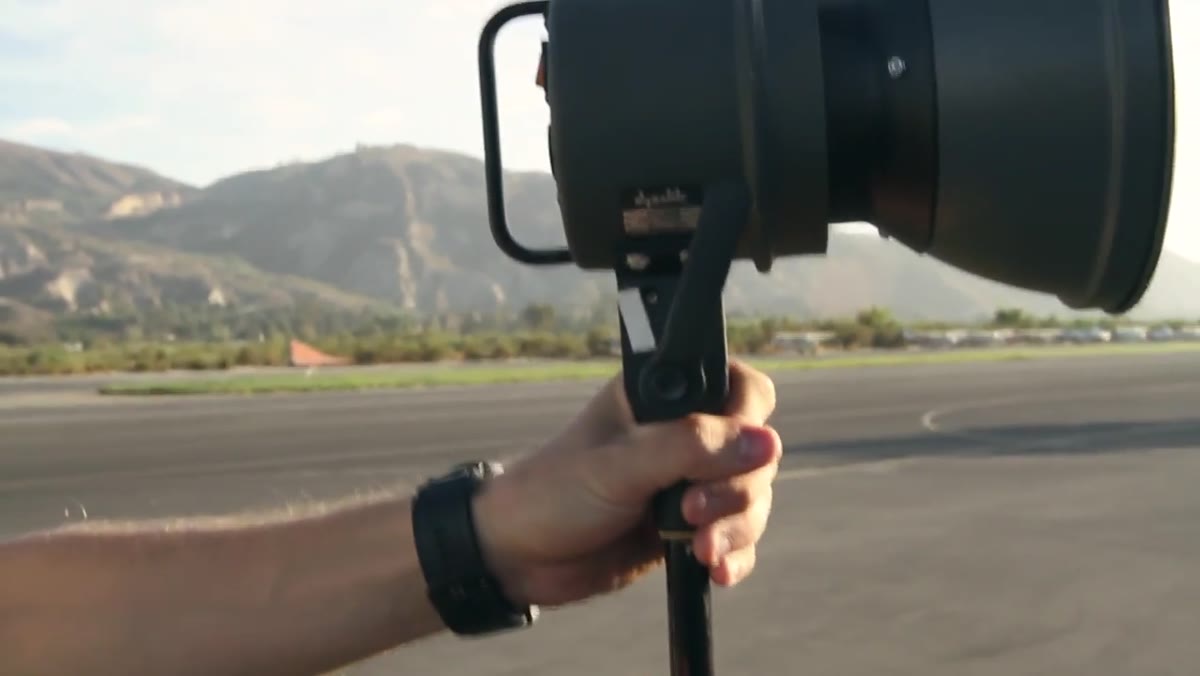 Bare strobe head aimed at the front of the biplane
The first test frame with just the key light reveals the problem immediately: the airplane in the background is a dark blob. A bare strobe head, no modifier, gets directed at the side of the plane visible from the camera’s angle. The positioning trick here is subtle but important. Moving the head slightly toward the camera ensures you’re lighting the plane’s face, not its shadow side.
Bare strobe head aimed at the front of the biplane
The first test frame with just the key light reveals the problem immediately: the airplane in the background is a dark blob. A bare strobe head, no modifier, gets directed at the side of the plane visible from the camera’s angle. The positioning trick here is subtle but important. Moving the head slightly toward the camera ensures you’re lighting the plane’s face, not its shadow side.
This is a step a lot of photographers skip because it requires a second power pack or a second wireless channel. Don’t skip it. Without it, your subject is lit and your environment is dead. The whole point of shooting on location is the location.
Step 5: Use a Reflector Panel to Fill Shadows Without Adding Complexity
 White-sided reflector panel moved in close to subject’s face
Rather than firing a third strobe as fill, a white reflector panel is moved in close on the shadow side of the subject’s face. This keeps the lighting cleaner because you’re bouncing the key light back rather than introducing a new color temperature or direction. On location, every extra strobe head is another point of failure, another wireless trigger that might not fire, another sandbag you forgot to bring. A reflector has no batteries.
White-sided reflector panel moved in close to subject’s face
Rather than firing a third strobe as fill, a white reflector panel is moved in close on the shadow side of the subject’s face. This keeps the lighting cleaner because you’re bouncing the key light back rather than introducing a new color temperature or direction. On location, every extra strobe head is another point of failure, another wireless trigger that might not fire, another sandbag you forgot to bring. A reflector has no batteries.
The white side (not silver) keeps the fill soft and flattering. Silver would create a competitive catchlight and muddy the directionality of the key. White fill should feel like it isn’t there. When you nail it, you won’t be able to point to it in the final image. That’s the goal.
Step 6: Chase the Sun Down by Lengthening Your Shutter Speed Incrementally
 Timestamp progression showing shutter speed changes through the shoot
This is where the technique pays off. As the sun sets and the sky dims, the shutter speed gets slower in deliberate increments: 1/160th becomes 1/125th, then 1/60th, then 1/30th, and so on. The strobes never change. The subject exposure stays locked. Only the relationship between ambient and strobe shifts, gradually giving the sky more weight in the frame.
Timestamp progression showing shutter speed changes through the shoot
This is where the technique pays off. As the sun sets and the sky dims, the shutter speed gets slower in deliberate increments: 1/160th becomes 1/125th, then 1/60th, then 1/30th, and so on. The strobes never change. The subject exposure stays locked. Only the relationship between ambient and strobe shifts, gradually giving the sky more weight in the frame.
This is not a set-it-and-forget-it situation. JP Morgan is re-metering the sky every few minutes throughout the shoot. Budget time for that. At a real shoot, I’d designate this as one person’s only job if I had an assistant available. Missing the recheck by five minutes means either a blown sky or a dead background, and either one kills the image.
Step 7: Introduce Atmosphere with Smoke, Timed to the Shoot’s Later Stages
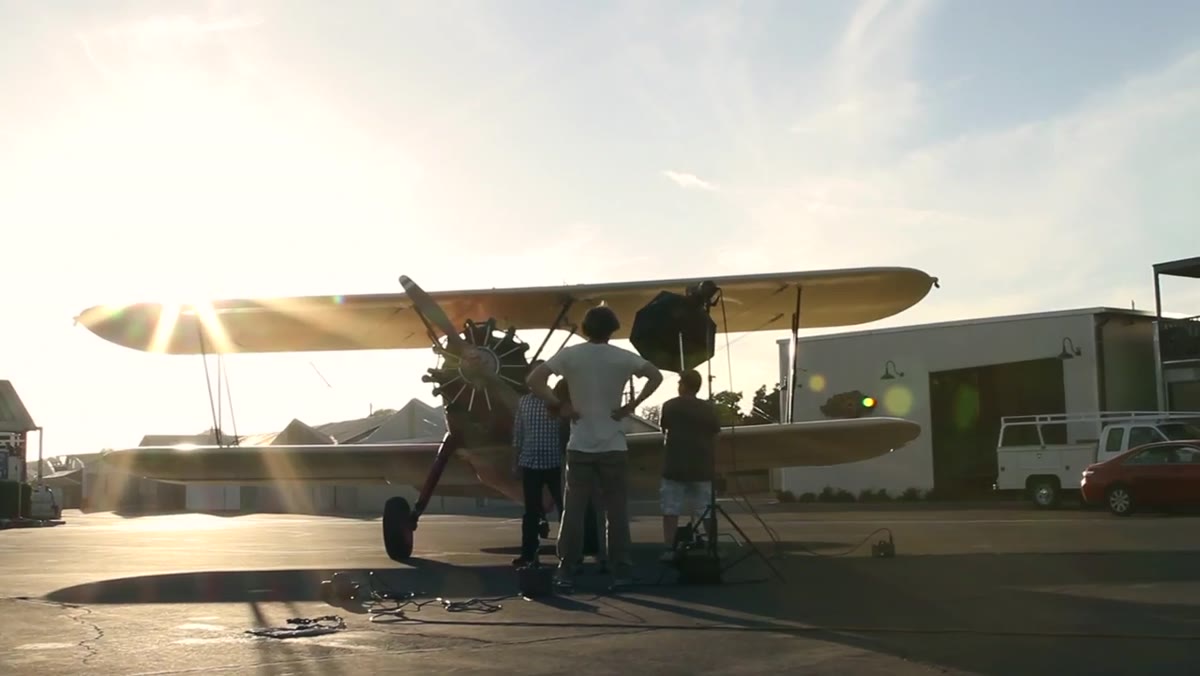
 Rosco smoke machine adding haze behind the airplane
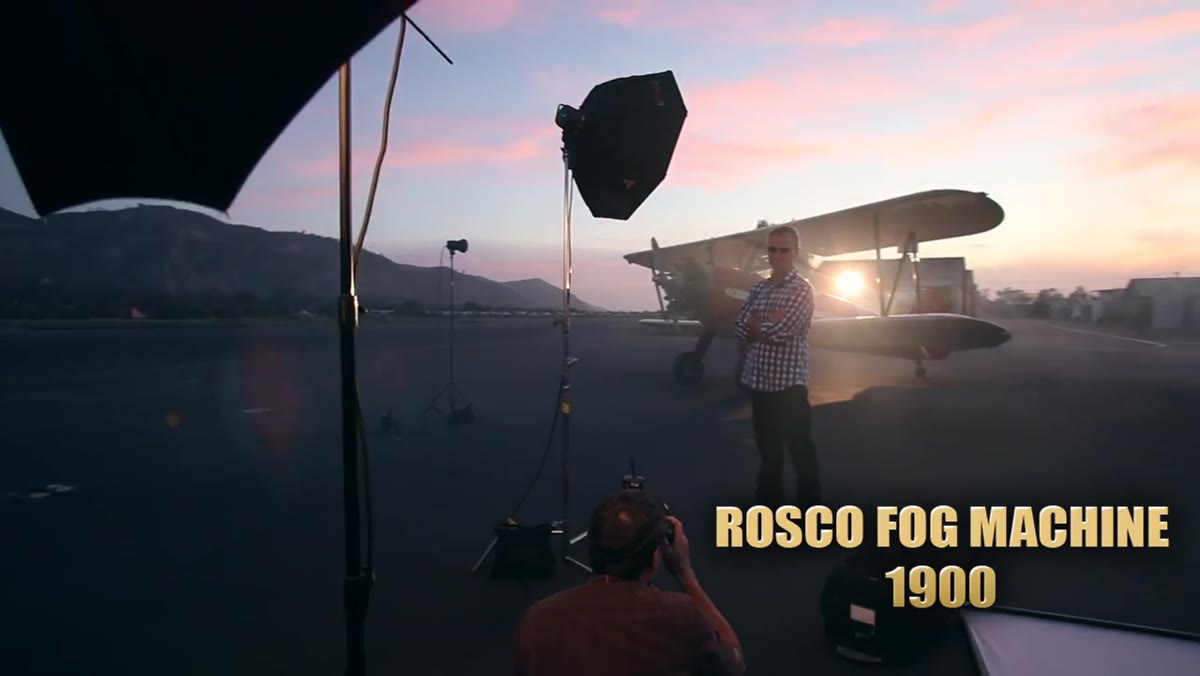
Smoke goes in late. Once the lighting is balanced and the exposures are tracking the sunset correctly, a smoke machine adds atmosphere behind the airplane. The haze picks up the strobe light aimed at the plane and creates depth that the camera can’t manufacture any other way. Introduced too early, smoke becomes the dominant visual and fights everything else. Used at the right moment, it reads as texture.
Rosco smoke machine adding haze behind the airplane
Smoke goes in late. Once the lighting is balanced and the exposures are tracking the sunset correctly, a smoke machine adds atmosphere behind the airplane. The haze picks up the strobe light aimed at the plane and creates depth that the camera can’t manufacture any other way. Introduced too early, smoke becomes the dominant visual and fights everything else. Used at the right moment, it reads as texture.
A Rosco smoke machine is the tool here, positioned behind the subject and plane so it drifts through the frame rather than sitting in front of the subject’s face.
A Note on Timing the Setup
Here’s where I’d push back slightly based on my own location experience: this technique requires your lighting to be fully operational before the sunset window opens. I once arrived at a rooftop shoot thinking I had a 30-minute setup buffer, and the usable light was gone in 12 minutes. On any sunset shoot, I now treat “golden hour” as a hard deadline, not a start time. Pack out early. Fire test frames an hour ahead. Know your anchor settings before the sky turns pink.
The single most important idea in this tutorial is that strobes and ambient light are independent variables that only meet at your aperture setting. Control them separately and you stop chasing the light. You start directing it.
Watch the full tutorial on YouTube to see the complete shoot unfold in real time, including what the final book cover image actually looked like.
Comments
Leave a Comment