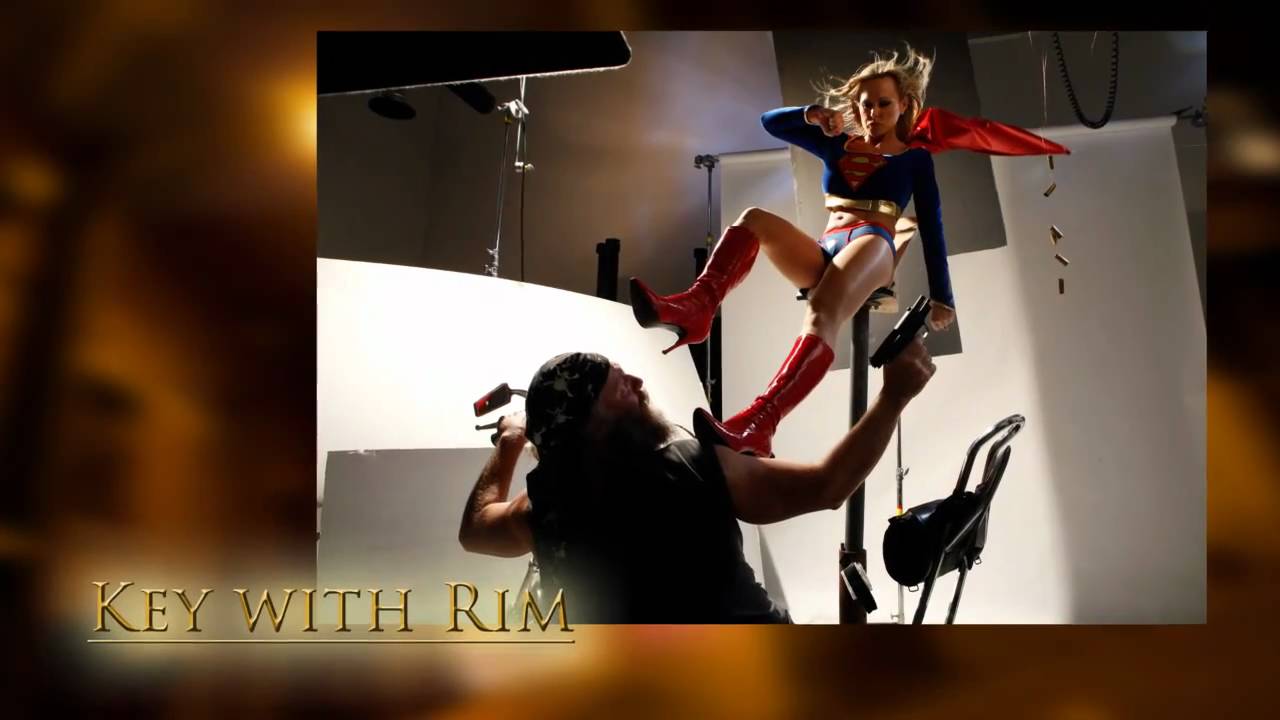
There’s a particular kind of image that stops you cold when you scroll past it. High contrast, a little gritty, lit like a frame from a graphic novel. It’s not accident. That look comes from deliberate choices about light quality, color temperature, and the willingness to let shadows be shadows. I’ve been chasing that aesthetic for years in my commercial work, and most of the time I was overcomplicating it. Too many modifiers. Too much fill. I was afraid of the dark.
In this The Slanted Lens tutorial, photographer Jay P. Morgan breaks down a three-light hard light setup built around a superhero composite, and the logic he uses is exactly what I needed to see articulated out loud. Watch the full tutorial on YouTube before or after reading this, but either way I want to walk you through the technique step by step because there are decisions buried in this setup that deserve more attention than a single viewing allows.
The shoot involves a model in a superhero costume on a flying rig, composited over an alley shot. But strip away the costume and the action hero concept, and what you have is a masterclass in using hard light sources, color temperature as a creative tool, and controlled fill. These are techniques that transfer directly to fashion, editorial, and any project where you want your subject to feel like they exist inside a specific world rather than floating in a clean studio.
Step 1: Start With the Environment, Not the Studio
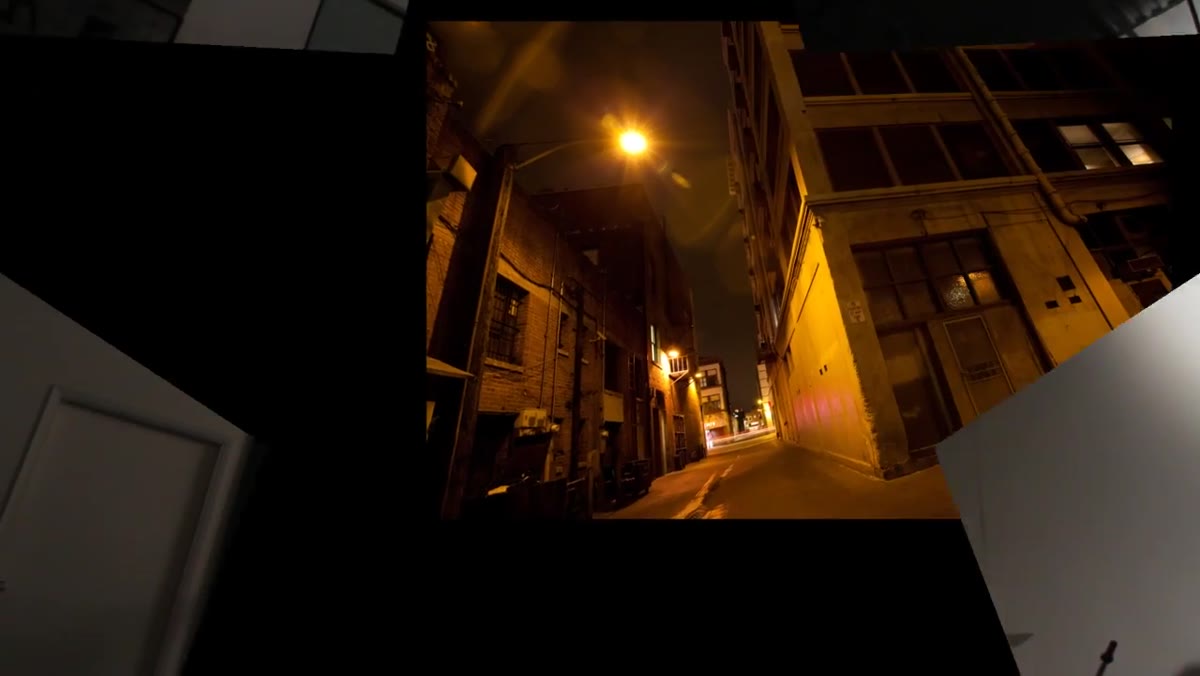 Dark gritty alley location with warm street light visible
Before a single light goes up in the studio, the alley location is already locked. Jay shot it with a 160mm lens, camera low, and the existing street light gave the scene a warm color cast. Here’s where the thinking gets interesting. Instead of shooting for warm and keeping warm, he decides in post to push the white balance almost 2,000 degrees cooler, turning that inviting amber glow into something cold and hostile.
Dark gritty alley location with warm street light visible
Before a single light goes up in the studio, the alley location is already locked. Jay shot it with a 160mm lens, camera low, and the existing street light gave the scene a warm color cast. Here’s where the thinking gets interesting. Instead of shooting for warm and keeping warm, he decides in post to push the white balance almost 2,000 degrees cooler, turning that inviting amber glow into something cold and hostile.
This is a decision that has to happen before your studio session, not during it. Whatever environment you’re matching, study its light color, its quality, and its direction. Write it down. I keep a lighting journal where I sketch location observations before I ever set up a studio to match them. If I’d done that discipline earlier in my career, I’d have saved myself the disaster of shooting a full editorial against a warm-toned background while my key light was running daylight-balanced. Know your environment. Build toward it.
Step 2: Set the Key Light High and Camera Left, with a CTO Gel
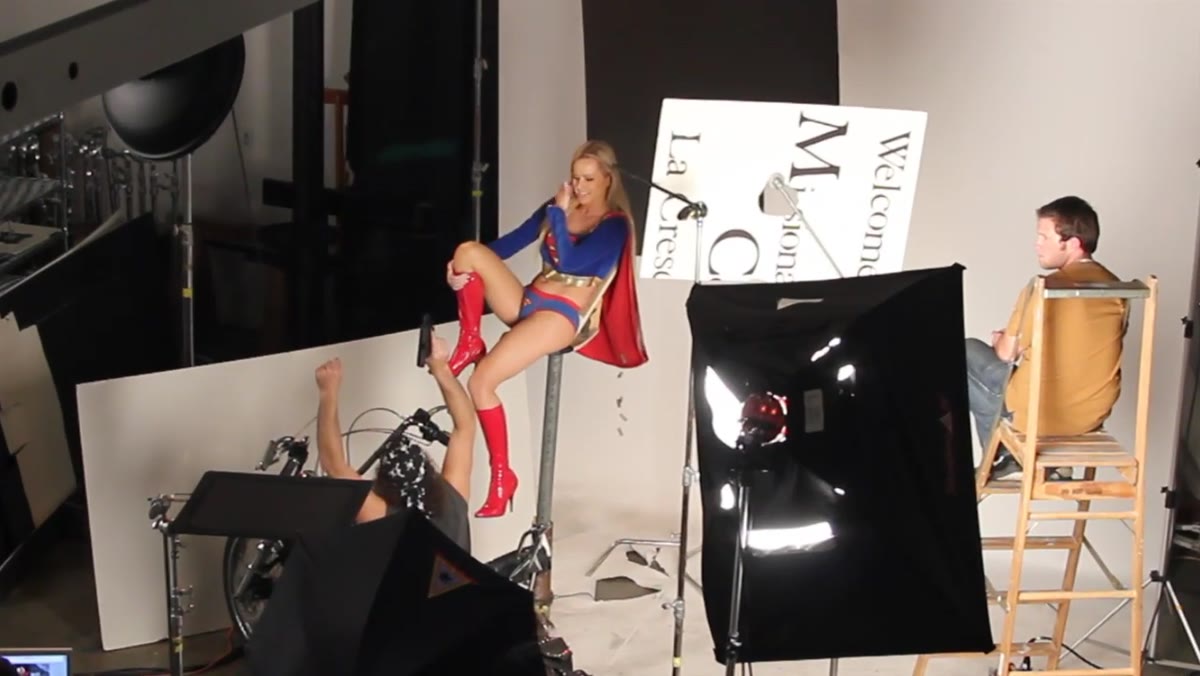 Key light positioned high camera left with CTO gel on reflector head
The key light here is a bare reflector head, no softbox, no umbrella. Hard light. It’s placed high and to camera left to mimic the angle and quality of a practical street light. A CTO (color temperature orange) gel goes over the head to warm it up deliberately.
Key light positioned high camera left with CTO gel on reflector head
The key light here is a bare reflector head, no softbox, no umbrella. Hard light. It’s placed high and to camera left to mimic the angle and quality of a practical street light. A CTO (color temperature orange) gel goes over the head to warm it up deliberately.
Why warm it if the final image is going to be cool? Because the color correction in post pulls all the warmth out, and that process treats different amounts of orange differently. The key light, with a full CTO, will neutralize toward a true white or slightly blue under heavy cooling. The more you understand that relationship between gel strength and post-processing direction, the more control you have over how each light source reads in the final frame. A flag is added to keep lens flare off the camera, which matters more than people think when you’re shooting with bare reflectors at close range.
Step 3: Add a Rim Light Camera Right with Half CTO
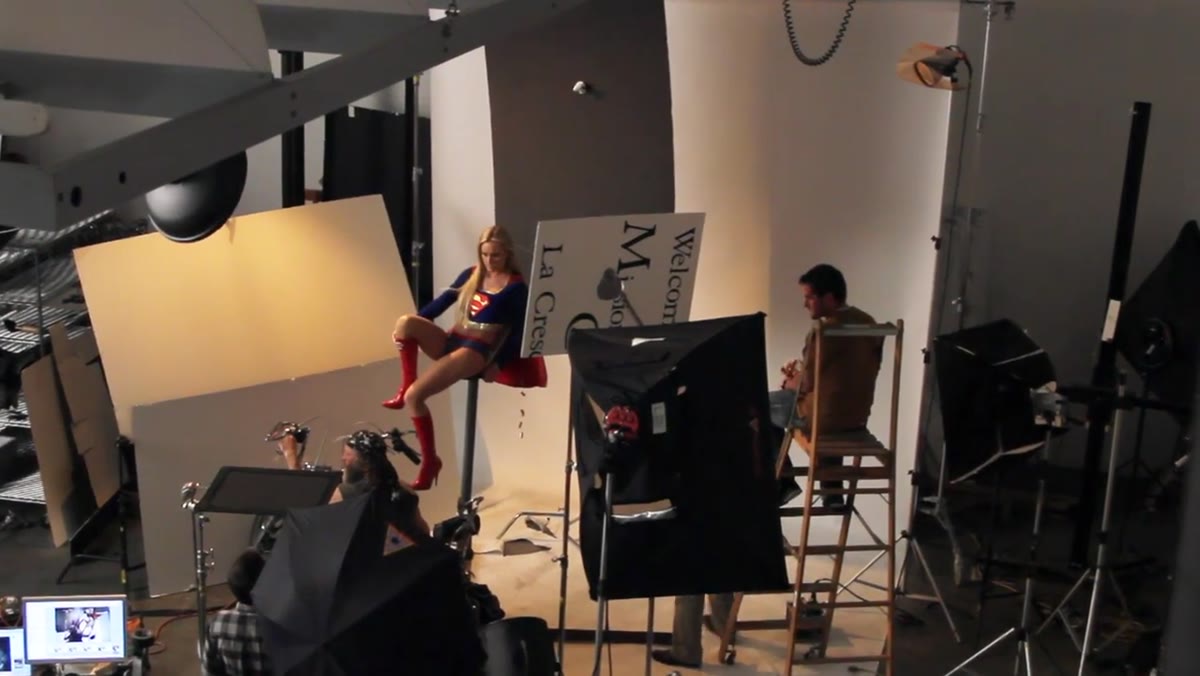 Rim light camera right with half CTO gel applied
The rim light sits camera right, also a hard source, but this one gets only a half CTO instead of a full one. That distinction is the whole point. When the image gets color-corrected to cool down the key light, the rim light, having less orange to cancel out, goes even bluer than the key. The result is two hard lights that read as different colors in the final image, creating depth and separation without any additional complexity.
Rim light camera right with half CTO gel applied
The rim light sits camera right, also a hard source, but this one gets only a half CTO instead of a full one. That distinction is the whole point. When the image gets color-corrected to cool down the key light, the rim light, having less orange to cancel out, goes even bluer than the key. The result is two hard lights that read as different colors in the final image, creating depth and separation without any additional complexity.
This is one of those details that only reveals itself when you actually run the numbers on gels and color correction together. I’ve tested this workflow in my studio and the difference between a full and half CTO on a rim light after aggressive cooling is significant. The rim becomes almost icy. On fair skin, that can look extraordinary. On darker skin tones, it reads as a clean, cool accent that doesn’t blow the edge detail. Worth testing on your next available subject.
Step 4: Add a Behind-Camera Umbrella for Minimal Fill
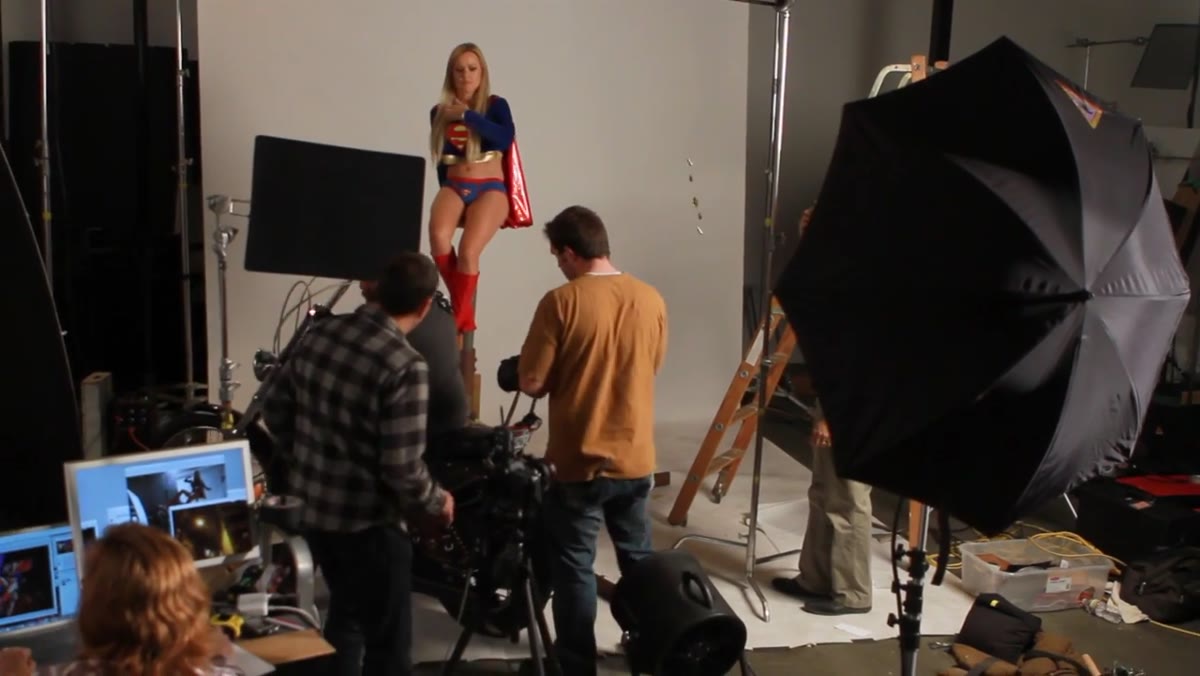 Umbrella positioned behind camera providing soft frontal fill
From directly behind the camera, a shoot-through or reflected umbrella provides a soft, low-intensity fill. The goal here is not to create a “lit” look. It’s to hold just enough shadow detail so the subject reads clearly without losing the hard-light contrast that defines the image. Jay keeps this light subtle. If fill lights had a volume knob, this one is at two out of ten.
Umbrella positioned behind camera providing soft frontal fill
From directly behind the camera, a shoot-through or reflected umbrella provides a soft, low-intensity fill. The goal here is not to create a “lit” look. It’s to hold just enough shadow detail so the subject reads clearly without losing the hard-light contrast that defines the image. Jay keeps this light subtle. If fill lights had a volume knob, this one is at two out of ten.
The umbrella is the only soft source in the entire setup. Every other light is bare or reflected hard light. That contrast in quality, hard key, hard rim, soft fill, is part of what gives the image its internal logic. The fill feels like ambient bounce from the environment rather than a studio light.
Step 5: Use a White Fill Card to Open Up the Face
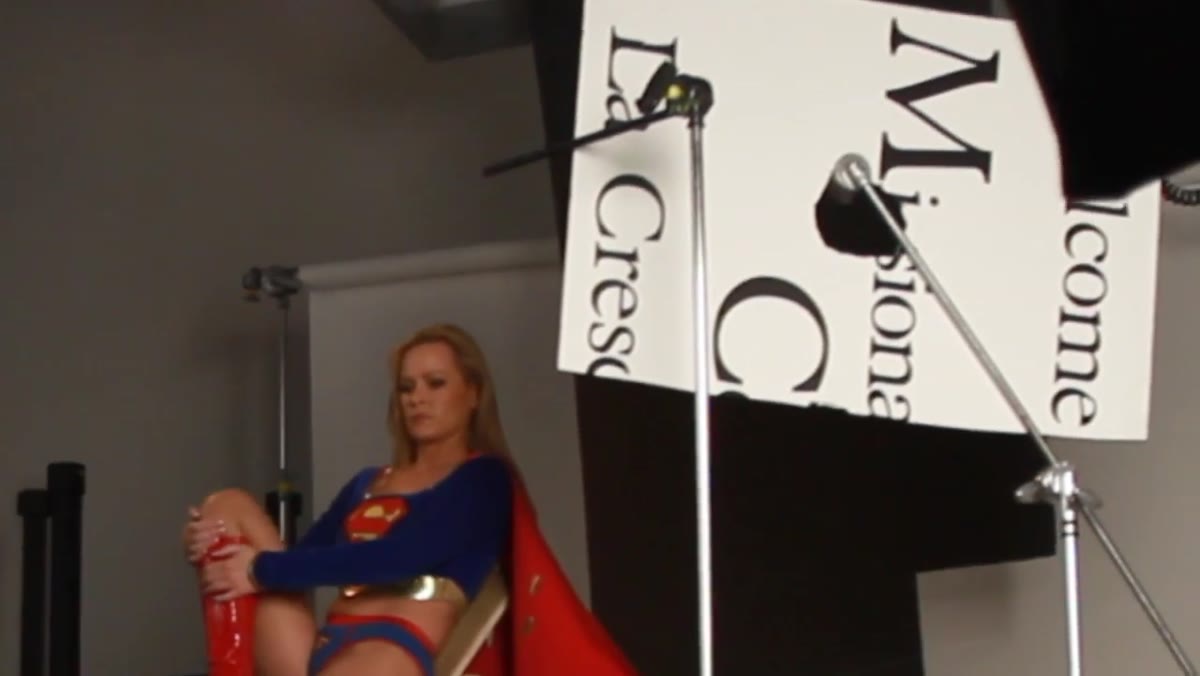 White fill card on stand positioned to open shadows on face
Even with the umbrella adding a touch of fill, the subject’s face in this specific position reads a little dark. Rather than increasing the umbrella power (which would flatten the entire image), Jay drops a small white fill card on a stand and inches it toward the face until the shadow detail opens just enough. Pull it out until it looks right. Push it in until it doesn’t.
White fill card on stand positioned to open shadows on face
Even with the umbrella adding a touch of fill, the subject’s face in this specific position reads a little dark. Rather than increasing the umbrella power (which would flatten the entire image), Jay drops a small white fill card on a stand and inches it toward the face until the shadow detail opens just enough. Pull it out until it looks right. Push it in until it doesn’t.
I’ve been using foam core fill cards since I started shooting, but I label them the same way I label everything in my studio, masking tape with the dimensions and a note about whether the surface is pure white or slightly warm. That sounds obsessive, but when you’re matching color temperature across sources, even a slightly cream-toned fill card introduces warmth you don’t want.
Step 6: Put Foam Core on the Ground for Low Fill
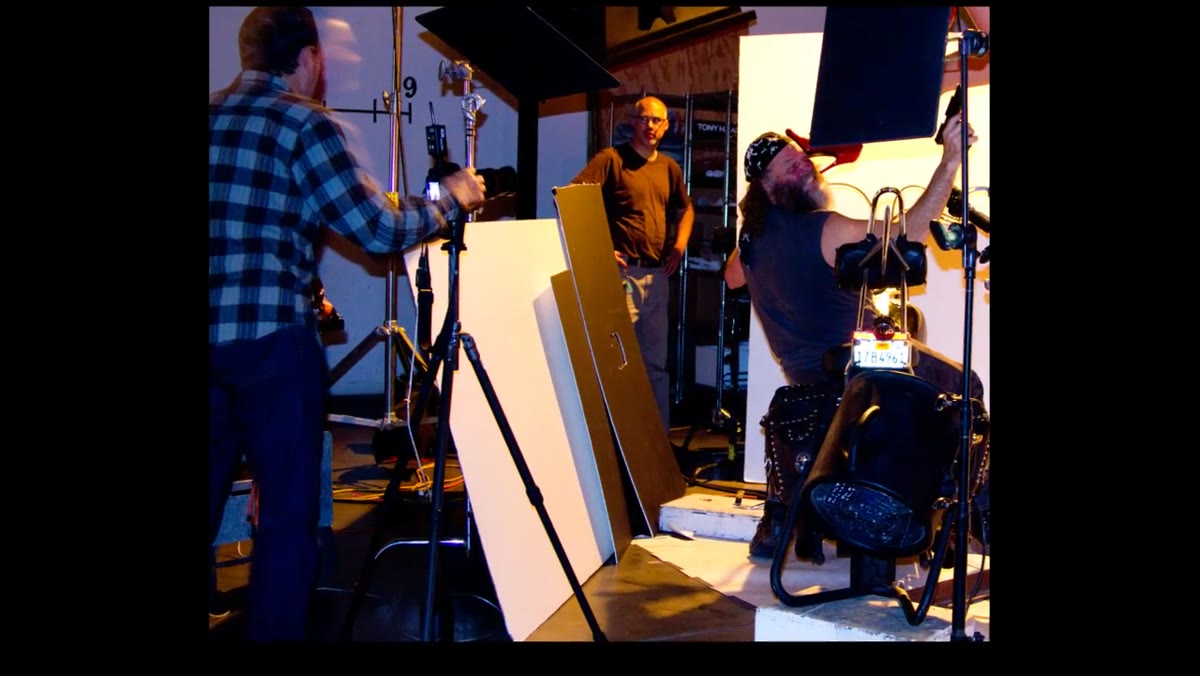 Foam core sheet on ground bouncing light upward along the motorcycle
A full sheet of foam core laid horizontally on the ground bounces the key light back up along the length of the motorcycle and the biker subject. This is specifically for a secondary subject who was reading too dark. It costs nothing, takes thirty seconds to set up, and eliminates the need for a fourth powered light.
Foam core sheet on ground bouncing light upward along the motorcycle
A full sheet of foam core laid horizontally on the ground bounces the key light back up along the length of the motorcycle and the biker subject. This is specifically for a secondary subject who was reading too dark. It costs nothing, takes thirty seconds to set up, and eliminates the need for a fourth powered light.
Floor bounce is underused in studio work because it feels too simple. But bounced hard light from the ground has a specific quality, slightly warm if the floor is warm, directional upward, and soft enough not to create a second shadow line. In fashion work, I use it regularly under draped fabric to hold texture.
What I’d Do Differently: Lock White Balance In-Camera First
The color temperature workflow Jay uses here is powerful, but it assumes you know exactly how far you’re going to push the image in post. That’s a skill that comes with experience. When I’m trying this approach with a new client or a new location, I shoot a gray card frame with each light source individually and at each gel combination before the model steps on set. It takes ten minutes and it gives me reference points to measure against in Lightroom rather than guessing. The “push to cool” direction is easy. Knowing where your neutral actually is before you push is what keeps the image from going muddy.
The single most important lesson in this tutorial is the relationship between gel strength and post-correction direction. Use different amounts of CTO across your lights, correct aggressively in one direction, and you get multiple apparent light colors from a single white balance adjustment. That’s not a trick. That’s color science, and it’s available to anyone with a gel kit and a raw file.
Watch the full tutorial on YouTube to see the final composite and the muzzle flash element that ties the whole scene together.
Comments
Leave a Comment