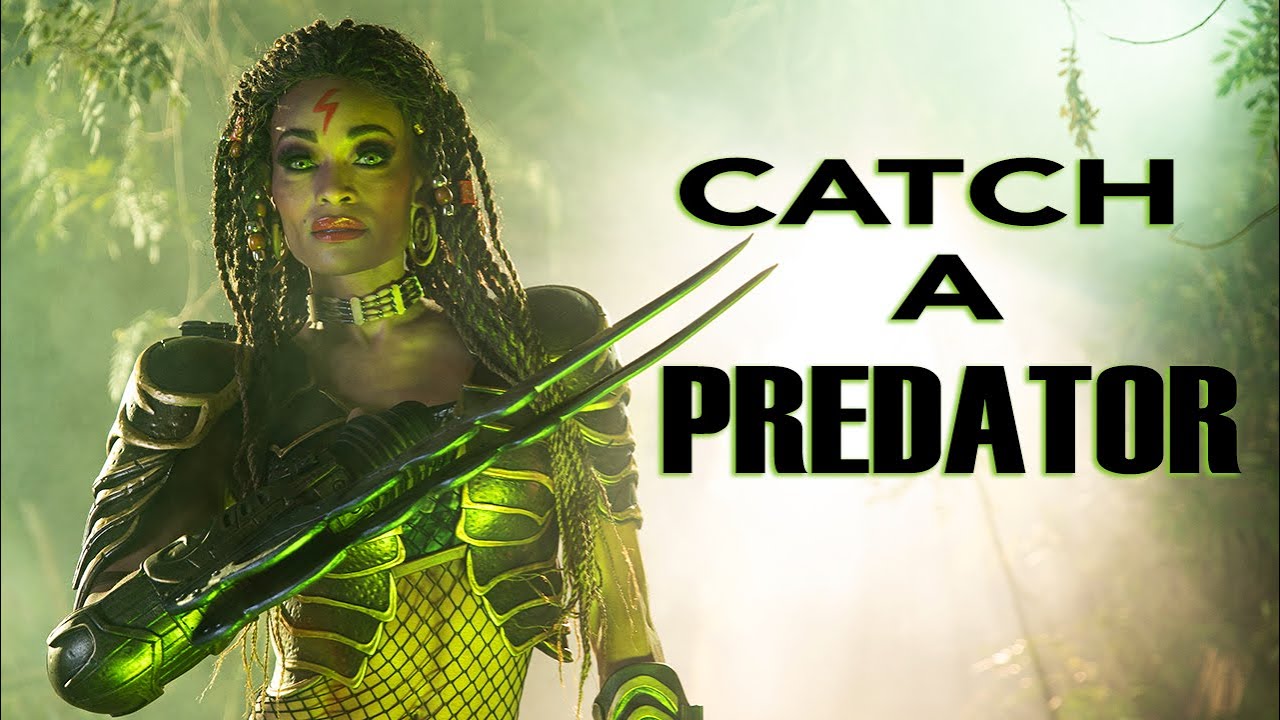
Smoke is the thing that separates a dramatic image from a genuinely cinematic one, and it is also the thing most likely to ruin your shoot if you do not understand how light interacts with it. I have been in that position more times than I want to count - pumping smoke into a set, firing a strobe, and watching the entire foreground turn into a glowing white wall. The light was hitting the smoke head-on and blowing it out completely. It took me a few embarrassing failures before I understood that smoke is not a prop. It is a light modifier, and you have to treat it like one.
That is exactly why this tutorial from JP Morgan over at The Slanted Lens stopped me mid-scroll. He shot a female predator cosplay with Alicia Marie in an outdoor jungle setting, using dry ice, two smoke machines, colored gels, and five separate lights to build something that looks like a film still. Every decision he made - power levels, gel choices, shutter speed - was made specifically to control the smoke. This is the kind of systematic thinking I try to bring to every shoot, and watching him work through the problem confirmed a few things I believed and taught me a few I did not.
Here is how the setup breaks down, step by step.
Step 1: Establish a Soft, Non-Directional Key Light
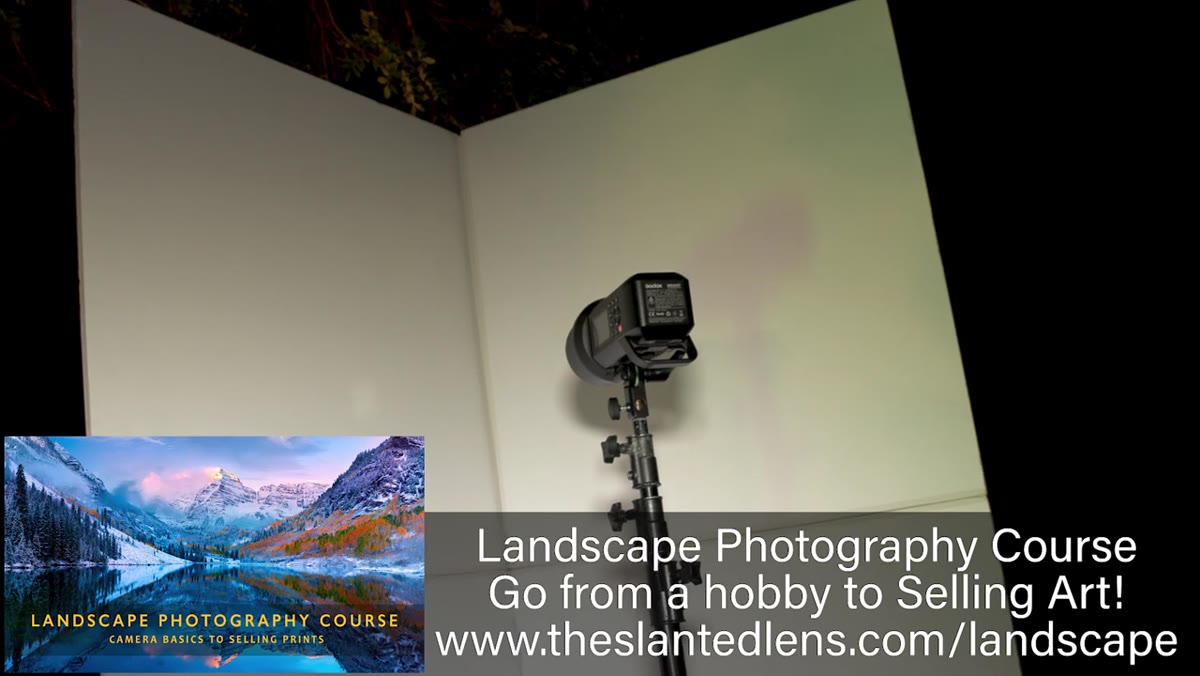 Godox 400 bounced into a flat white panel on camera left
JP bounced a Godox AD400 into a flat white panel on camera left rather than shooting it through a softbox. The distinction matters. A softbox gives you a contained, directional source with a clear falloff. Bouncing into a large flat panel spreads the light more diffusely and produces a wraparound quality that feels less like studio light and more like ambient fill from a pale sky. For a jungle scene, you want light that seems like it belongs to the environment rather than light that screams “portrait setup.” If you have a spare piece of white foam core or a large v-flat at half-open, this is the same principle.
Godox 400 bounced into a flat white panel on camera left
JP bounced a Godox AD400 into a flat white panel on camera left rather than shooting it through a softbox. The distinction matters. A softbox gives you a contained, directional source with a clear falloff. Bouncing into a large flat panel spreads the light more diffusely and produces a wraparound quality that feels less like studio light and more like ambient fill from a pale sky. For a jungle scene, you want light that seems like it belongs to the environment rather than light that screams “portrait setup.” If you have a spare piece of white foam core or a large v-flat at half-open, this is the same principle.
The key was running at roughly 1/8 power, which kept the output soft enough to integrate with the background elements rather than dominate them. His camera settings were f/5 at 1/15th of a second, which is a deliberate choice covered in the shutter drag step below.
Step 2: Backlight the Smoke with Industrial Green Gels
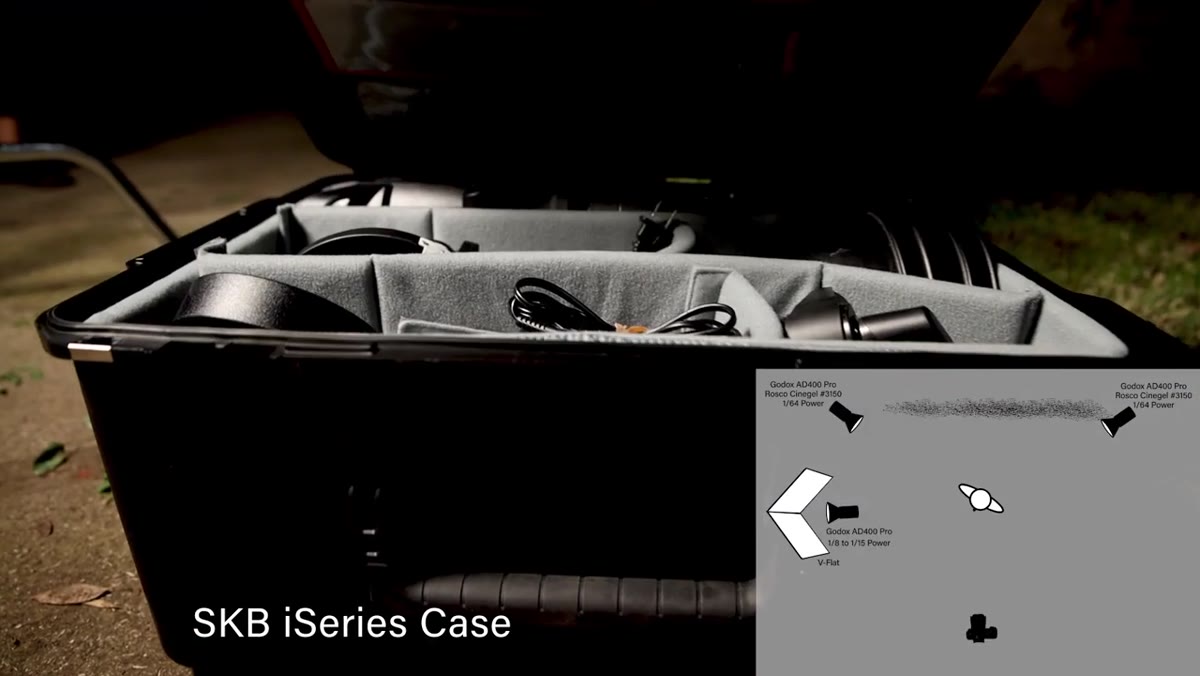 Two Godox units with green vapor gels positioned behind the scene
Two additional AD400 units were placed on either side of the set behind the subject, each fitted with an industrial green vapor gel. The purpose of these lights is not to illuminate the subject - it is specifically to give the smoke something to catch. Smoke is essentially invisible without a backlight source. You need a light traveling through it, not at it, to reveal its texture and depth.
Two Godox units with green vapor gels positioned behind the scene
Two additional AD400 units were placed on either side of the set behind the subject, each fitted with an industrial green vapor gel. The purpose of these lights is not to illuminate the subject - it is specifically to give the smoke something to catch. Smoke is essentially invisible without a backlight source. You need a light traveling through it, not at it, to reveal its texture and depth.
Here is the part that tripped JP up initially, and it is a mistake I have made myself. Those backlights were far too powerful early in the shoot. When the smoke source is brighter than your key, the smoke becomes the subject. He dialed those units all the way down to 1/64 power to keep the smoke present without letting it overpower the frame. Trust the low power settings here. If the smoke looks too subtle on set, it will look right in the final image.
Step 3: Drag the Shutter to Burn In Background Ambient Light
 Camera settings displayed, 1/15 shutter speed and f/5 aperture shown
A 1/15th of a second shutter speed is not an accident. JP was using shutter drag intentionally to allow a tungsten background source to register in the exposure. The tungsten light - warm, gold-toned - was burning into the background while the strobes froze the subject. This is how you build color depth in a scene without painting the background in post. The warm gold from the tungsten, mixed with the industrial green on the smoke, created a tertiary color palette that reads immediately as otherworldly and organic at the same time.
Camera settings displayed, 1/15 shutter speed and f/5 aperture shown
A 1/15th of a second shutter speed is not an accident. JP was using shutter drag intentionally to allow a tungsten background source to register in the exposure. The tungsten light - warm, gold-toned - was burning into the background while the strobes froze the subject. This is how you build color depth in a scene without painting the background in post. The warm gold from the tungsten, mixed with the industrial green on the smoke, created a tertiary color palette that reads immediately as otherworldly and organic at the same time.
At f/5, he had enough depth of field to keep the costume sharp from front to back without losing the softness in the background. If you are shooting this kind of setup, 1/15th is roughly the slowest I would go handheld with a subject who is relatively still. Any motion during the exposure will show as blur in the ambient-lit areas, which can either be a problem or an effect depending on what you want.
Step 4: Add a Gridded Green LED for a Foreground Accent
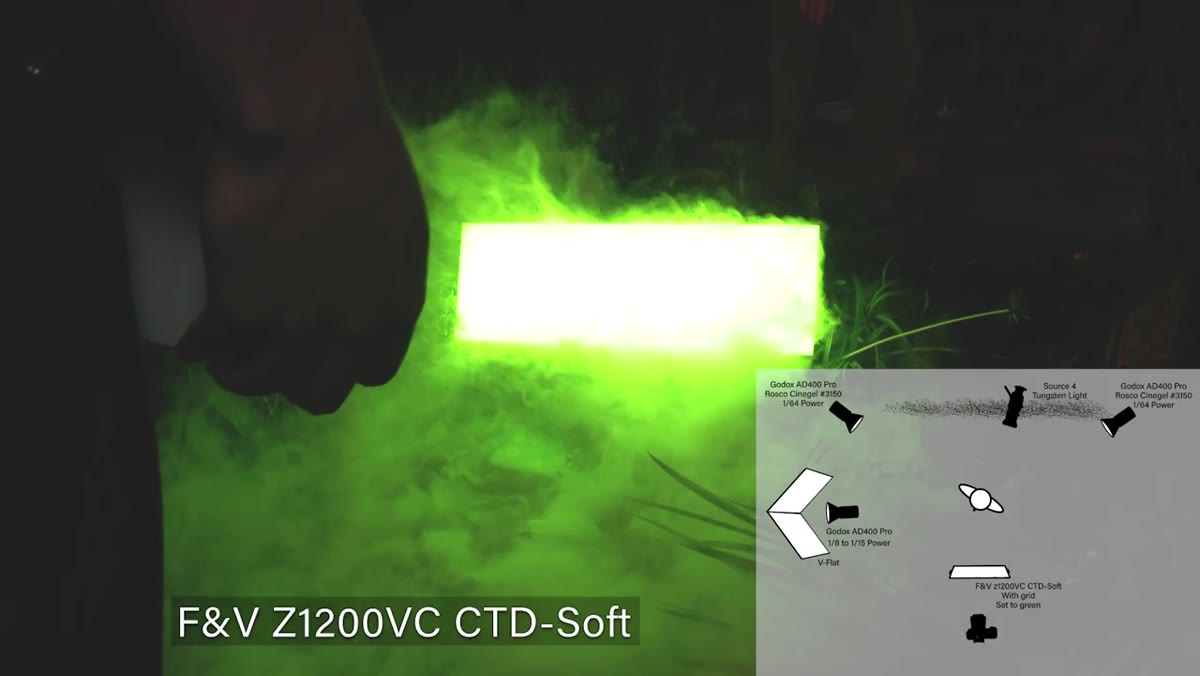 Green LED light positioned in front of the subject, grid attached
A green LED panel placed in front of and slightly below the subject added color pop to her body and face. Without a grid, the LED flooded the entire foreground, including the low-lying smoke, and made the whole scene look like a green fog machine at a middle school dance. A grid narrows the beam angle dramatically, restricting coverage to the subject’s body and keeping the smoke in front of her darker and more controlled.
Green LED light positioned in front of the subject, grid attached
A green LED panel placed in front of and slightly below the subject added color pop to her body and face. Without a grid, the LED flooded the entire foreground, including the low-lying smoke, and made the whole scene look like a green fog machine at a middle school dance. A grid narrows the beam angle dramatically, restricting coverage to the subject’s body and keeping the smoke in front of her darker and more controlled.
This is a lesson about negative control. The grid is not adding more light - it is subtracting light from areas you do not want affected. I keep a set of magnetic grids in my bag for exactly this reason. Any time you have a scene with atmospheric elements like smoke, haze, or fog, an uncontrolled foreground light will ruin the mood faster than almost anything else.
Step 5: Build Ground-Level Smoke with a Chill Box
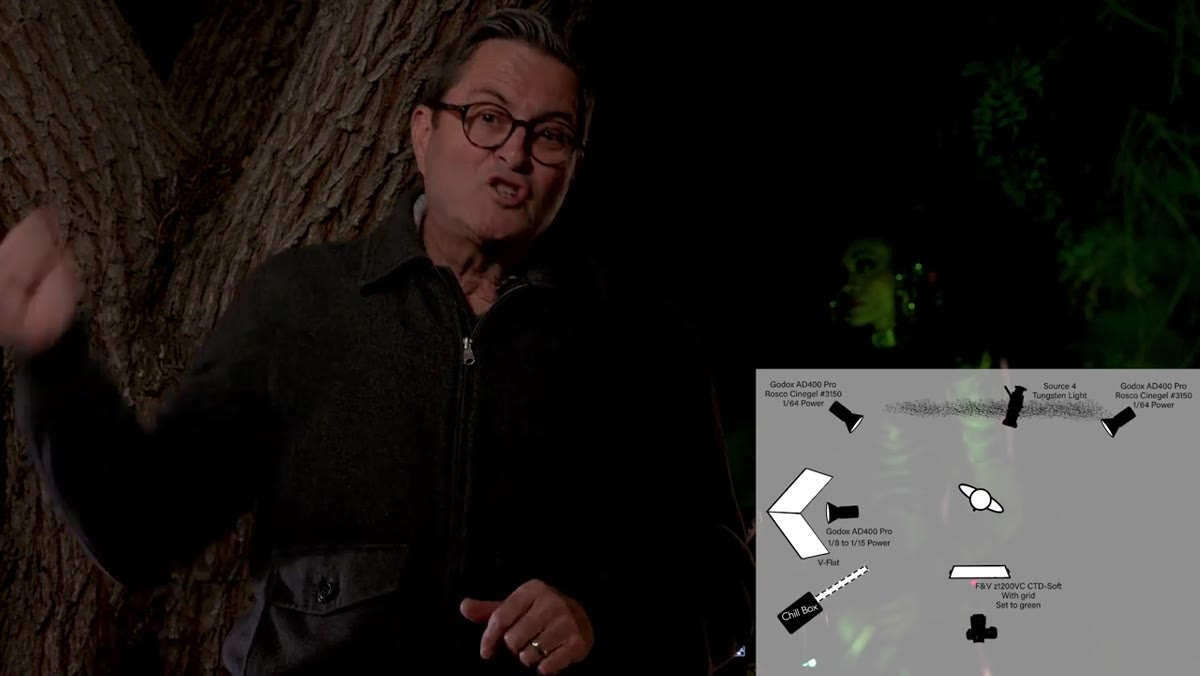 Chill box setup with smoke machine, cooler, and dry ice slab
The low-crawling smoke effect on the floor came from a chill box, which is a simple DIY rig - a standard smoke machine connected to a cooler with a slab of dry ice inside. Hot smoke from the machine passes over the dry ice, cools rapidly, and sinks to the ground rather than rising into the air. The result is that dense, floor-hugging layer you associate with horror films and fantasy scenes.
Chill box setup with smoke machine, cooler, and dry ice slab
The low-crawling smoke effect on the floor came from a chill box, which is a simple DIY rig - a standard smoke machine connected to a cooler with a slab of dry ice inside. Hot smoke from the machine passes over the dry ice, cools rapidly, and sinks to the ground rather than rising into the air. The result is that dense, floor-hugging layer you associate with horror films and fantasy scenes.
JP positioned the chill box in the water in the foreground and physically fanned the output to direct it toward the subject. Two additional smoke machines ran through fans on either side of the set to create a general background haze. Running smoke through a fan breaks up the directional plume and distributes it more evenly, which reads as ambient atmosphere rather than a visible smoke trail.
What I Would Do Differently
The tungsten background source is smart, but I would add a second gel pass in post to push those warm tones even further. On commercial shoots where I have done similar jungle or environmental builds, I have found that the camera tends to compress the relationship between the gold background and green foreground. A targeted color grade that opens up the shadows in the greens and brightens the highlights in the golds recovers the separation that the eye sees on set but the sensor flattens. JP’s in-camera palette is strong, but it becomes a foundation rather than a finished result.
The single most important idea in this entire setup is power control on the smoke backlights. Get those too bright and you lose the whole image. Everything else - the color palette, the dry ice, the grid on the LED - supports that one decision. Dial those backlights down further than feels right, shoot a test, and keep going lower until the smoke looks like depth rather than weather.
Watch the full tutorial on YouTube to see the final images and JP’s full lighting diagram in context.
Comments
Leave a Comment