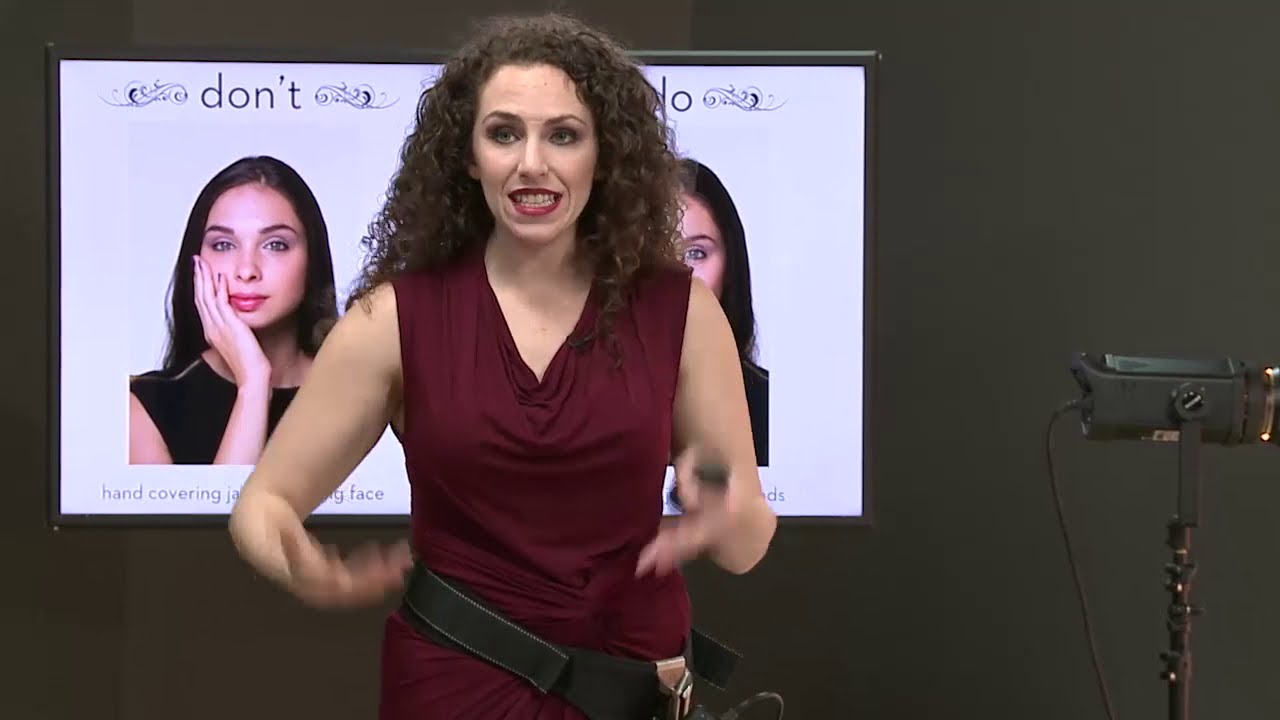
There’s a specific failure mode I see in a lot of early studio work, including my own: the subject looks like they’re waiting for a bus. Arms at their sides, weight distributed evenly, shoulders slightly raised, chin pulled back. Nothing technically wrong with the exposure or the light, but the image is dead. The problem isn’t the camera settings. It’s the body.
I’ve been shooting commercial and editorial work in Los Angeles for years, and I still go back to foundational posing tutorials when I want to sharpen my eye. In this CreativeLive tutorial on posing shoulders, chin, eyes, and hands, the instructor methodically dismantles exactly why some portraits feel flat and how to fix each problem at the body part level. What I appreciate most is the diagnostic approach. He’s not just saying “look better.” He’s pointing to specific geometry and explaining what that geometry communicates to the camera.
This is the kind of breakdown I wish someone had handed me before my first big editorial shoot. It would have saved me a lot of embarrassed review sessions with art directors. Here’s how to apply what he teaches, step by step.
Step 1: Clear the Shoulder Closest to Camera
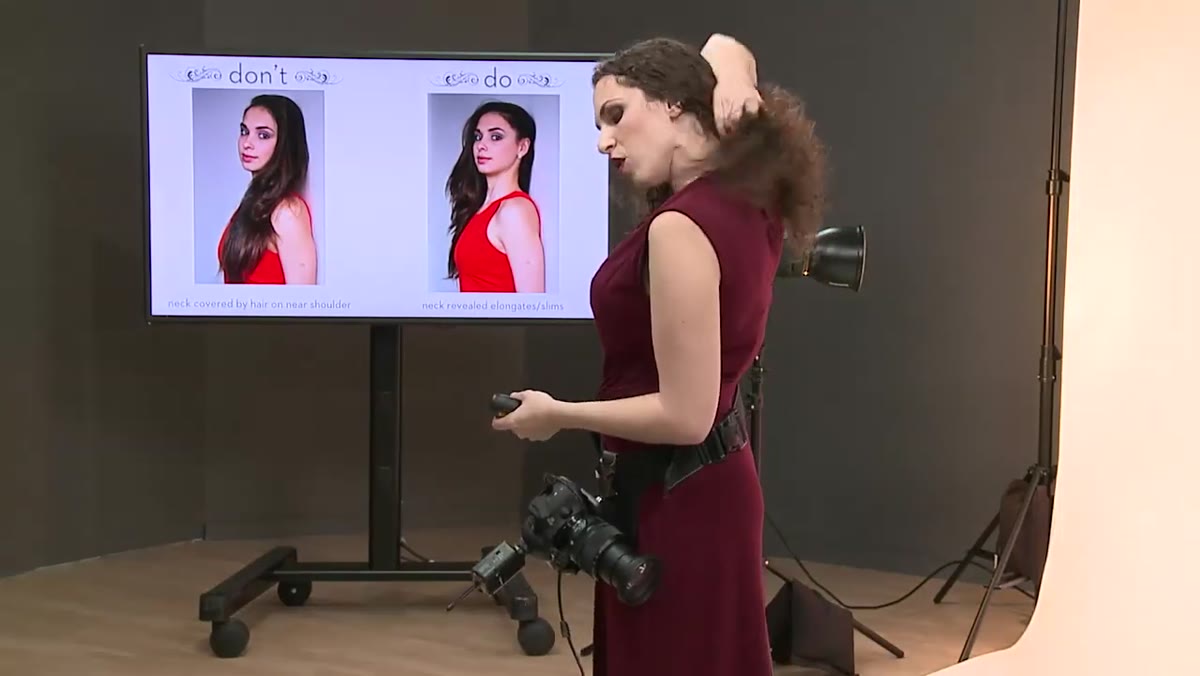 Hair removed from near shoulder, elongating subject’s neck
Whatever shoulder is angled toward the camera, clear the hair off it. This is a small adjustment with a disproportionate visual payoff. When hair falls across the near shoulder, it shortens the visible neck, softens the jawline, and removes the clean line that separates the subject’s face from their body. Moving the hair behind that shoulder instantly elongates the neck and gives the face more visual separation from the frame.
Hair removed from near shoulder, elongating subject’s neck
Whatever shoulder is angled toward the camera, clear the hair off it. This is a small adjustment with a disproportionate visual payoff. When hair falls across the near shoulder, it shortens the visible neck, softens the jawline, and removes the clean line that separates the subject’s face from their body. Moving the hair behind that shoulder instantly elongates the neck and gives the face more visual separation from the frame.
In studio work, I make this a reflex during the first test shot review. It takes three seconds to fix and it’s one of those changes that shows up clearly even in a thumbnail.
Step 2: Diagnose the Arm Position Before You Start Directing
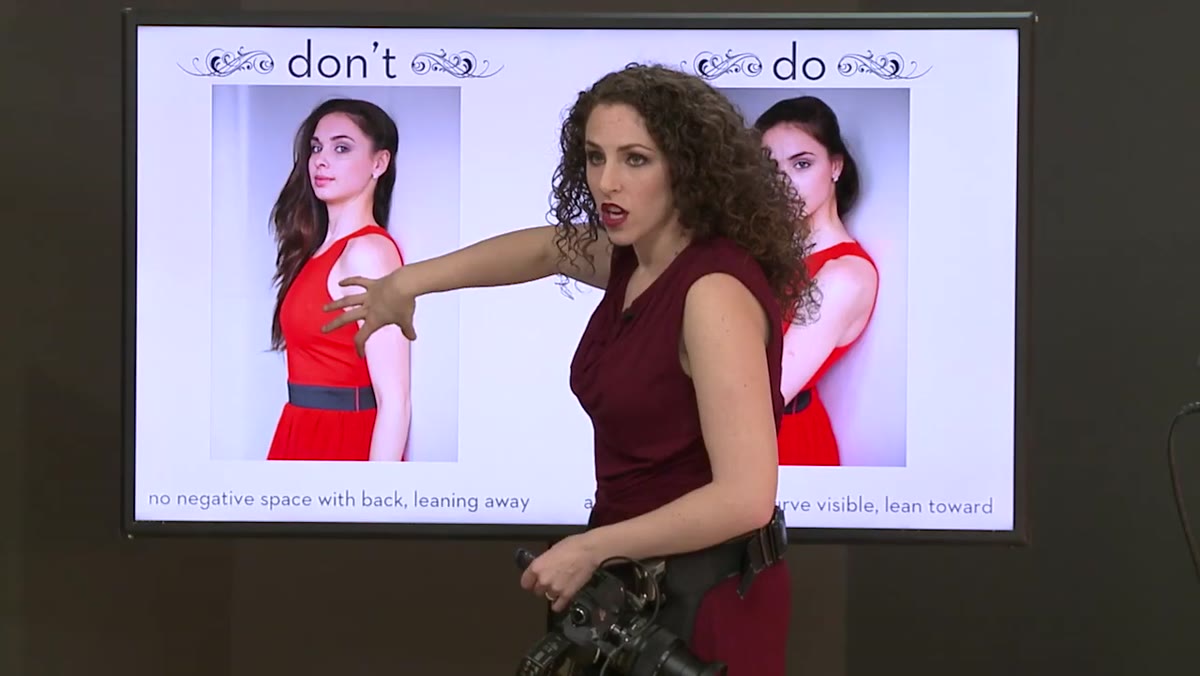 Subject’s arm pressed against body, adding width to silhouette
Before you give any posing direction, look at where the arms are sitting relative to the body’s silhouette. The instructor makes a point I think about constantly: if a subject’s arm presses flat against their side, you lose the background between the arm and the torso. That means you’re adding the full width of the arm to the perceived width of the body. He estimates two and a half inches per arm. That’s not a rounding error. That’s the difference between a silhouette that reads as lean and one that reads as wide.
Subject’s arm pressed against body, adding width to silhouette
Before you give any posing direction, look at where the arms are sitting relative to the body’s silhouette. The instructor makes a point I think about constantly: if a subject’s arm presses flat against their side, you lose the background between the arm and the torso. That means you’re adding the full width of the arm to the perceived width of the body. He estimates two and a half inches per arm. That’s not a rounding error. That’s the difference between a silhouette that reads as lean and one that reads as wide.
The fix is to create separation. Any gap between the arm and the torso, even a small one, allows the background to show through and the silhouette immediately reads as narrower. This applies to men and women. The specific arm placement comes next, but the diagnostic question is always the same: can I see the back of the body, or is the arm hiding it?
Step 3: Build Shape Into the Female Figure Through Arm Placement
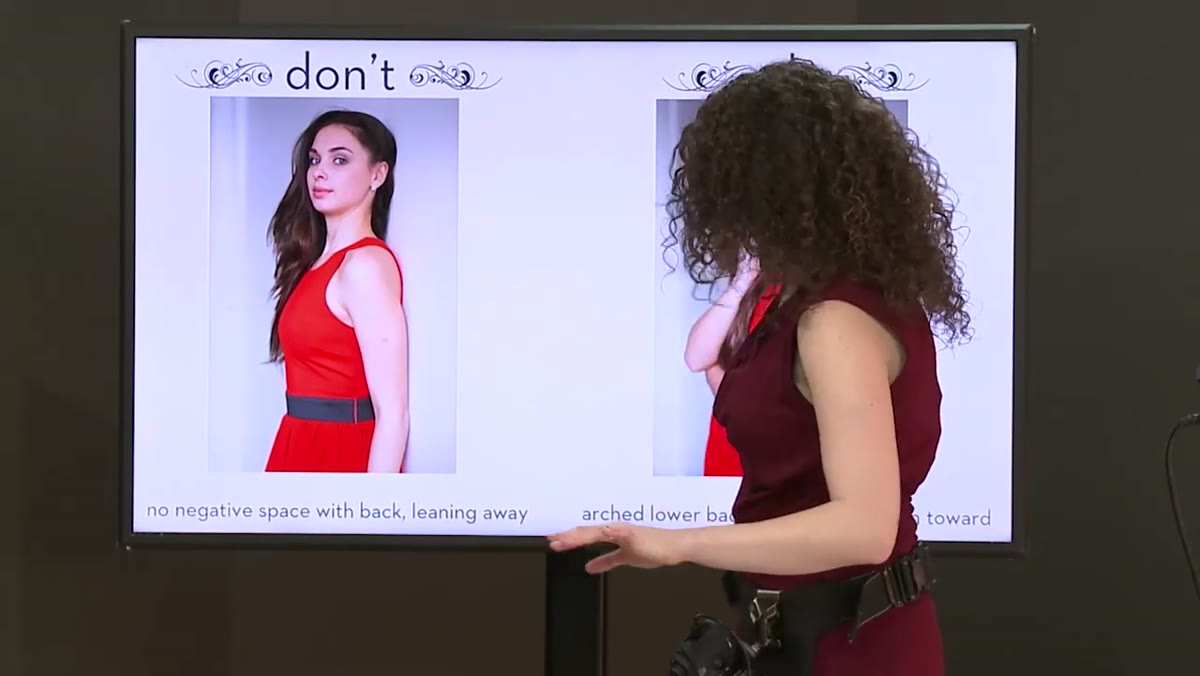 Subject’s hand placed behind her, elbow angled outward from wall
For women, the goal with arm and shoulder posing is visible curve. The instructor references a technique associated with photographer Sue Bryce: take the near arm, bring the back of the hand against the hip or lower back, and angle the elbow away from the body. If the subject is against a wall, the elbow goes lightly to the wall. This creates a triangular gap between the arm and the waist, which the camera reads as shape.
Subject’s hand placed behind her, elbow angled outward from wall
For women, the goal with arm and shoulder posing is visible curve. The instructor references a technique associated with photographer Sue Bryce: take the near arm, bring the back of the hand against the hip or lower back, and angle the elbow away from the body. If the subject is against a wall, the elbow goes lightly to the wall. This creates a triangular gap between the arm and the waist, which the camera reads as shape.
Alternatively, crossing the near arm across the body serves the same purpose when you want the hands more visible in the frame. Either approach works. The principle is the same: you need the viewer’s eye to register a change in the silhouette at the waist. Without it, you get a rectangle instead of a figure.
Step 4: Fix the Lean Before You Fix Anything Else
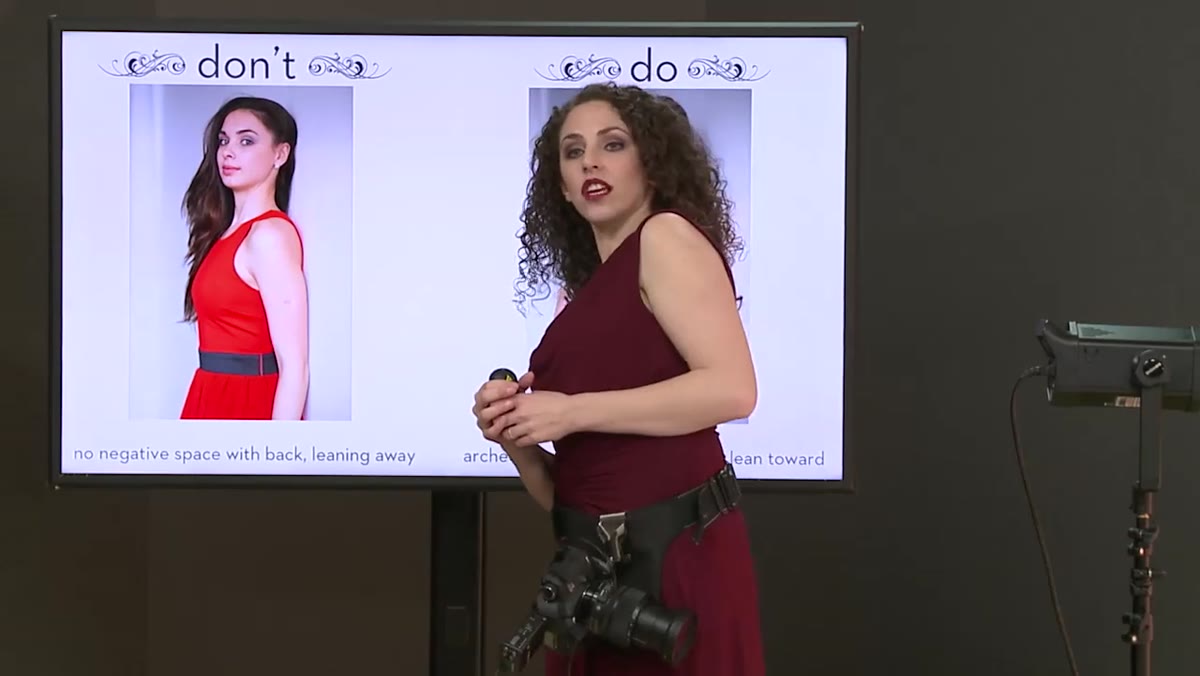 Subject leaning away from camera, body language closed and apprehensive
Body language overrides everything. The instructor flags something that every photographer who has ever said “can you just relax?” and gotten the opposite result will recognize: when subjects lean away from the camera, the body communicates apprehension, and the face follows. The chin pulls back, the jaw softens into the neck, and the eyes go slightly uncertain.
Subject leaning away from camera, body language closed and apprehensive
Body language overrides everything. The instructor flags something that every photographer who has ever said “can you just relax?” and gotten the opposite result will recognize: when subjects lean away from the camera, the body communicates apprehension, and the face follows. The chin pulls back, the jaw softens into the neck, and the eyes go slightly uncertain.
The correction is specific. Shift the weight to the back foot and have the subject lean the shoulders forward and slightly down toward the camera. Then ask them to arch the back slightly. This sequence, weight back, shoulders forward, spine long, pulls the face and eyes toward the lens, compresses nothing unflattering, and reads as engaged rather than defensive. I usually demonstrate this myself because verbal instructions for leaning forward while keeping weight back tend to confuse people. Show it once and they get it.
Step 5: Use Shoulder Angle to Control Broadness for Male Subjects
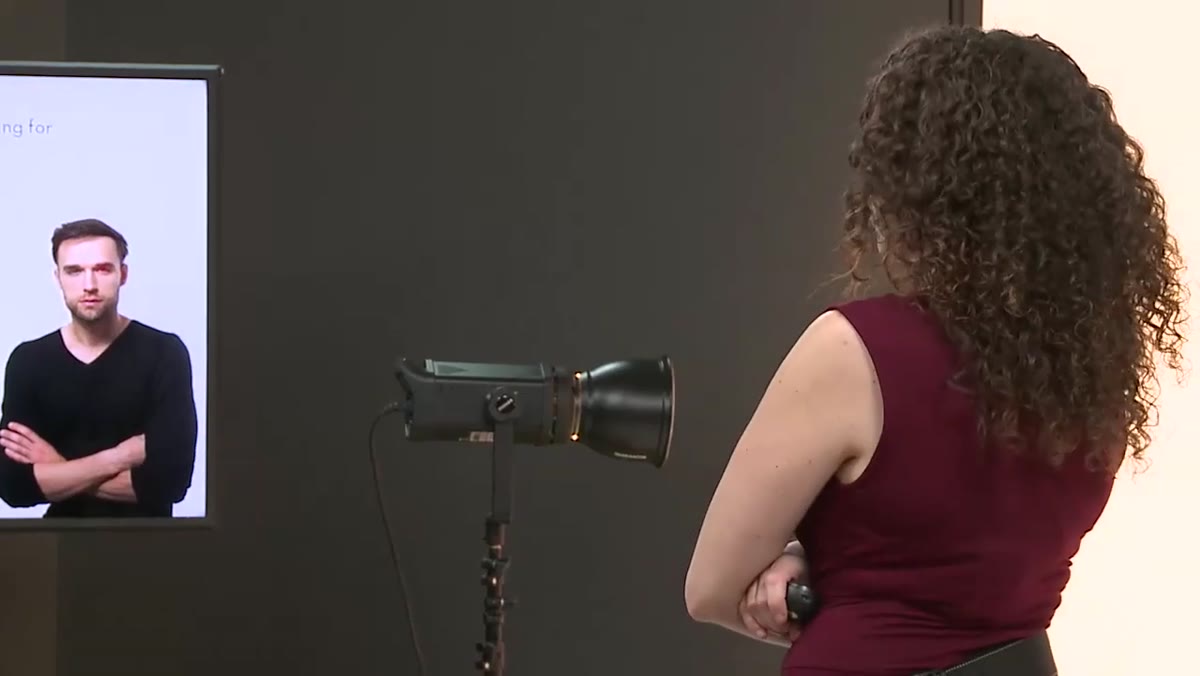 Male subject shown at three shoulder angles: straight-on, angled, profile
For men, shoulder angle is the primary tool for controlling perceived size. Shooting straight-on, with both shoulders square to the camera, reads as widest and most imposing. Turning the subject so one shoulder pulls back progressively reduces apparent breadth. A full profile minimizes width to its most extreme.
Male subject shown at three shoulder angles: straight-on, angled, profile
For men, shoulder angle is the primary tool for controlling perceived size. Shooting straight-on, with both shoulders square to the camera, reads as widest and most imposing. Turning the subject so one shoulder pulls back progressively reduces apparent breadth. A full profile minimizes width to its most extreme.
Neither direction is universally correct. It depends on what the subject needs. A lean guy who wants to look athletic benefits from a more squared-up angle. A heavier subject who wants to look trimmer benefits from the turned position. The instructor also points out that crossing the arms and pressing them slightly outward visually increases the appearance of arm and chest muscle, and that most men already know this intuitively, even if they’ve never been in a studio. Use that instinct. Build on what they already do naturally.
Step 6: Connect the Pose to the Face
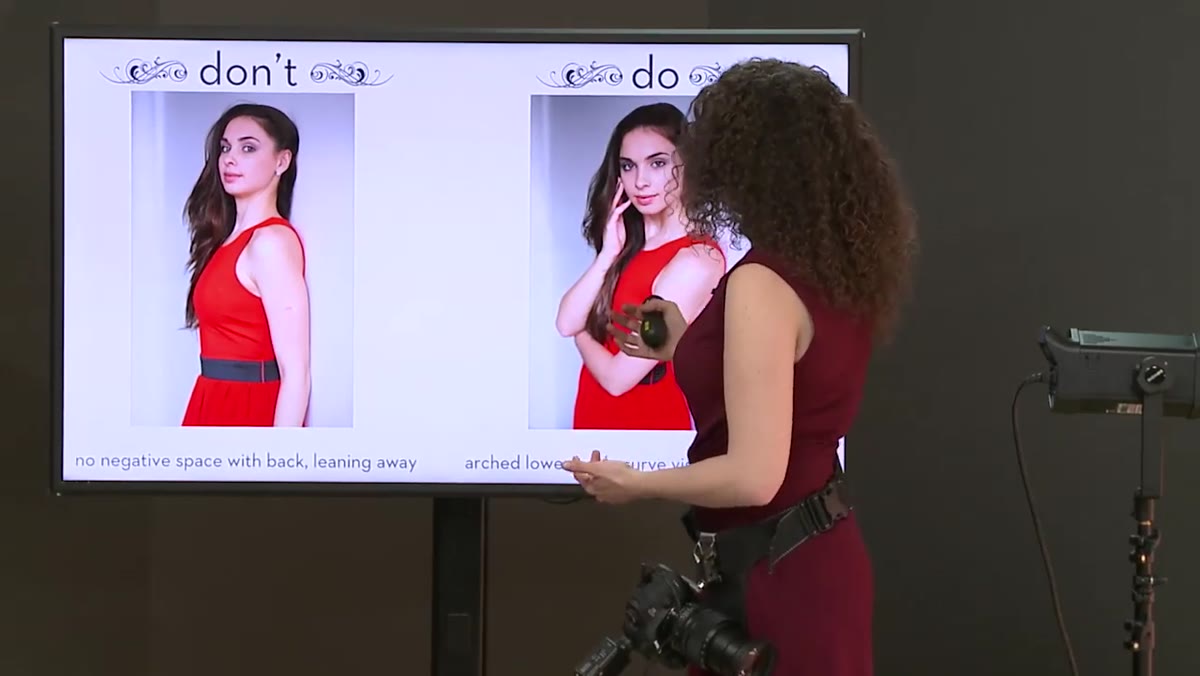 Subject leaning toward camera, face engaged, arch in lower back visible
Every physical direction you give the body should end with the question: where does this put the face? The instructor frames his posing decisions around three priorities. He wants to see curve. He wants the body language to feel like it’s connecting with the viewer. And he wants the emphasis to land on the face. The body is scaffolding. The face is the photograph.
Subject leaning toward camera, face engaged, arch in lower back visible
Every physical direction you give the body should end with the question: where does this put the face? The instructor frames his posing decisions around three priorities. He wants to see curve. He wants the body language to feel like it’s connecting with the viewer. And he wants the emphasis to land on the face. The body is scaffolding. The face is the photograph.
If a hand placement creates shape but rotates the chin into shadow, the hand placement loses. If a shoulder turn slims the figure but also turns the eyes away from the lens, reconsider the angle. Run every pose through this filter before you shoot.
What I’d Add From the Studio
The tutorial focuses on direction, which is the right place to start. But I’d add one layer: check all of this in your shooting position before you give feedback. What looks neutral from where you’re standing as a director looks very different through a 70-200mm at your actual camera height. I keep my camera on a tripod during posing adjustments and step behind it after each correction. The lens doesn’t see what your eyes see from three feet away and six inches higher. What reads as a good lean at eye level from the side can still look like a collapsed shoulder from the camera’s perspective.
The single most transferable idea in this tutorial is that you’re diagnosing geometry, not giving encouragement. Every element of the pose, the arm angle, the shoulder position, the weight distribution, the lean, has a specific visual effect that either works or doesn’t. Train yourself to see those effects before you call out adjustments, and you’ll spend less time guessing and more time making portraits that hold up.
Watch the full tutorial on YouTube to see the before-and-after comparisons in motion. The still frames don’t fully capture how quickly these corrections transform a pose.
Comments
Leave a Comment