
Still life photography looks forgiving on paper. Your subject holds still. You control the environment. There’s no client pacing behind you, no model losing energy between frames. And yet, in my years shooting commercial product work, I’ve watched more photographers stumble on still life lighting than almost any other discipline. The subject sits there quietly while the light does all the damage.
I came across this tutorial by Adam from First Man Photography — Watch the full tutorial on YouTube — and what struck me immediately was the format. Rather than building a lighting setup from scratch, Adam reviews actual student submissions and diagnoses what went wrong. That feedback loop is something most photographers never get. You shoot, you post, you move on. Nobody tells you the rose looked tatty or the flash flattened everything. Adam does. And watching him work through real images back to back is more instructive than most gear-focused tutorials I’ve seen.
The two core subjects he examines are a water drop macro and a flash-lit rose. Both are classic still life territory. Both have the same underlying problem hiding in different symptoms: the photographer wasn’t thinking about how light behaves on a specific surface, in a specific context, at close range. Here’s how to fix that, step by step.
Step 1: Evaluate Your Subject Before You Light It
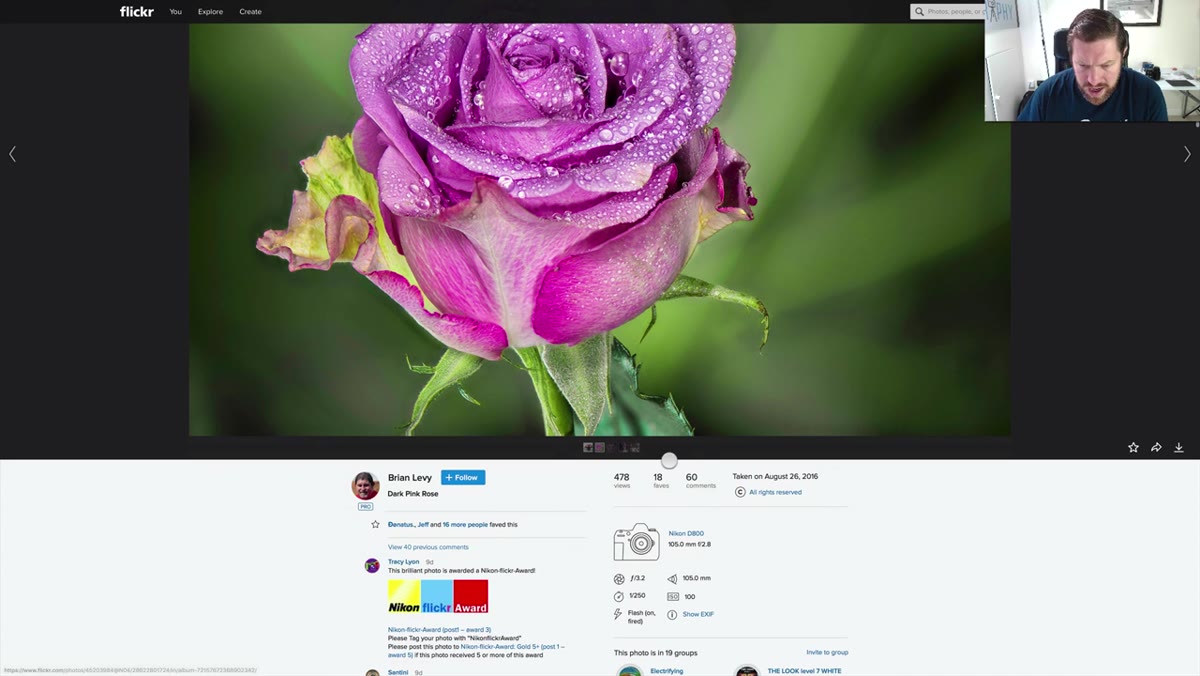 Dark pink rose image displayed, harsh flash shadows visible
Before you touch a light or dial in a setting, look hard at the thing you’re photographing. In the tutorial, Adam points out that the rose in the student’s submission was slightly wilted and past its prime. The lighting compounds this problem because it draws attention to every imperfection. The rule I follow in my own studio: the light will tell the truth. If your subject isn’t in peak condition, you will not be able to light your way out of it. Buy a fresh rose. Use a new stem. Select specimens that can hold up to scrutiny at the sharpness levels a macro lens demands. This is not fussiness; it is the difference between a publishable image and a portfolio reject.
Dark pink rose image displayed, harsh flash shadows visible
Before you touch a light or dial in a setting, look hard at the thing you’re photographing. In the tutorial, Adam points out that the rose in the student’s submission was slightly wilted and past its prime. The lighting compounds this problem because it draws attention to every imperfection. The rule I follow in my own studio: the light will tell the truth. If your subject isn’t in peak condition, you will not be able to light your way out of it. Buy a fresh rose. Use a new stem. Select specimens that can hold up to scrutiny at the sharpness levels a macro lens demands. This is not fussiness; it is the difference between a publishable image and a portfolio reject.
Step 2: Get Your Flash Off the Camera Immediately
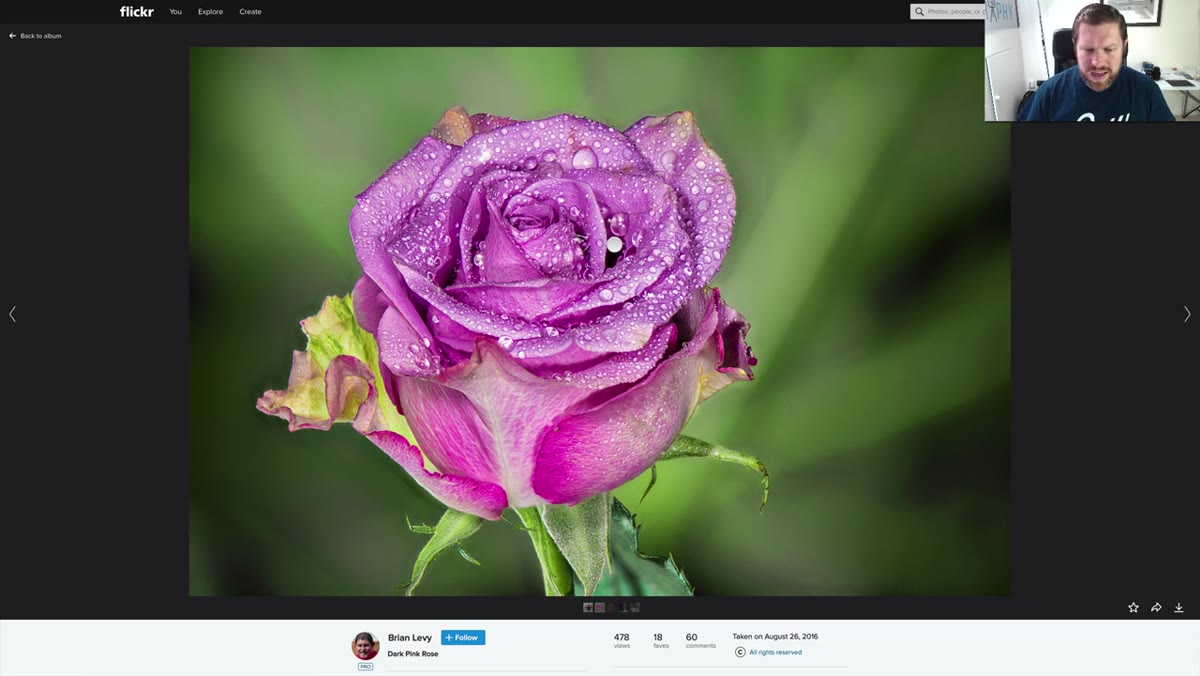 Rose image showing washed-out highlights and flat on-camera flash result
The single biggest technical problem Adam identifies in the rose shot is on-camera flash. The student was using a Nikon D800, which has no pop-up flash, so this was almost certainly a speedlight mounted directly on the hot shoe. The result is exactly what you’d expect: flat, frontal light with harsh shadows falling directly behind the subject and blown highlights on any reflective petal surface.
Rose image showing washed-out highlights and flat on-camera flash result
The single biggest technical problem Adam identifies in the rose shot is on-camera flash. The student was using a Nikon D800, which has no pop-up flash, so this was almost certainly a speedlight mounted directly on the hot shoe. The result is exactly what you’d expect: flat, frontal light with harsh shadows falling directly behind the subject and blown highlights on any reflective petal surface.
For still life and close-up work, your flash needs to be off-camera. Even a basic two-light setup changes everything. Move your key light to a 45-degree angle above and to one side of the subject. Add a reflector card on the opposite side to open up the shadows. If you only have one speedlight, trigger it wirelessly and hand-hold it while shooting with a remote shutter release. The distance between the light source and the lens axis is the variable that determines how dimensional your image feels. More distance equals more shape, more texture, more life.
Step 3: Diffuse the Light Source for Organic Textures
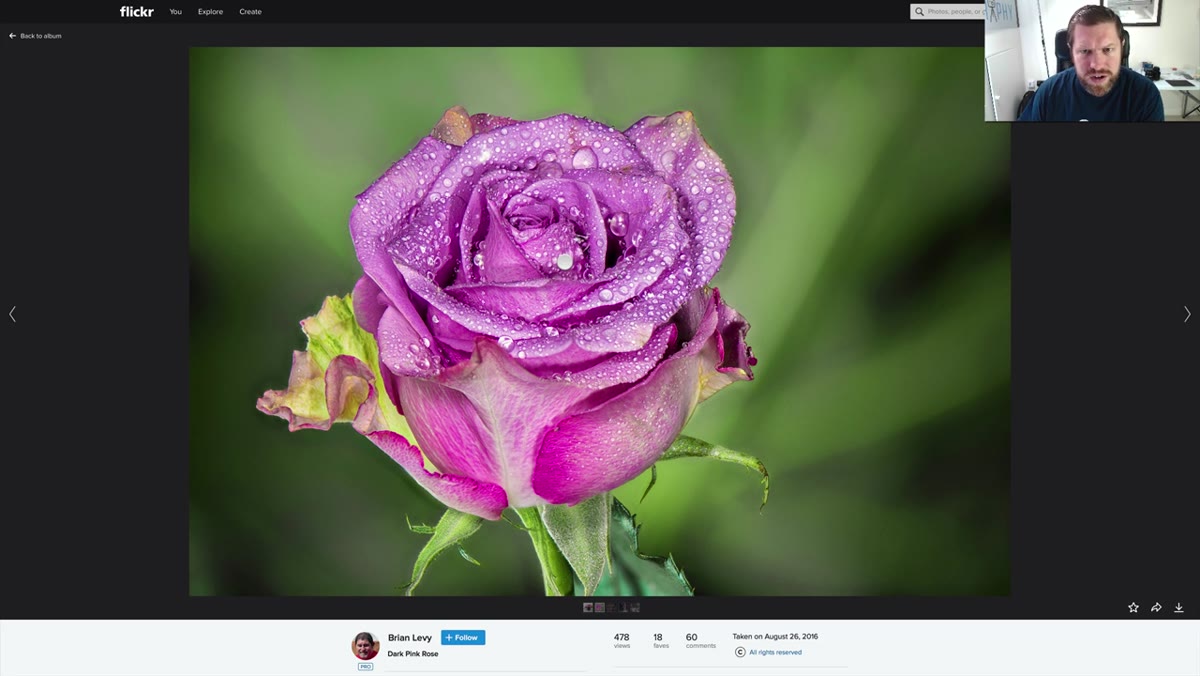 Close-up detail of rose petals showing harsh specular highlights
Even a well-placed speedlight pointed directly at a flower or a water drop will produce hard, specular highlights that look artificial. Still life subjects, especially botanicals and liquids, respond best to large, soft light sources. A shoot-through umbrella at close range, a softbox, or even a sheet of white diffusion material taped over a window gives you the gradual light fall-off that makes petals look like velvet and water drops look like glass.
Close-up detail of rose petals showing harsh specular highlights
Even a well-placed speedlight pointed directly at a flower or a water drop will produce hard, specular highlights that look artificial. Still life subjects, especially botanicals and liquids, respond best to large, soft light sources. A shoot-through umbrella at close range, a softbox, or even a sheet of white diffusion material taped over a window gives you the gradual light fall-off that makes petals look like velvet and water drops look like glass.
My standard starting point for tabletop botanical work is a medium softbox positioned close to the subject, almost uncomfortably close, maybe 12 to 18 inches away. The closer a large source gets, the softer the light wraps around curved surfaces. For water drops specifically, you also want to consider what the drop is reflecting, because the drop itself acts as a tiny lens. What it reflects becomes part of the image.
Step 4: Use Subject Additives Intentionally
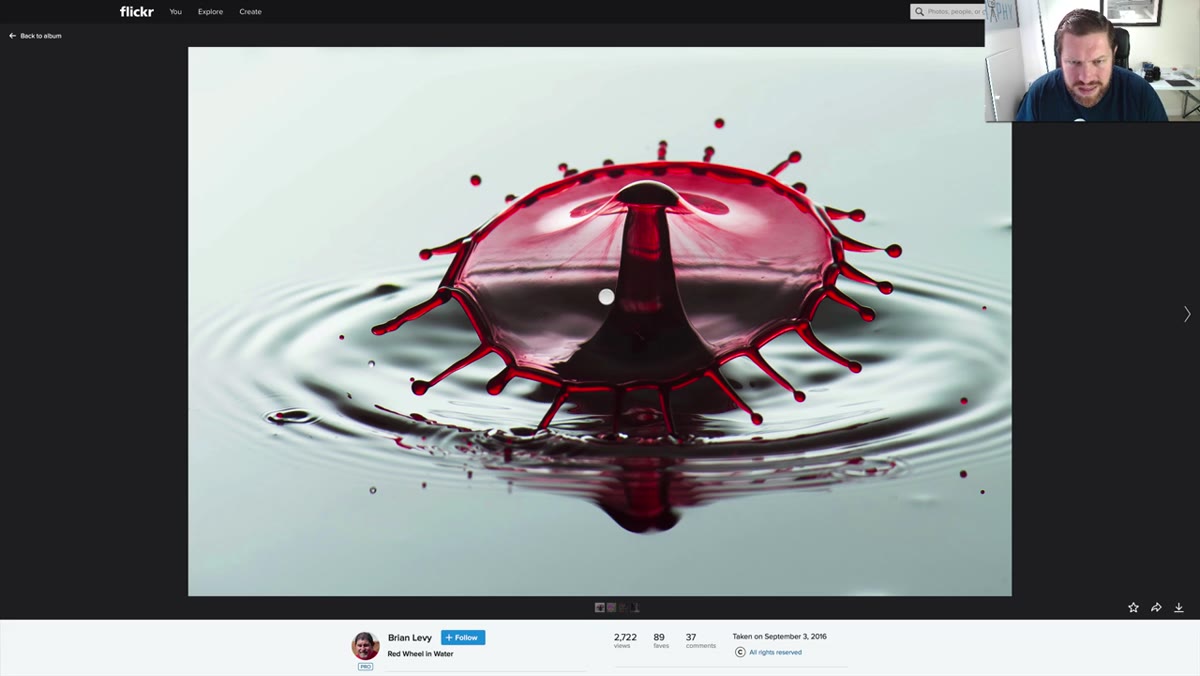 Water drop macro showing crown detail and xanthan gum texture
Adam notes that the student’s water drop shot likely used xanthan gum mixed into the water, which creates a thicker, more viscous drop that holds its shape better and produces cleaner crowns and columns. This is a technique worth understanding if you’re shooting any water or liquid macro work. Xanthan gum is food-safe, inexpensive, and widely available. Start with a very small amount mixed into room temperature distilled water and adjust the ratio based on how high and sharp your columns are resolving.
Water drop macro showing crown detail and xanthan gum texture
Adam notes that the student’s water drop shot likely used xanthan gum mixed into the water, which creates a thicker, more viscous drop that holds its shape better and produces cleaner crowns and columns. This is a technique worth understanding if you’re shooting any water or liquid macro work. Xanthan gum is food-safe, inexpensive, and widely available. Start with a very small amount mixed into room temperature distilled water and adjust the ratio based on how high and sharp your columns are resolving.
The same intentional thinking applies to misting flowers. Adam mentions the student sprayed water onto the rose, which does add visual interest. The key is spraying lightly and consistently, then shooting quickly before the drops merge or run. A fine misting bottle rather than a plant sprayer gives you better control over drop size and distribution.
Step 5: Frame for the Subject’s Full Geometry
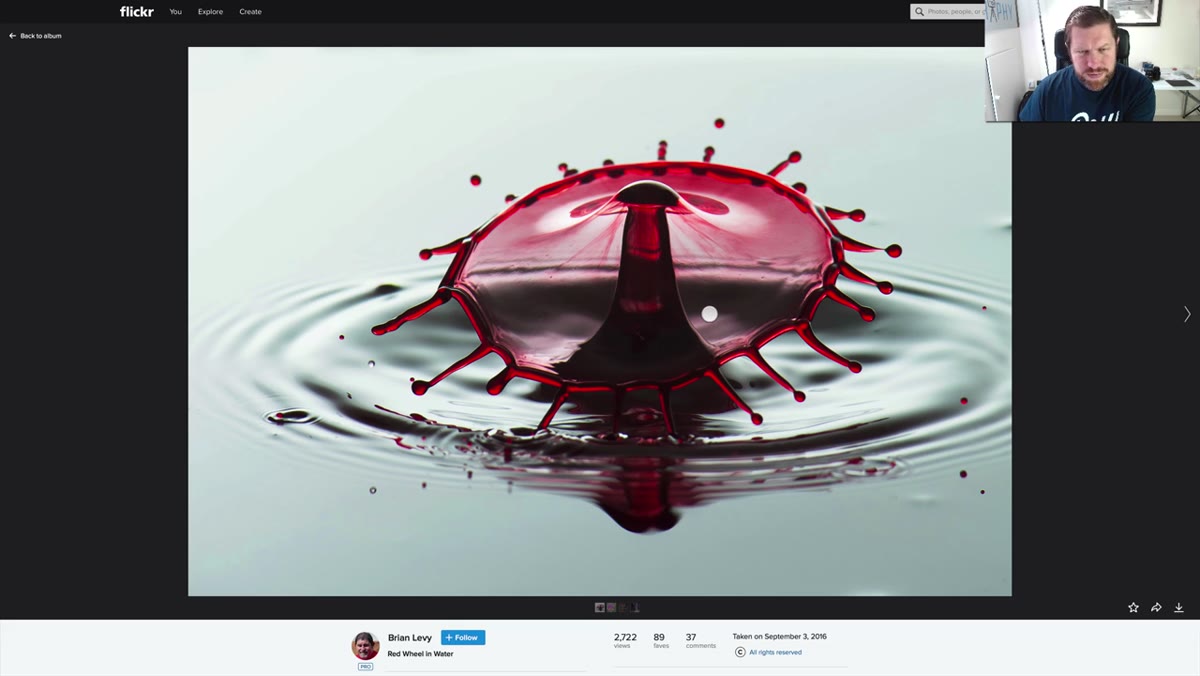 Water drop centered in frame, column not fully visible at top
Adam’s note about the water drop not filling the frame is a framing issue that comes directly from a technical setting. If the drop column is being cut off at the top, the first drop size is too small. A larger first drop pushes more water up and produces a taller, more dramatic column. In software like Splash Art or similar droplet controllers, increase the volume of drop one until the column extends comfortably to the upper third of your frame.
Water drop centered in frame, column not fully visible at top
Adam’s note about the water drop not filling the frame is a framing issue that comes directly from a technical setting. If the drop column is being cut off at the top, the first drop size is too small. A larger first drop pushes more water up and produces a taller, more dramatic column. In software like Splash Art or similar droplet controllers, increase the volume of drop one until the column extends comfortably to the upper third of your frame.
For flowers, centering your subject creates a more formal, symmetrical composition that works well for product and editorial contexts. Slight off-center framing can work beautifully, but make sure it reads as a deliberate choice rather than a missed crop. The rule I use: if someone has to ask whether it was intentional, it wasn’t strong enough.
Step 6: Clean Up in Post with Precision
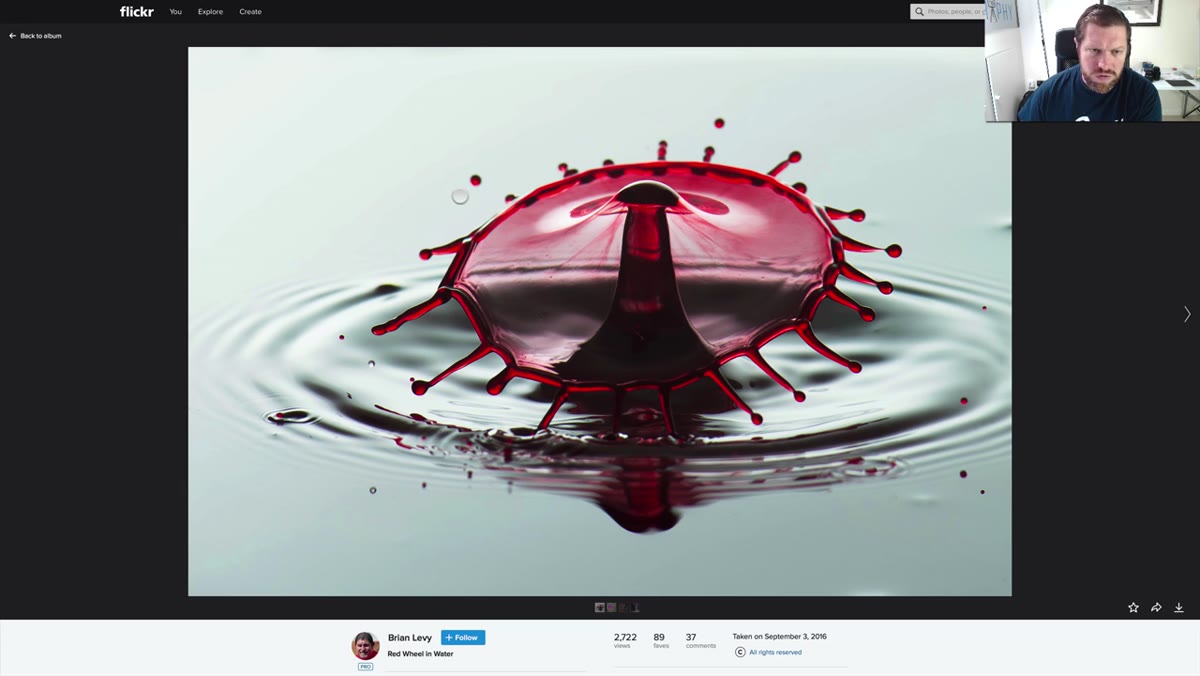 Water surface showing scattered small satellite drops around main drop
Satellite droplets around a water drop crown are almost inevitable. Adam recommends using the spot removal tool in Lightroom to clone them out, and this is genuinely fast work if you’re systematic about it. I go through my water drop selects at 100 percent zoom and sweep from the edges inward, removing any drop that competes visually with the main subject. Five to ten minutes of cleanup can elevate a good frame to a printable one.
Water surface showing scattered small satellite drops around main drop
Satellite droplets around a water drop crown are almost inevitable. Adam recommends using the spot removal tool in Lightroom to clone them out, and this is genuinely fast work if you’re systematic about it. I go through my water drop selects at 100 percent zoom and sweep from the edges inward, removing any drop that competes visually with the main subject. Five to ten minutes of cleanup can elevate a good frame to a printable one.
What I’d Add: Color Temperature Is Not Optional in Still Life
One thing the tutorial doesn’t address directly is color temperature calibration, and for still life work it matters more than most people realize. I ruined a full editorial shoot early in my career because I mixed flash and ambient daylight without correcting for the temperature difference. The product color looked wrong in every frame.
For still life, shoot in a controlled environment with no ambient light mixing in, set your flash to a consistent color temperature, and shoot a gray card reference frame before your hero shots. Correct to that card in Lightroom before you do anything else. Your whites will be white and your product colors will be accurate. This is especially critical for botanicals, where slightly warm or cool light shifts can change whether a red rose looks rich or looks diseased.
The most important thing Adam demonstrates in this tutorial is that lighting decisions are not made in isolation. The flash position affects the subject texture. The subject condition affects how light reads on it. The framing decision affects whether the light has room to do its job. These variables are connected, and you have to evaluate them together.
Watch the full tutorial on YouTube to see Adam work through the original student images and hear his real-time critique, which is worth more than any checklist.
Comments
Leave a Comment