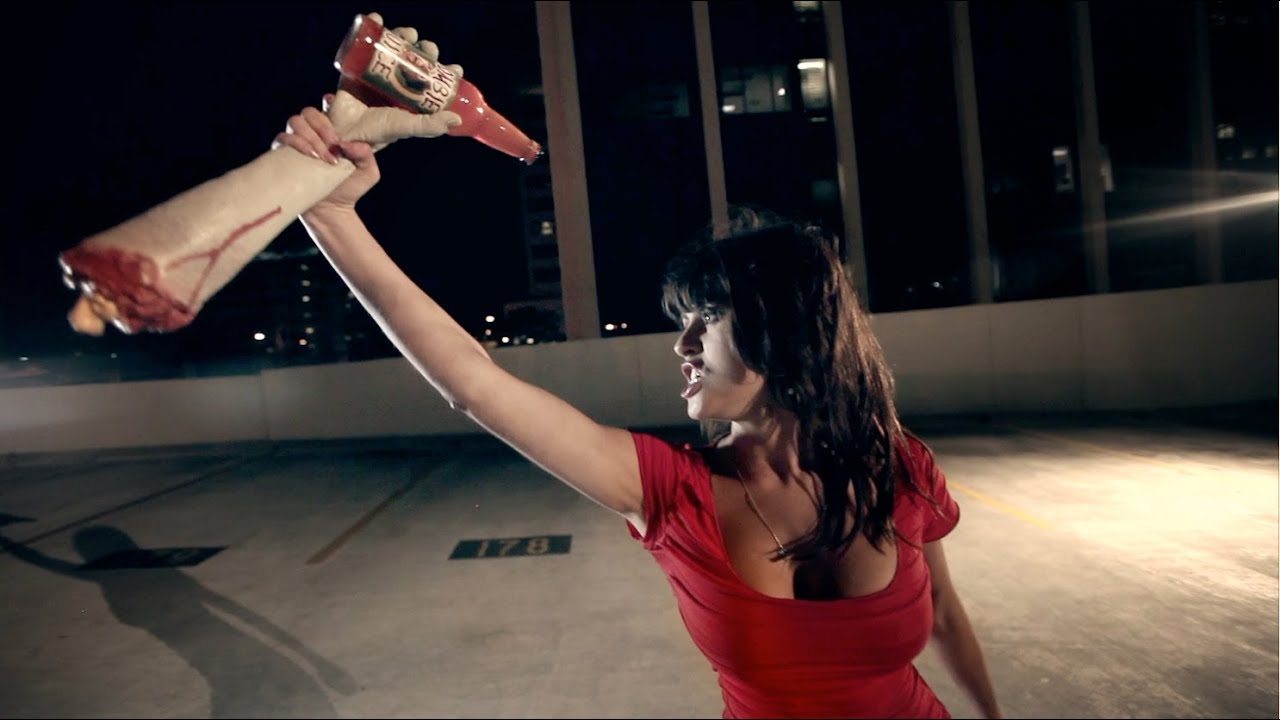
Every time I take a commercial job that moves out of my studio and onto a real location at night, the same problem lands on my lap: how do you build consistent, motivated light across a physical space when the camera itself is moving? Controlled environments are where I live. Masking tape on every fixture, a lighting diagram sketched before the crew arrives, modifiers tested the afternoon before call time. But the second the shot requires the camera to travel from one side of a set piece to the other, that methodical approach gets stress-tested fast.
That’s exactly why I keep returning to this tutorial from The Slanted Lens. Watch the full tutorial on YouTube - it’s a behind-the-scenes breakdown of how they shot a zombie commercial on top of a parking structure in Los Angeles, and the centerpiece is a camera move that tracks through the back windows of a car, following a woman as she runs in one door and out the other. It’s a genuinely tricky shot to light because you need the exposure to hold across a wide horizontal range while the camera is physically traveling.
What makes this tutorial so useful isn’t the zombie makeup. It’s the thinking behind a multi-zone lighting approach for a moving subject, and the rigging logic that makes the whole thing possible without shaking the camera halfway through the take. Here’s how they built it.
Step 1: Tackle the Hardest Shot First
 Crew finishing track setup while zombies are still in makeup
Before a single light goes up, this production commits to sequencing the work around difficulty rather than convenience. The complex dolly shot through the car gets priority while the crew still has full energy and time. Once the key shot is locked, everything else rolls faster because the hardest problem is already behind you. If you flip that order, you spend your best hours on the easy pickups and then run out of clock when the difficult setup needs the most attention.
Crew finishing track setup while zombies are still in makeup
Before a single light goes up, this production commits to sequencing the work around difficulty rather than convenience. The complex dolly shot through the car gets priority while the crew still has full energy and time. Once the key shot is locked, everything else rolls faster because the hardest problem is already behind you. If you flip that order, you spend your best hours on the easy pickups and then run out of clock when the difficult setup needs the most attention.
Step 2: Rig the Camera Track Independent of the Car
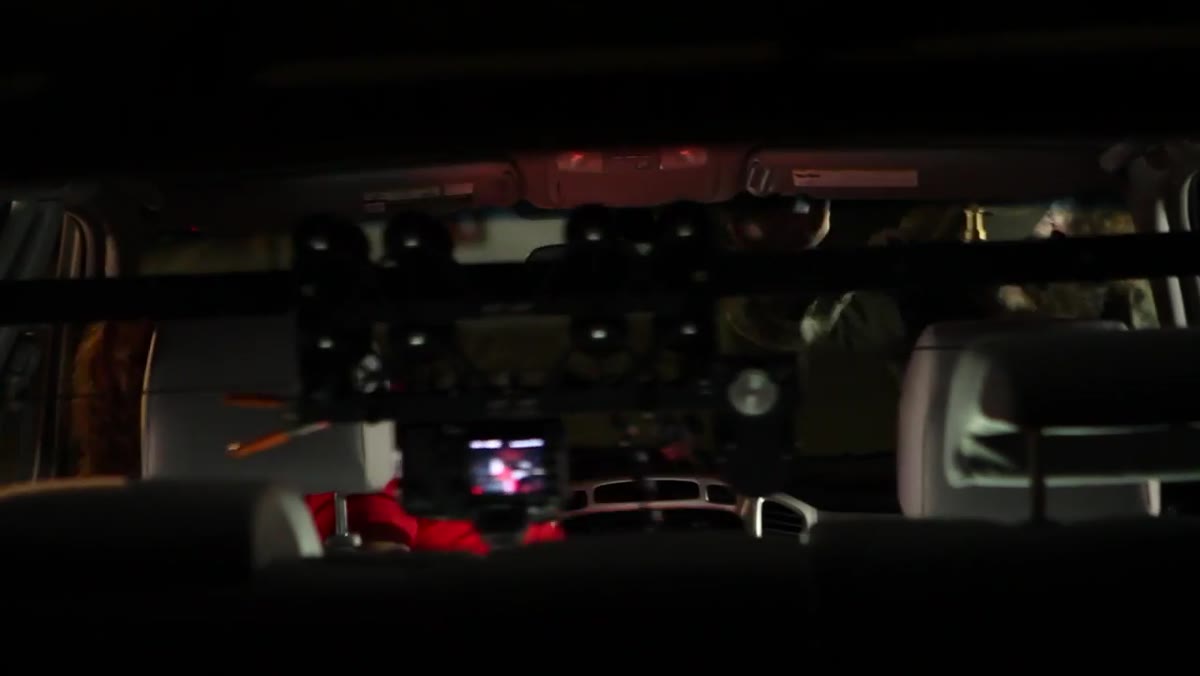 Shuttle pod mounted on C-stands, not resting on car body
A Kessler shuttle pod gets threaded through the rear windows of the car to create the dolly track, but the critical detail is that it makes zero contact with the car itself. Every piece of the rig sits on C-stands. To prevent lateral flex during the move, a second C-stand gets cross-braced against the first using a chain vice grip, and a sandbag pins that brace to the ground. The camera also gets flipped upside down on the track so it can ride low enough inside the car to frame the front windshield. If any part of that track rests on the car body, talent and zombies moving through the interior will rock it constantly and destroy the smoothness of every take.
Shuttle pod mounted on C-stands, not resting on car body
A Kessler shuttle pod gets threaded through the rear windows of the car to create the dolly track, but the critical detail is that it makes zero contact with the car itself. Every piece of the rig sits on C-stands. To prevent lateral flex during the move, a second C-stand gets cross-braced against the first using a chain vice grip, and a sandbag pins that brace to the ground. The camera also gets flipped upside down on the track so it can ride low enough inside the car to frame the front windshield. If any part of that track rests on the car body, talent and zombies moving through the interior will rock it constantly and destroy the smoothness of every take.
Step 3: Establish a Motivated Practical Light Source
 2K light positioned high to imitate an overhead streetlight
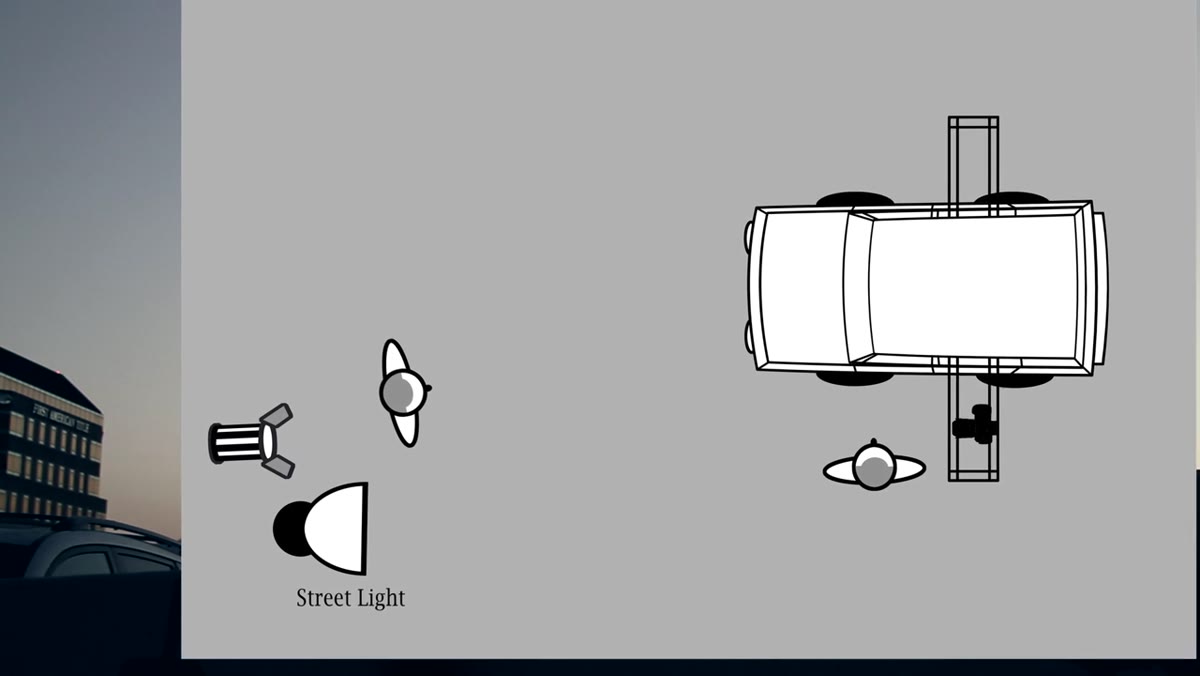
Before adding any fill or key, a 2K tungsten fixture goes up high and aims down toward the ground, positioned so it sits just behind an existing parking structure pole in the frame. This is the establishing move. The pole partially masks the unit and lets the audience read it as a streetlight. That single choice gives every other light in the scene a logical place to come from. Without a motivated source, even well-executed fill looks arbitrary. The 2K doesn’t need to do all the work. It needs to tell the story of where the light is supposed to be coming from.
2K light positioned high to imitate an overhead streetlight
Before adding any fill or key, a 2K tungsten fixture goes up high and aims down toward the ground, positioned so it sits just behind an existing parking structure pole in the frame. This is the establishing move. The pole partially masks the unit and lets the audience read it as a streetlight. That single choice gives every other light in the scene a logical place to come from. Without a motivated source, even well-executed fill looks arbitrary. The 2K doesn’t need to do all the work. It needs to tell the story of where the light is supposed to be coming from.
Step 4: Add Rim Light to Separate Subjects from Background
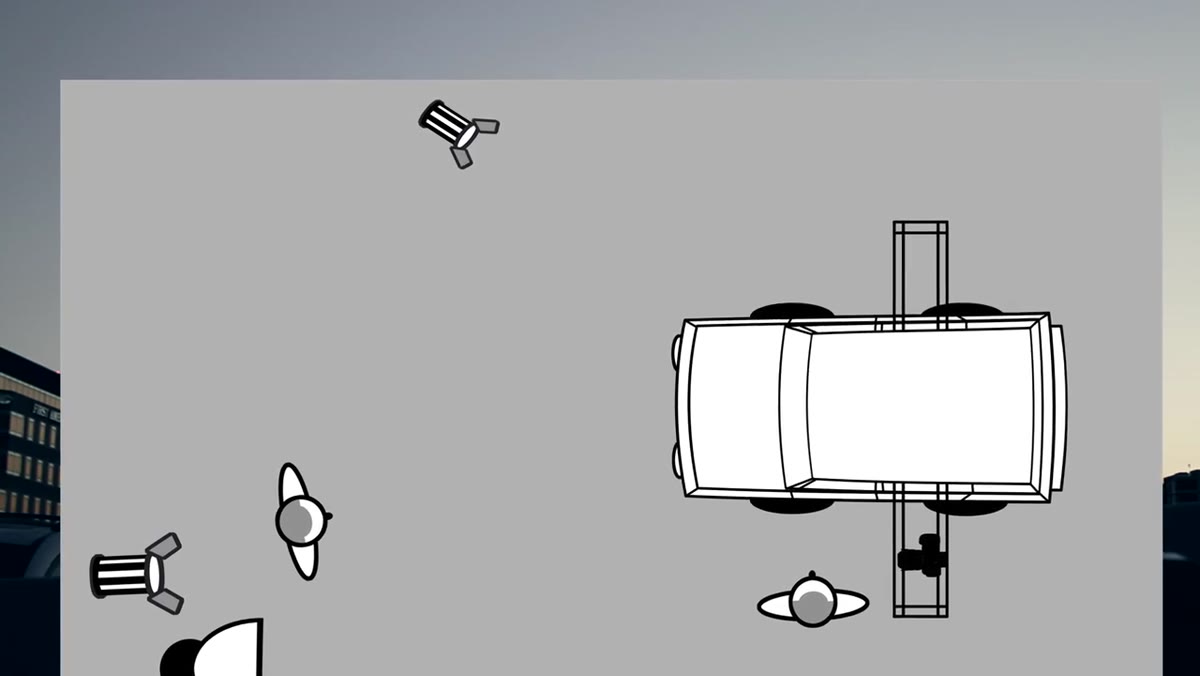 1K light placed camera right, aimed across the car as a rim source
A 1K unit on camera right comes in aimed across the car to create separation. At night, on a rooftop, the background is close to black. Without a rim, subjects flatten directly into it. This light catches the edge of the car body and the shoulder line of anyone moving through frame, which keeps the composition readable even when the scene is supposed to feel dark and threatening. One light, placed correctly, does the visual work that no amount of color grading can fix in post.
1K light placed camera right, aimed across the car as a rim source
A 1K unit on camera right comes in aimed across the car to create separation. At night, on a rooftop, the background is close to black. Without a rim, subjects flatten directly into it. This light catches the edge of the car body and the shoulder line of anyone moving through frame, which keeps the composition readable even when the scene is supposed to feel dark and threatening. One light, placed correctly, does the visual work that no amount of color grading can fix in post.
Step 5: Build Zone-Based Key Lighting Along the Car’s Axis
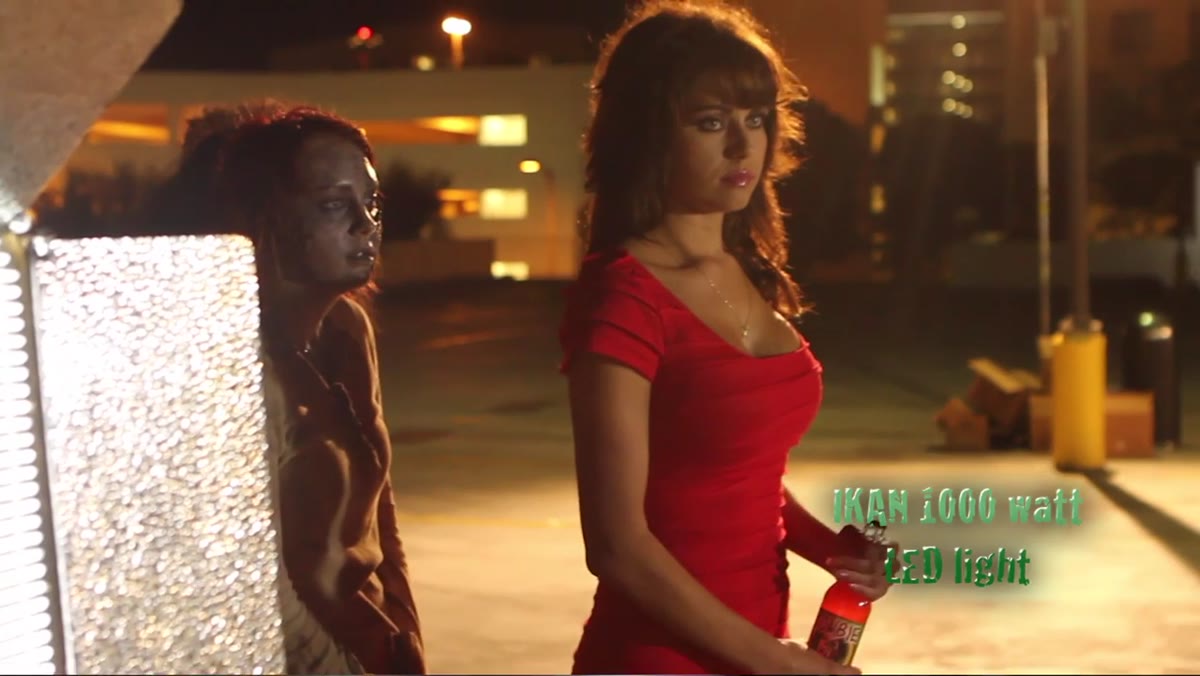 Two LED banks positioned on either side of the car for entry and exit zones
Two LED banks, each roughly 1K equivalent in output, go on the left and right sides of the car. They serve as key lights for the entry and exit moments of the shot, which are the beats where the audience needs to read the actor’s face clearly. Between those two positions, a gridded metal halide head burning around 650 watts drops a tighter pool of light in the middle zone, specifically over the spot where the actor stops and reacts to the zombie behind her. Three distinct lighting zones mapped to three distinct story beats. The grid keeps that middle pool from spilling and muddying the other two zones.
Two LED banks positioned on either side of the car for entry and exit zones
Two LED banks, each roughly 1K equivalent in output, go on the left and right sides of the car. They serve as key lights for the entry and exit moments of the shot, which are the beats where the audience needs to read the actor’s face clearly. Between those two positions, a gridded metal halide head burning around 650 watts drops a tighter pool of light in the middle zone, specifically over the spot where the actor stops and reacts to the zombie behind her. Three distinct lighting zones mapped to three distinct story beats. The grid keeps that middle pool from spilling and muddying the other two zones.
Step 6: Place Practical LEDs Inside the Car
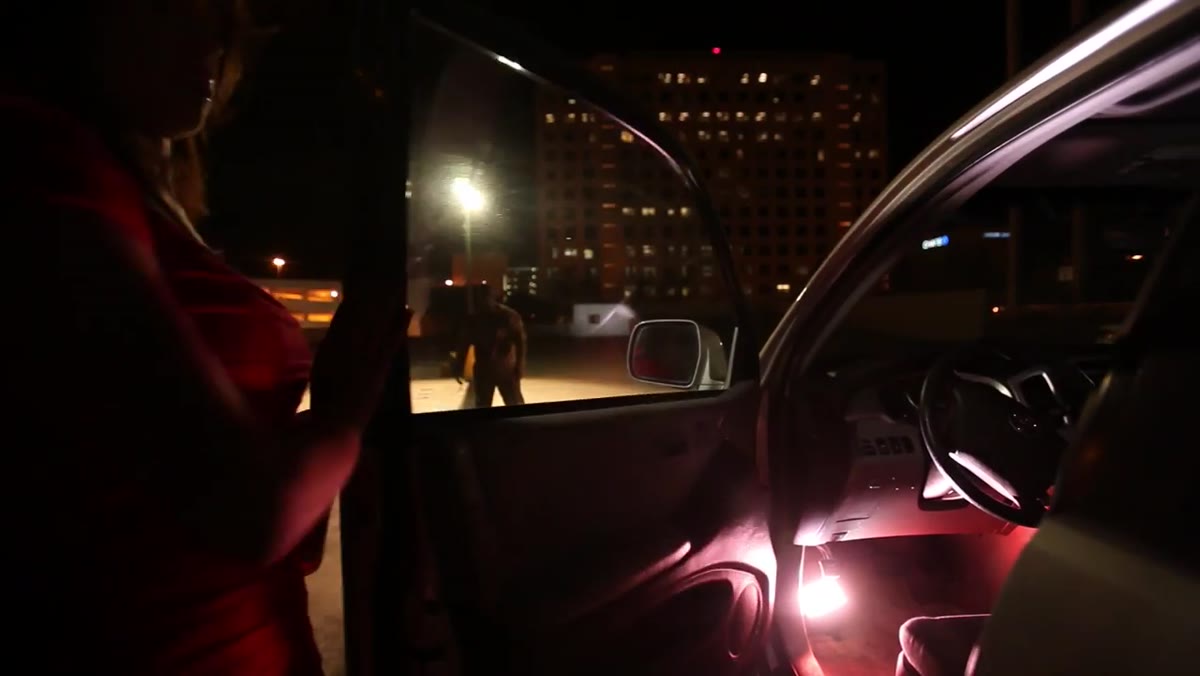 Small battery-powered LED units placed on floor and between front seats
Two small battery-operated LED units go inside the vehicle itself: one on the floor, one between the front seats. These do two things. They keep the interior from going completely black as the camera travels through it, and they add a suggestion of practical ambient light that matches what you’d expect from a car’s interior electronics at night. They’re subtle, but their absence would make the interior feel like a void the camera was traveling through rather than a real space.
Small battery-powered LED units placed on floor and between front seats
Two small battery-operated LED units go inside the vehicle itself: one on the floor, one between the front seats. These do two things. They keep the interior from going completely black as the camera travels through it, and they add a suggestion of practical ambient light that matches what you’d expect from a car’s interior electronics at night. They’re subtle, but their absence would make the interior feel like a void the camera was traveling through rather than a real space.
Step 7: Use a Light Panel to Open Shadow Detail Consistently
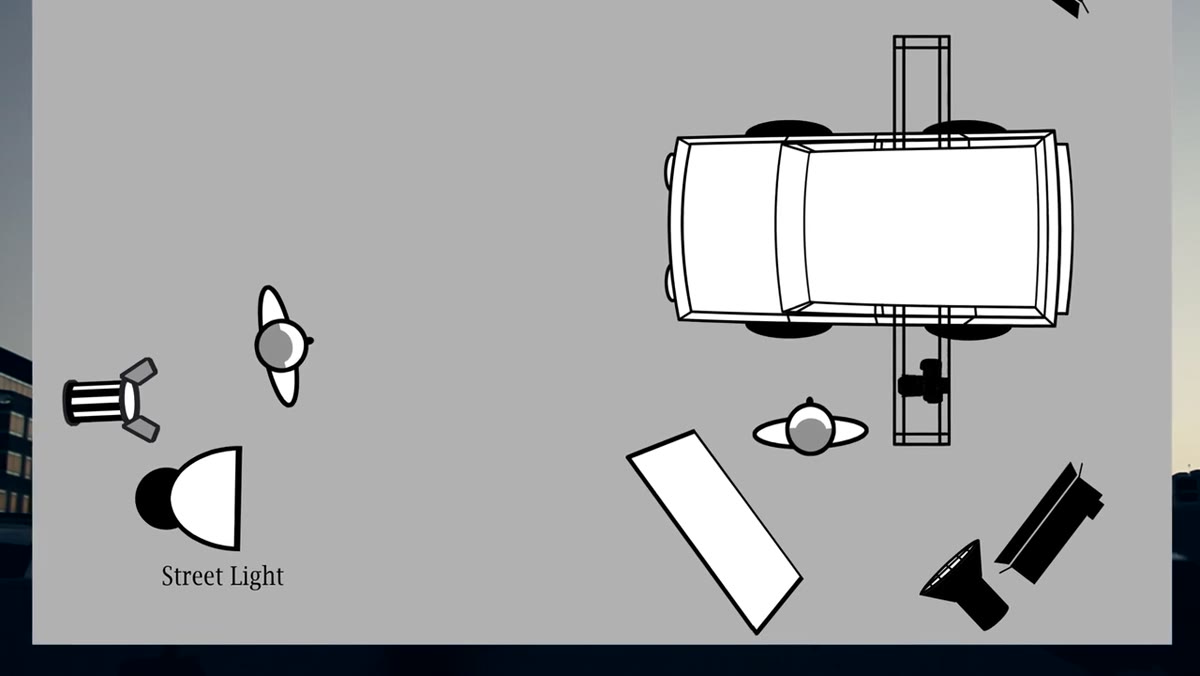 Photoflex light panel positioned camera left to lift shadow side of face
A Photoflex light panel off camera left acts as a consistent fill source across every setup they shoot that night, not just this one. Every time a new light gets placed, the panel comes in to lift the shadow side of the face just enough to retain skin detail without killing the contrast. This is the kind of decision that saves hours in color grading. Rather than solving fill differently for every new angle, one repeatable tool handles it across the whole shoot.
Photoflex light panel positioned camera left to lift shadow side of face
A Photoflex light panel off camera left acts as a consistent fill source across every setup they shoot that night, not just this one. Every time a new light gets placed, the panel comes in to lift the shadow side of the face just enough to retain skin detail without killing the contrast. This is the kind of decision that saves hours in color grading. Rather than solving fill differently for every new angle, one repeatable tool handles it across the whole shoot.
A Note on Color Temperature at Night
Working in Los Angeles on night exteriors, I’ve been burned before by not locking my color temperature early in the setup. Streetlights, practicals, and LEDs all read differently, and the eye adjusts in ways the camera doesn’t. On a shoot like this one, where you’re mixing a 2K tungsten source with LED banks and a metal halide, the individual units need to be gelled toward a consistent target before you start building the zones. I keep a small reference card in my kit with gel values for common mixed-source situations. Getting that baseline right in camera means the motivation of every light you add stays readable in the final cut.
The single most important thing this tutorial demonstrates is that moving camera shots don’t fail because of the camera move. They fail because the lighting wasn’t designed to support motion across a physical space. Zone your light to match your story beats, stabilize every rig element independently, and pick your motivated source before anything else touches the stand.
Watch the full tutorial on YouTube to see the finished clip and watch the complete setup come together in real time.
Comments
Leave a Comment