There is a specific kind of dread that hits when you walk into a location and the light is completely wrong. You planned around a west-facing window. You built the whole creative brief around soft afternoon sun. Then the clouds roll in, the room goes flat and gray, and your subject is sitting there waiting. I have had that moment more times than I want to count, and early in my career I didn’t have a reliable answer for it. I do now.
In this Tony & Chelsea Northrup tutorial, Tony walks through a three-light strobe setup designed exactly for that scenario: dark room, overcast sky, no usable ambient. The setup is modest, portable, and built around a logic that transfers to almost any space. What I want to do here is pull that logic apart so you can actually replicate it on your next shoot, not just watch it once and forget.
Strobes are not a fallback for people who couldn’t get the natural light right. They’re a tool that lets you work on your terms regardless of what the location gives you. Every serious portrait photographer needs at least a working vocabulary with artificial light, even if they use it only a few times a year. When you need it, you really need it.
Step 1: Assess What You’re Working With Before Touching a Light
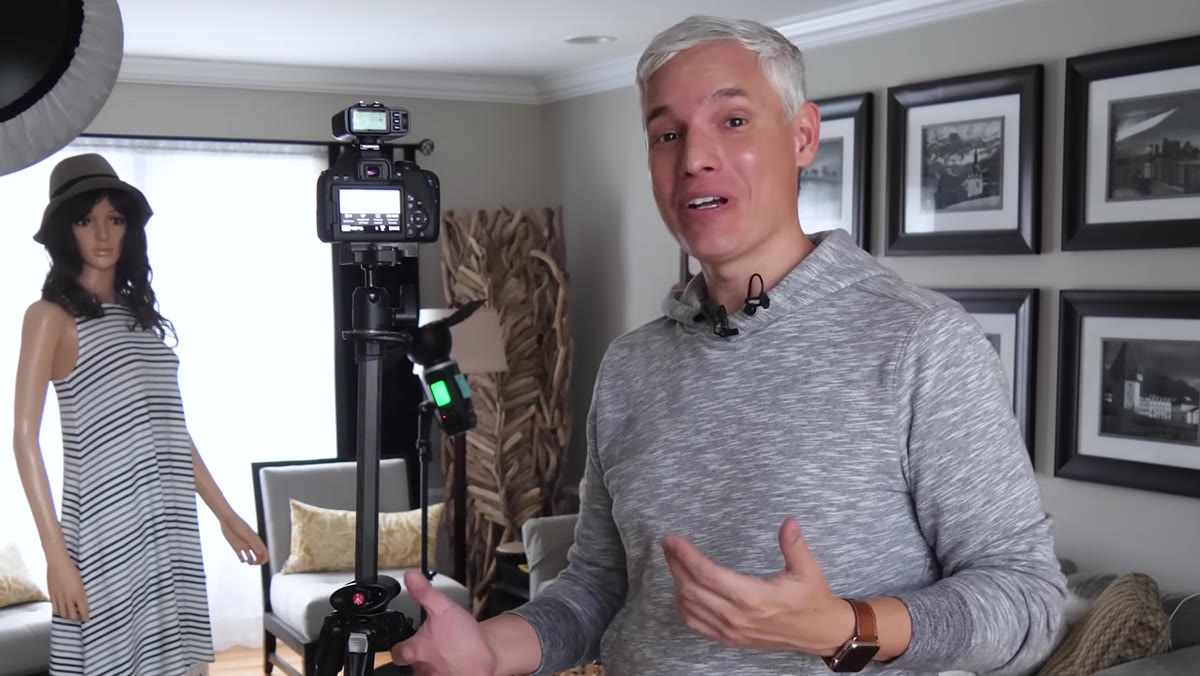 Dark overcast room before any strobes are powered on
Before you set up a single stand, take one test shot with no lights. This is not a throwaway step. Shooting in ambient-only conditions tells you immediately what the existing light is doing, where it’s too bright, where it’s too dark, and what the exposure gap looks like between your background and your subject. Tony does exactly this before demonstrating his setup, and the result is predictable: the background window blows out and the subject’s face goes dark. That imbalance is what you’re designing your strobe setup to correct.
Dark overcast room before any strobes are powered on
Before you set up a single stand, take one test shot with no lights. This is not a throwaway step. Shooting in ambient-only conditions tells you immediately what the existing light is doing, where it’s too bright, where it’s too dark, and what the exposure gap looks like between your background and your subject. Tony does exactly this before demonstrating his setup, and the result is predictable: the background window blows out and the subject’s face goes dark. That imbalance is what you’re designing your strobe setup to correct.
Note your ambient exposure at the settings you want to shoot at. If you’re at 1/200 and f/8, what does the background read? What does the face read? Those numbers are your starting point, not a problem to ignore.
Step 2: Position Your Key Light with a Beauty Dish
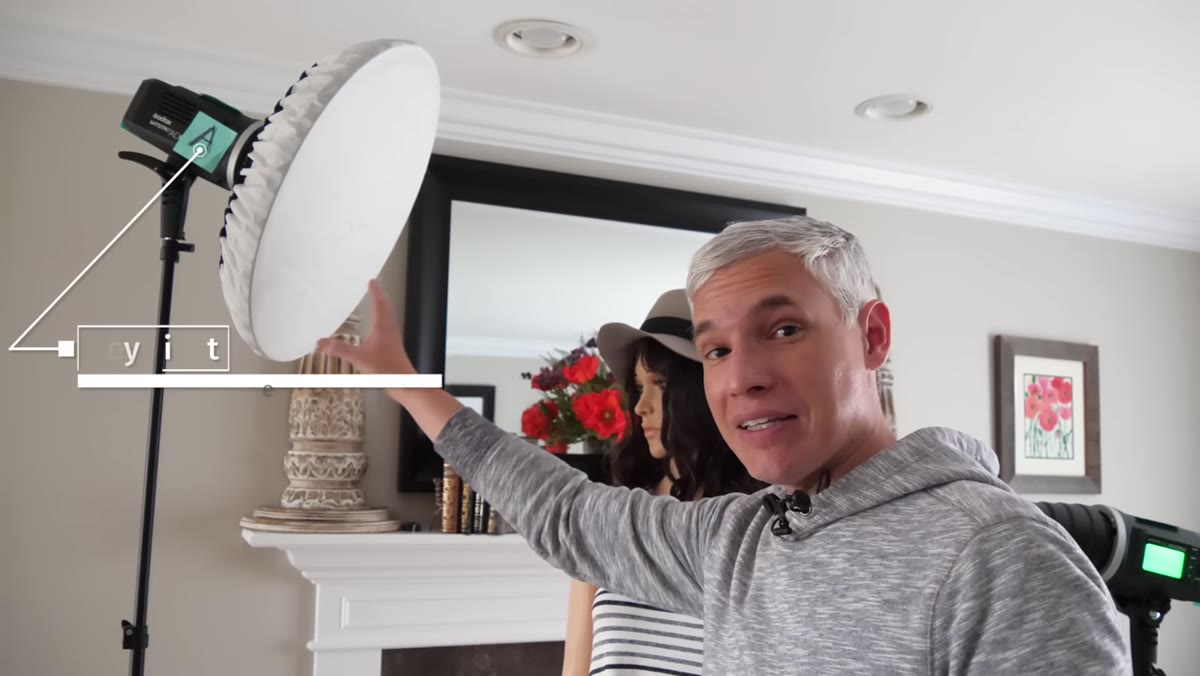 Key light on stand with beauty dish and diffusion sock attached
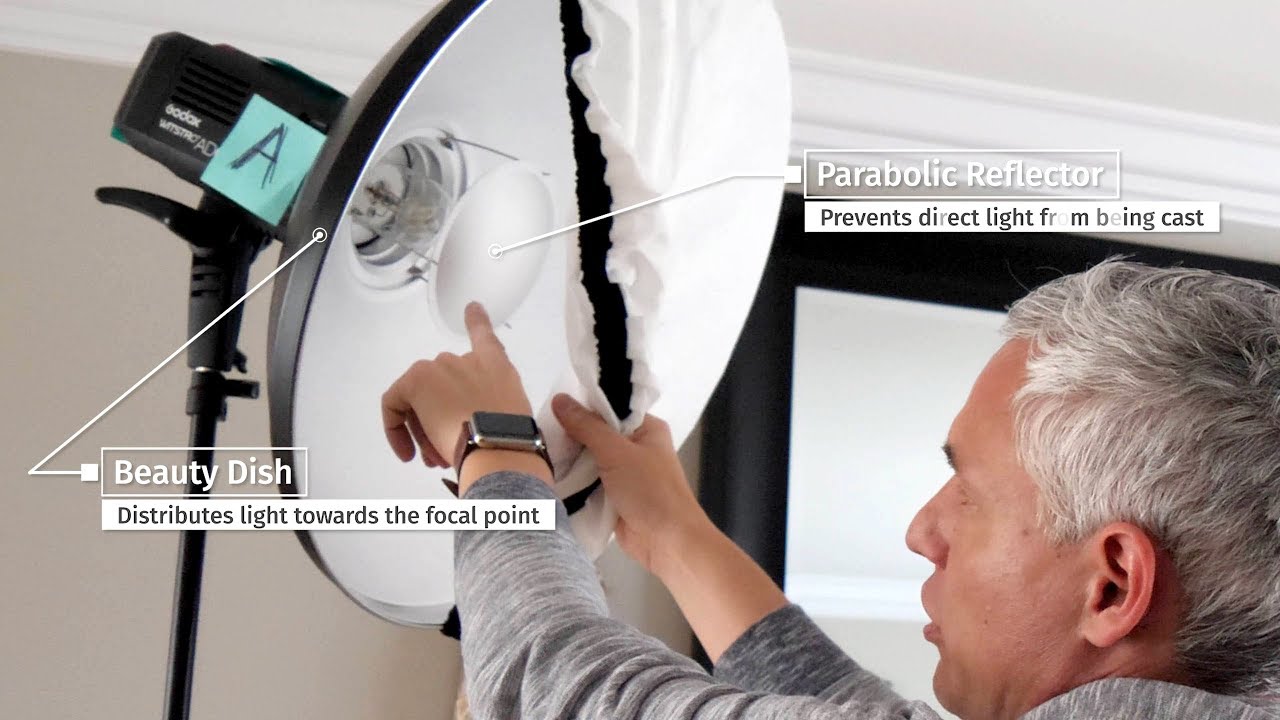
The key light is the only light hitting your subject from the front, so it does the most work. Tony uses a beauty dish here, which is a specific modifier worth understanding. Unlike a softbox, a beauty dish bounces light off a shallow bowl and reflects it through a central mirror, producing a slightly harder falloff with a distinctive circular catch light. It’s a flattering modifier for faces, especially in fashion and beauty work.
Key light on stand with beauty dish and diffusion sock attached
The key light is the only light hitting your subject from the front, so it does the most work. Tony uses a beauty dish here, which is a specific modifier worth understanding. Unlike a softbox, a beauty dish bounces light off a shallow bowl and reflects it through a central mirror, producing a slightly harder falloff with a distinctive circular catch light. It’s a flattering modifier for faces, especially in fashion and beauty work.
Tony has a diffusion sock fitted over the front of the dish, which softens the output and makes it more forgiving on skin texture. His guidance is direct: if your subject has flawless skin or is wearing full professional makeup, pull the sock off and let the harder light work. If you’re shooting real people without a makeup artist on set, leave it on. I label my beauty dish “A” on a piece of masking tape on the stand, so when I’m adjusting power remotely I’m not second-guessing myself mid-shoot.
Step 3: Add a Hair or Kicker Light with a Snoot
 Hair light positioned behind subject with snoot and red gel attached
The second light goes behind the subject, aimed at the back of the head or the shoulders. Its job is separation. Without some light source behind your subject, they can disappear into the background, particularly in a dark room. Tony uses a snoot on this light, which is a tube-shaped modifier that collapses the beam into a tight circle and stops light from spilling where you don’t want it.
Hair light positioned behind subject with snoot and red gel attached
The second light goes behind the subject, aimed at the back of the head or the shoulders. Its job is separation. Without some light source behind your subject, they can disappear into the background, particularly in a dark room. Tony uses a snoot on this light, which is a tube-shaped modifier that collapses the beam into a tight circle and stops light from spilling where you don’t want it.
He’s also added a red gel for demonstration purposes, so viewers can clearly see which light is doing what. In a real session, you wouldn’t typically gel a hair light red unless you were going for a deliberate stylized effect. The principle, though, is worth borrowing: color gels on background or kicker lights can add depth and visual separation without touching your key light at all. Keep the hair light power lower than your key, generally one to two stops down, so it adds dimension without fighting for dominance.
Step 4: Set a Room Light Bounced Off the Ceiling
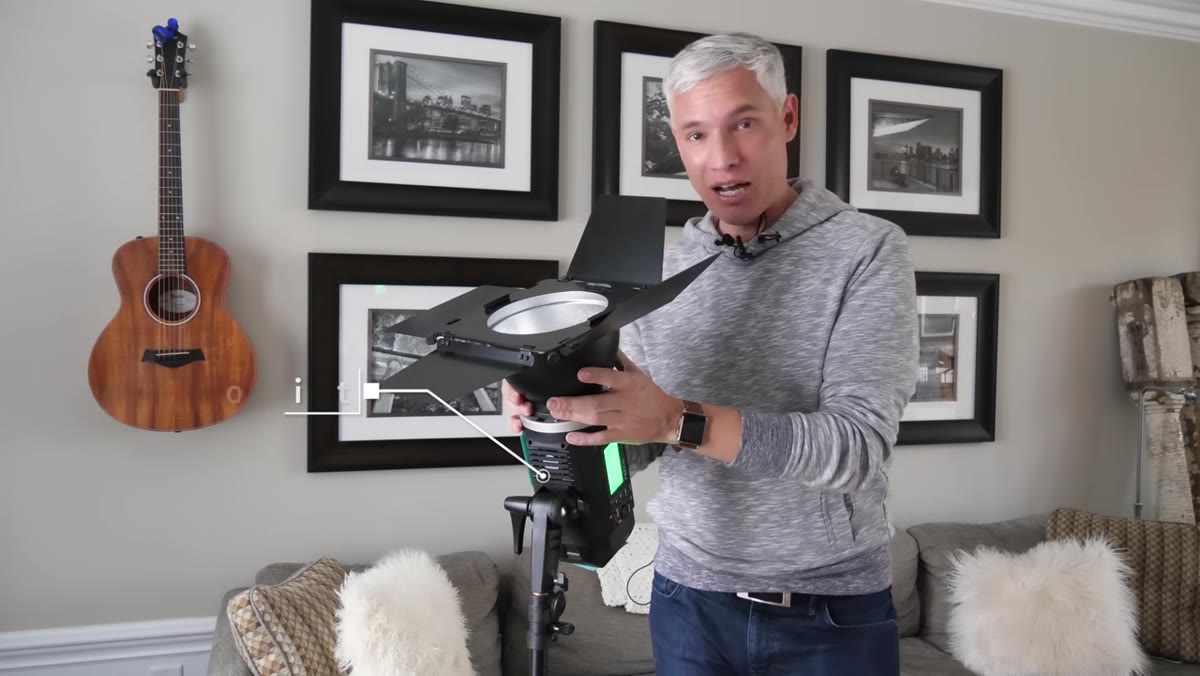 Third strobe aimed upward at ceiling with barn doors adjusted
The third light is the simplest of the three in concept but often the most underused by photographers new to multi-light setups. Tony points it straight at the ceiling, turning the entire ceiling into a giant reflective surface. This fills the room with even, directionless light and brings up the ambient exposure in the background without creating a second hard source on the subject.
Third strobe aimed upward at ceiling with barn doors adjusted
The third light is the simplest of the three in concept but often the most underused by photographers new to multi-light setups. Tony points it straight at the ceiling, turning the entire ceiling into a giant reflective surface. This fills the room with even, directionless light and brings up the ambient exposure in the background without creating a second hard source on the subject.
He’s using barn doors on this unit, which are flat metal flaps that fold around the front of the light head. By closing the barn doors on the side facing the subject, he keeps that fill light off the face and lets it work only on the room environment. This is the kind of control that makes a background look lit rather than just not-dark. For events and receptions, you can place one or two of these around a venue and they’ll fire every time you shoot, giving you consistent room exposure no matter where you point the camera.
Step 5: Label Your Lights and Control Power Independently
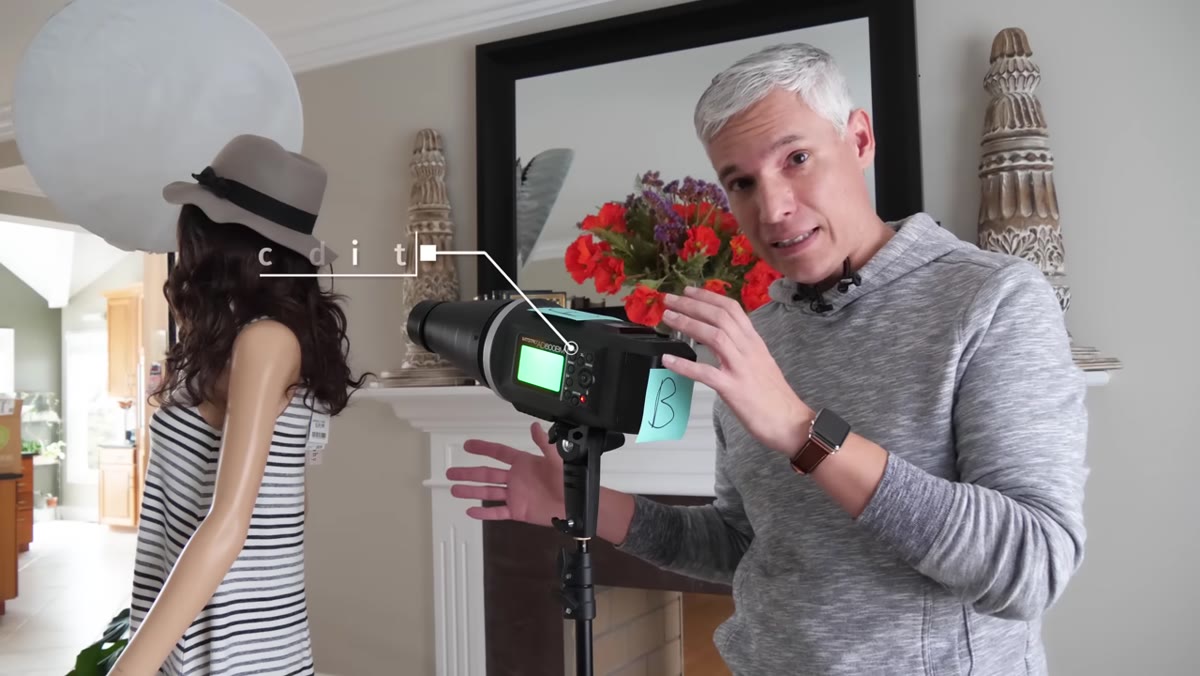
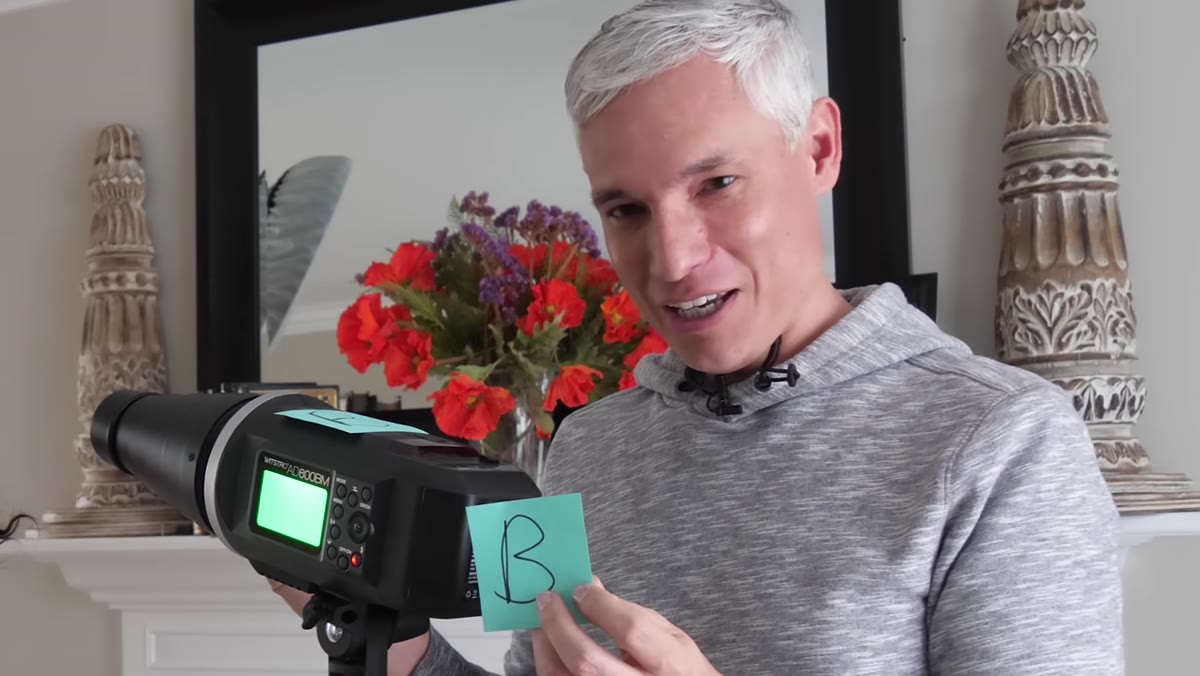 Post-it notes on light stands marking each unit as B or C channel
This is a workflow detail that sounds trivial until you’re three hours into a shoot and your assistant is asking which light to adjust. Tony puts Post-it notes on each unit marking its channel assignment. I use masking tape and a Sharpie, same idea. When you’re adjusting power remotely from a trigger on your camera, you need to know instantly that “B” is the hair light and “C” is the room light, not have to walk over and check.
Post-it notes on light stands marking each unit as B or C channel
This is a workflow detail that sounds trivial until you’re three hours into a shoot and your assistant is asking which light to adjust. Tony puts Post-it notes on each unit marking its channel assignment. I use masking tape and a Sharpie, same idea. When you’re adjusting power remotely from a trigger on your camera, you need to know instantly that “B” is the hair light and “C” is the room light, not have to walk over and check.
Battery-powered strobes like the Godox units Tony uses are genuinely worth the investment for location work. No cables crossing the floor, no hunting for wall outlets, no worrying about tripping hazards. Pick them up and move them. For a three-light setup carried in a rolling bag, that portability changes what locations are even viable.
One Thing I’d Add from My Own Experience
The sequence Tony lays out works, and I use a version of it constantly. What I’d add is this: build the setup one light at a time, shooting a test frame after each addition. Fire only the key light first and nail the exposure on your subject’s face. Then bring in the hair light and adjust until it separates without burning. Then add the room light until the background matches the mood you’re after. Turning everything on at once and then troubleshooting is how you end up chasing your tail. Building incrementally means you always know exactly what each light is contributing, and when something looks wrong, you know which control to touch.
I keep a lighting journal with a quick sketch of every setup after each shoot. Three lights, their distances, their modifiers, their power settings. After a few months of that, you start to internalize the relationships. You stop guessing and start choosing.
The single most important idea from this tutorial is one that applies beyond any specific setup: you need artificial light in your toolkit not because natural light is inferior, but because you cannot always control when or whether it shows up. Building a dependable three-light foundation gives you a floor. Natural light gets to be a bonus, not a requirement.
Watch the full tutorial on YouTube to see each light fired in isolation and the before-and-after comparisons that make the effect of each modifier concrete.
Comments (1)
My workflow just got 10x faster. Not even kidding.
Leave a Comment