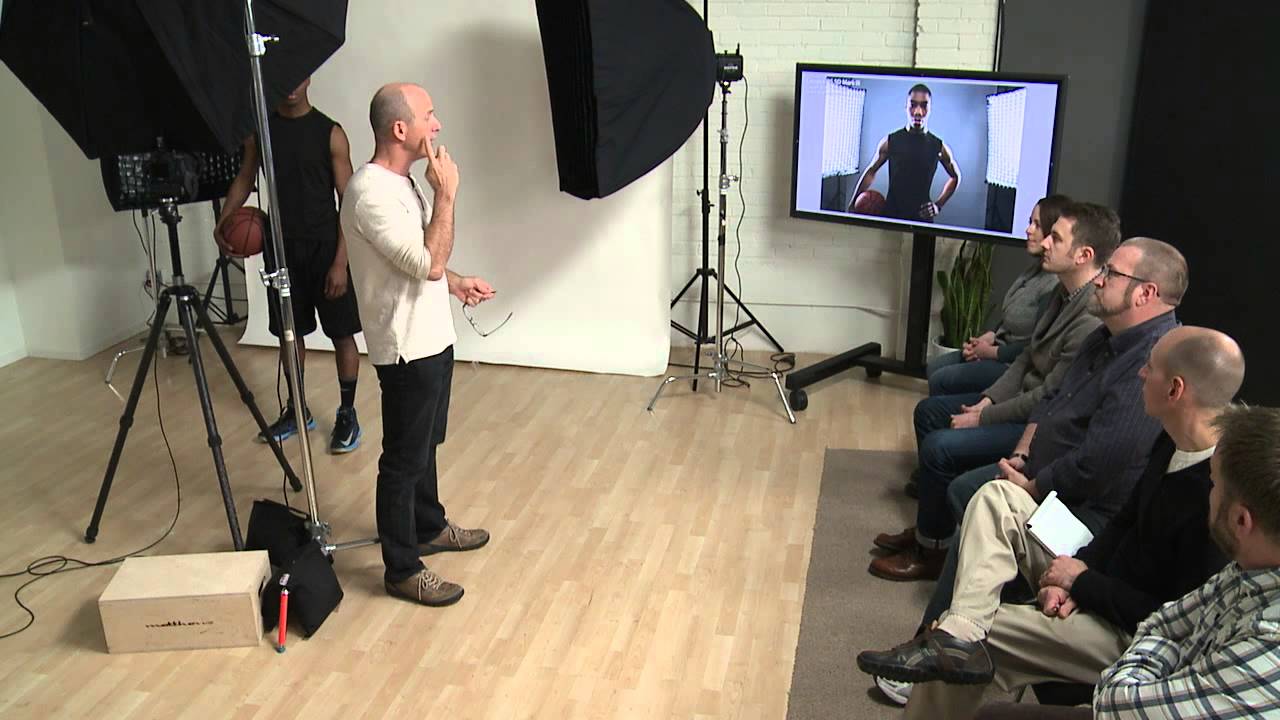
There’s a specific problem I run into on almost every commercial shoot: the gap between what a light looks like when I set it up and what it actually does to a face. I can dial in a modifier, place it where I think it belongs, and then look at the back of my camera and see something that’s either blown out on the cheekbones or dropping into shadow way too early. For years I treated this as a Photoshop problem. Crank the contrast in post, lift the shadows, move on. It wasn’t until I started being more deliberate about where one zone of light hands off to the next that my in-camera files started looking like actual finished images rather than raw material that needed rescuing.
Watch the full tutorial on YouTube
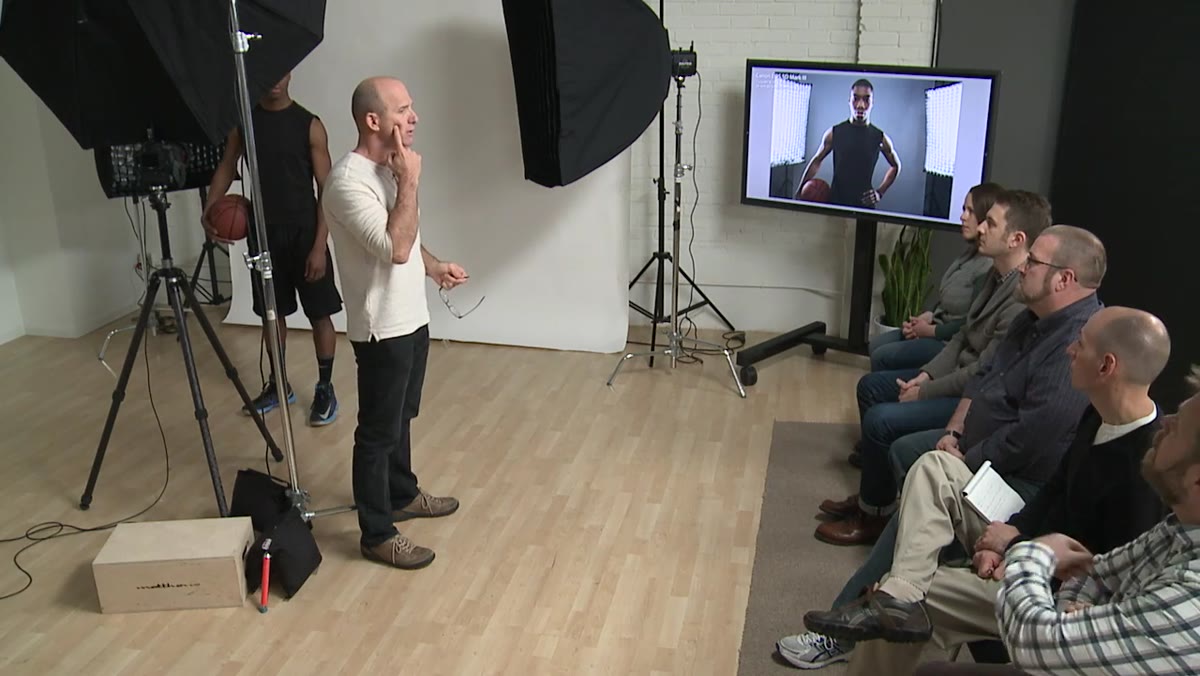
In this CreativeLive tutorial, Joel Grimes walks through his method for shaping light across the face using a two-zone framework, contour lights that define the edges and rim of the face, and a fill or overhead source that handles the broader mid-tone areas. What makes this worth studying isn’t just the concept. It’s the way Grimes makes micro-adjustments in real time and explains exactly why he’s making them. The whole setup is visible, the reasoning is audible, and the corrections are small enough to replicate. I sketched the whole thing into my lighting journal the same afternoon I watched it.
Step 1: Start With the Contour Lights, Not the Fill
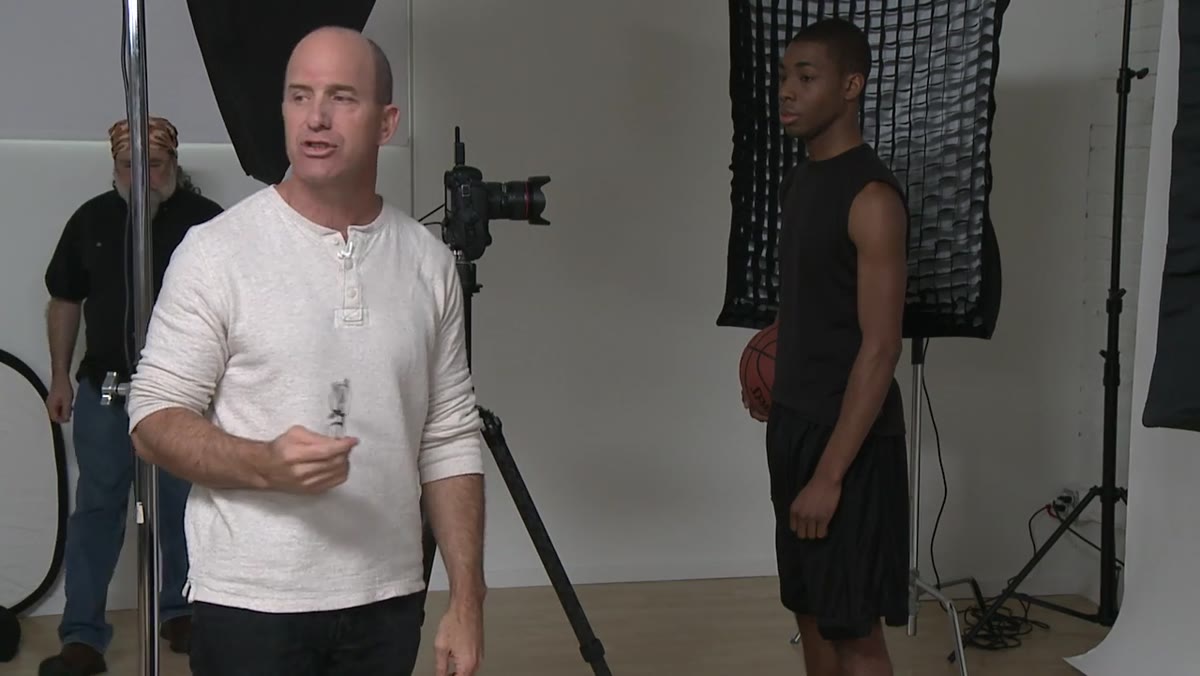 Joel assessing position of contour rim lights on subject
Before anything else, Grimes evaluates only the contour lights. He’s not worried about overall exposure or fill at this stage. The contour lights are his first zone, the foundation, and everything else gets layered on top. In practice, this means powering down or flagging your fill source entirely so you can see what the edge lights are actually doing on their own. If you try to evaluate everything at once, you won’t know which light is causing which problem.
Joel assessing position of contour rim lights on subject
Before anything else, Grimes evaluates only the contour lights. He’s not worried about overall exposure or fill at this stage. The contour lights are his first zone, the foundation, and everything else gets layered on top. In practice, this means powering down or flagging your fill source entirely so you can see what the edge lights are actually doing on their own. If you try to evaluate everything at once, you won’t know which light is causing which problem.
Step 2: Adjust Subject Position, Not Just Light Position
 Subject stepping forward toward the camera by two steps
Grimes moves his subject forward rather than immediately repositioning the lights. This is a useful habit to build because small changes in subject placement have a disproportionate effect on how contour lights wrap around the face, especially with a narrow modifier. He also asks the subject to lower their chin slightly, which changes the plane of the cheekbones relative to the light source. Before you reach for a light stand, try moving your subject a few inches and retaking the shot. You may get what you need without touching anything else.
Subject stepping forward toward the camera by two steps
Grimes moves his subject forward rather than immediately repositioning the lights. This is a useful habit to build because small changes in subject placement have a disproportionate effect on how contour lights wrap around the face, especially with a narrow modifier. He also asks the subject to lower their chin slightly, which changes the plane of the cheekbones relative to the light source. Before you reach for a light stand, try moving your subject a few inches and retaking the shot. You may get what you need without touching anything else.
Step 3: Identify the Transition Zone Between Zone One and Zone Two
 Grimes pointing to the boundary between lit and shadow areas on the face
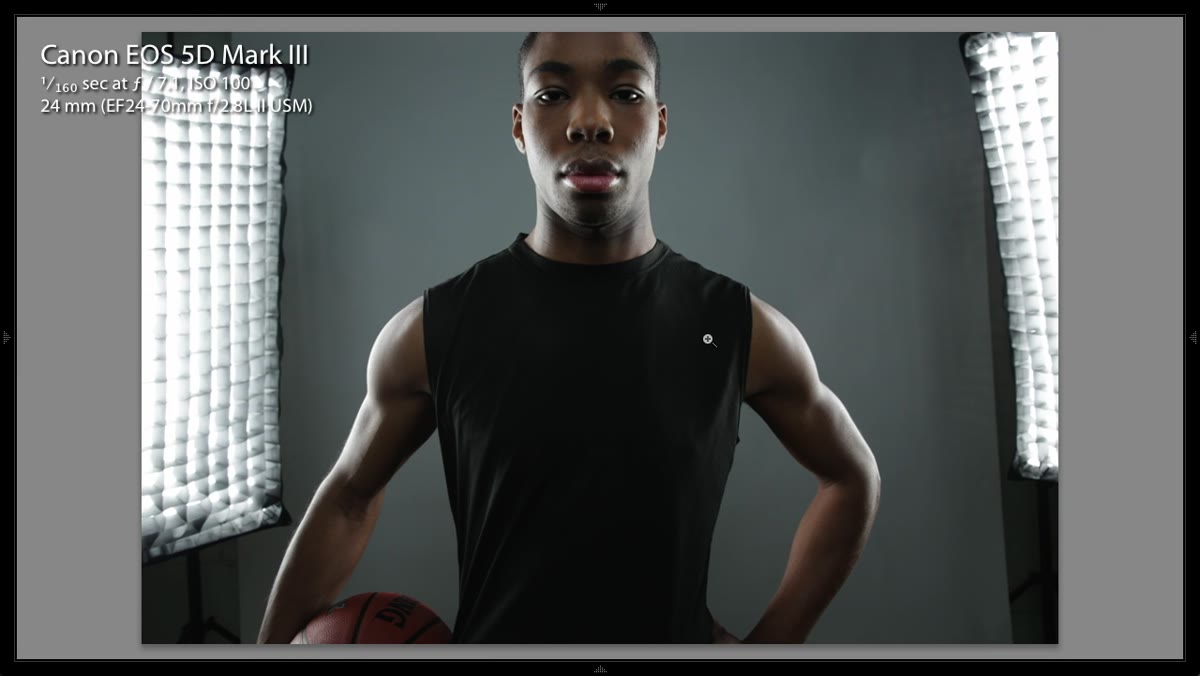
This is the most important moment in the tutorial. Grimes identifies the exact area of the face where the contour light gives way to the second zone, the broader, flatter illumination that covers the center of the face. He calls this the transition, and he’s explicit that managing this transition is the core of the work. A harsh transition reads as dramatic and is suitable for sports or editorial work with a gritty aesthetic. A smooth transition reads as polished and is required for beauty or fashion. Neither is wrong, but you have to make a deliberate choice about which you’re building toward.
Grimes pointing to the boundary between lit and shadow areas on the face
This is the most important moment in the tutorial. Grimes identifies the exact area of the face where the contour light gives way to the second zone, the broader, flatter illumination that covers the center of the face. He calls this the transition, and he’s explicit that managing this transition is the core of the work. A harsh transition reads as dramatic and is suitable for sports or editorial work with a gritty aesthetic. A smooth transition reads as polished and is required for beauty or fashion. Neither is wrong, but you have to make a deliberate choice about which you’re building toward.
Step 4: Soften the Transition Before Adding Post-Processing Contrast
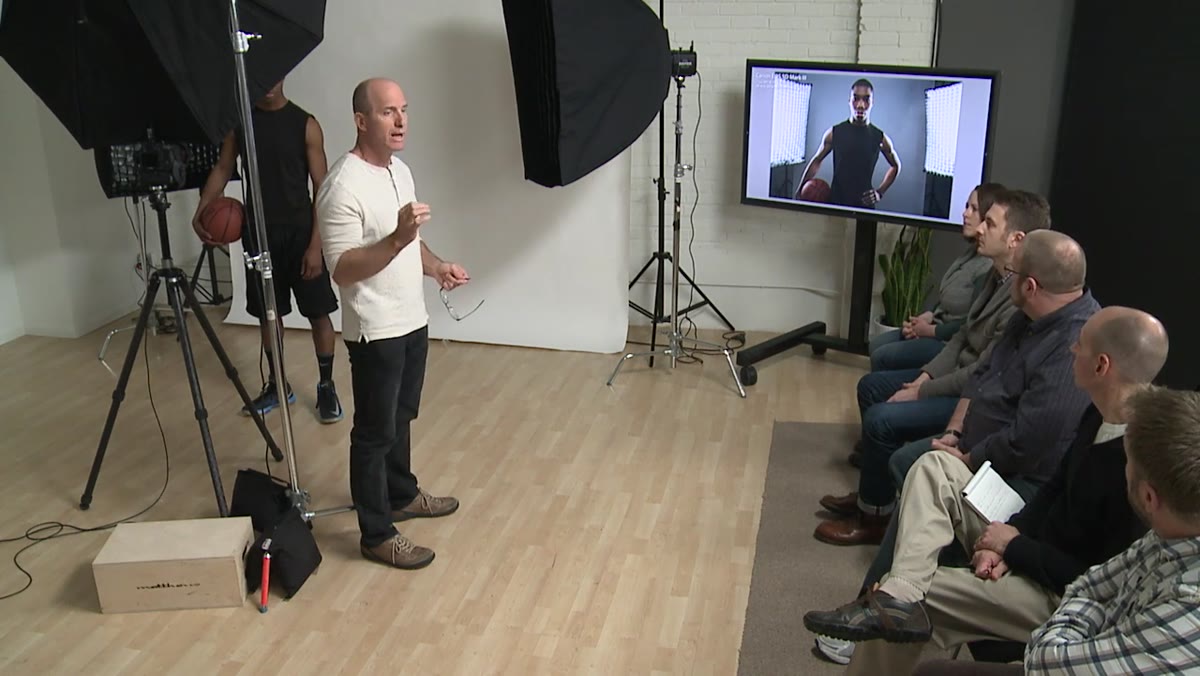 Grimes discussing the in-camera look versus the Photoshop-adjusted result
Grimes makes a point that I think gets overlooked in a lot of lighting tutorials: it’s easier to add contrast in post than to remove it. He deliberately leaves the in-camera transition slightly softer than his final target, knowing he’ll push it further in Photoshop. If you shoot with the transition already at maximum contrast, you have no room to work. You’ve locked yourself in. Aim for about 80 percent of the contrast you want in camera. That remaining 20 percent gives you control in post without forcing you to paint yourself into a corner on the lighting side.
Grimes discussing the in-camera look versus the Photoshop-adjusted result
Grimes makes a point that I think gets overlooked in a lot of lighting tutorials: it’s easier to add contrast in post than to remove it. He deliberately leaves the in-camera transition slightly softer than his final target, knowing he’ll push it further in Photoshop. If you shoot with the transition already at maximum contrast, you have no room to work. You’ve locked yourself in. Aim for about 80 percent of the contrast you want in camera. That remaining 20 percent gives you control in post without forcing you to paint yourself into a corner on the lighting side.
Step 5: Increase the Second Zone by Half a Stop
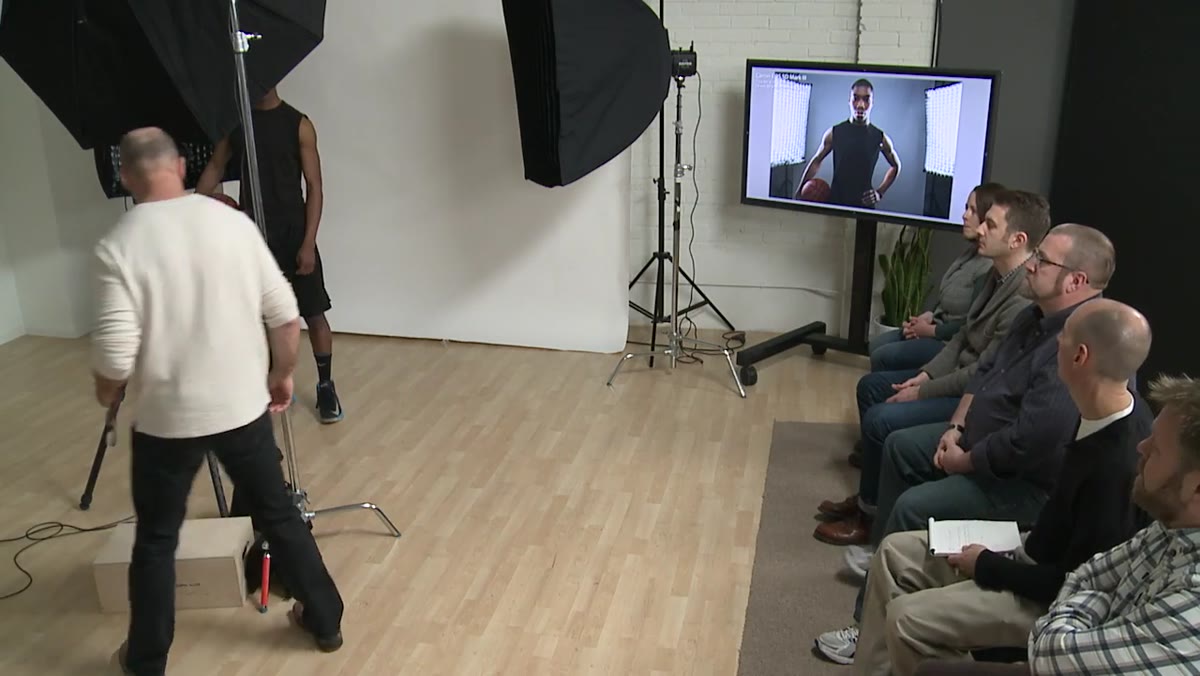 Grimes adjusting the power dial on a strobe by a measured increment
With the transition zone identified, Grimes increases the power on the second zone light by half a stop. He doesn’t guess at it. He counts the clicks on the power dial, a method I use myself because it’s repeatable and doesn’t require looking away from the light while you’re adjusting. If your strobe has a digital display, great. If it uses click-stops, count them. The point is that he’s making a specific, measured change rather than a vague adjustment. Half a stop is a meaningful increment at this scale. Going a full stop would likely blow out the transition entirely.
Grimes adjusting the power dial on a strobe by a measured increment
With the transition zone identified, Grimes increases the power on the second zone light by half a stop. He doesn’t guess at it. He counts the clicks on the power dial, a method I use myself because it’s repeatable and doesn’t require looking away from the light while you’re adjusting. If your strobe has a digital display, great. If it uses click-stops, count them. The point is that he’s making a specific, measured change rather than a vague adjustment. Half a stop is a meaningful increment at this scale. Going a full stop would likely blow out the transition entirely.
Step 6: Fine-Tune the Contour Light Position Based on Face Shape
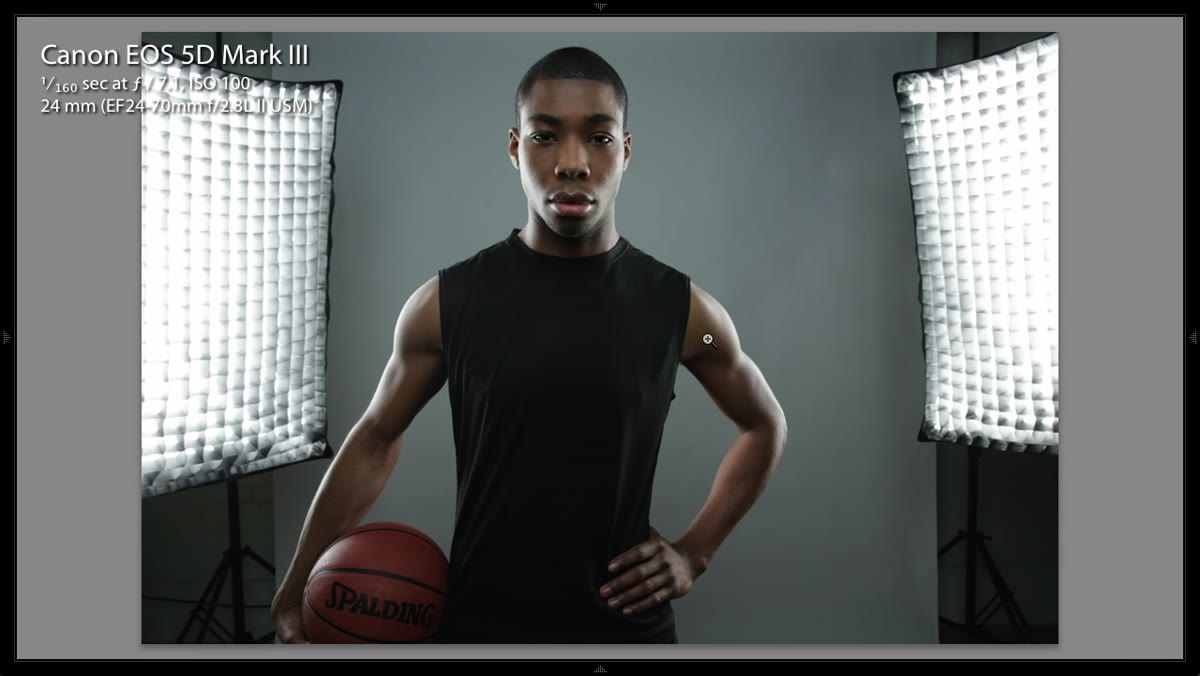 Contour lights being nudged forward approximately two inches on their stands
After the second zone adjustment, Grimes revisits the contour lights and moves them forward by roughly two inches. He explains that the correct position is not universal. It depends on the geometry of the subject’s face. A subject with a narrower face will need the contour lights positioned differently than someone with wider or rounder features. This is a calibration you have to do per subject, not once per setup. The rule of thumb is to look at where the contour light catches the cheekbone and jawline and judge whether it’s creating a clean edge without spilling too far onto the front plane of the face.
Contour lights being nudged forward approximately two inches on their stands
After the second zone adjustment, Grimes revisits the contour lights and moves them forward by roughly two inches. He explains that the correct position is not universal. It depends on the geometry of the subject’s face. A subject with a narrower face will need the contour lights positioned differently than someone with wider or rounder features. This is a calibration you have to do per subject, not once per setup. The rule of thumb is to look at where the contour light catches the cheekbone and jawline and judge whether it’s creating a clean edge without spilling too far onto the front plane of the face.
Step 7: Confirm With a Final Test Shot and Evaluate the Full Picture
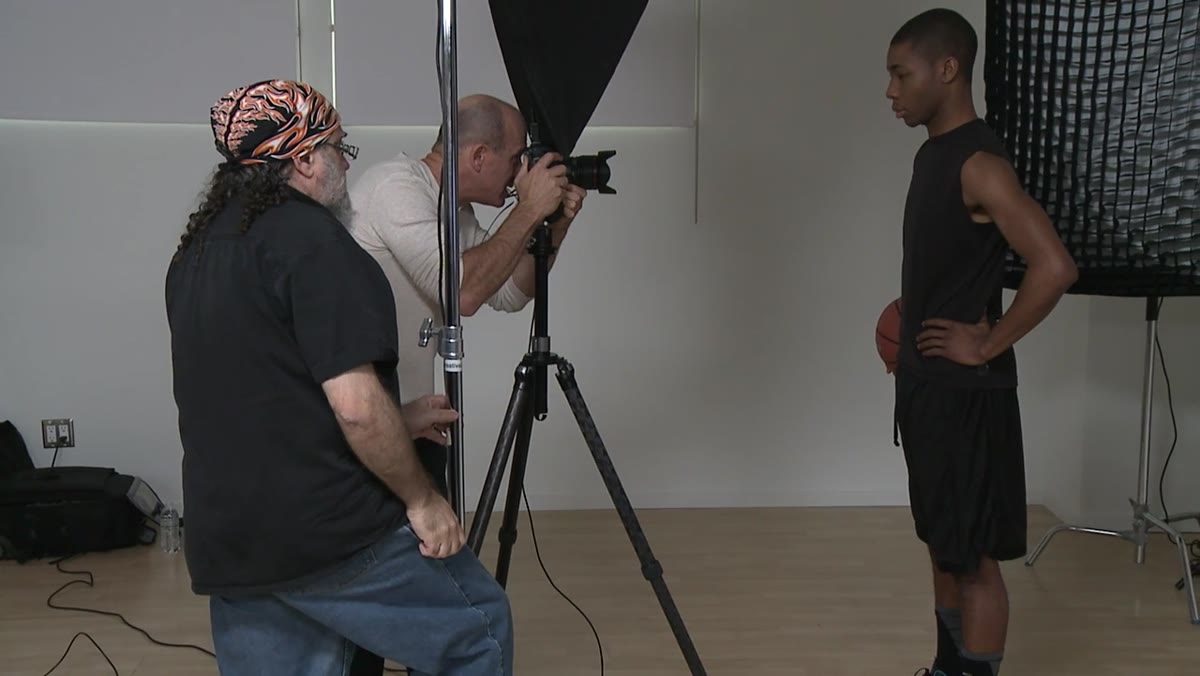 Reviewing the final frame on a monitor showing refined facial contrast
Once both zones are adjusted, Grimes takes a final test shot and evaluates the complete image. He’s looking at whether the contour and fill now feel like they belong to the same image rather than two separate lighting decisions layered on top of each other. When it works, the transition between zones reads as continuous, not as a visible seam. If it doesn’t, the next move is to revisit step three and re-examine the transition point before touching power levels again.
Reviewing the final frame on a monitor showing refined facial contrast
Once both zones are adjusted, Grimes takes a final test shot and evaluates the complete image. He’s looking at whether the contour and fill now feel like they belong to the same image rather than two separate lighting decisions layered on top of each other. When it works, the transition between zones reads as continuous, not as a visible seam. If it doesn’t, the next move is to revisit step three and re-examine the transition point before touching power levels again.
What I Do Differently in My Own Workflow
One thing Grimes doesn’t address here is what happens when the subject’s skin tone affects how visible the transition actually is. In my experience, the transition zone that reads perfectly on one person can look completely different on someone with lighter or darker skin, because the light reflects and absorbs differently across that gradient. I now take a bracketed set of test shots with chin angle varied by about five degrees up and down from neutral before committing to a final chin position. That range of frames shows me how much the transition shifts with small postural changes, and it gives me a much better sense of where the real sweet spot is before I lock anything in.
The most useful thing Grimes demonstrates in this tutorial is that precision in studio lighting is cumulative. Each adjustment is small. None of them look dramatic on their own. But they build on each other, and by the time you’ve worked through both zones and refined the transition between them, you end up with an image that holds together in a way that vague, intuitive adjustments rarely produce. Make the changes small, make them measurable, and evaluate after each one.
Watch the full tutorial on YouTube
Comments
Leave a Comment